
MCG Arches
REQUIREMENTS: Max 2016 + SP3 +EXT1/2, Max 2017
Installation: Scripting, Install Max Creation Graph...
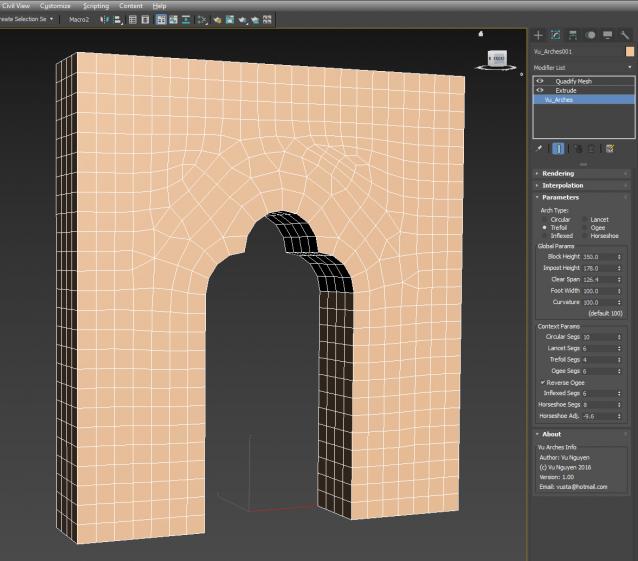
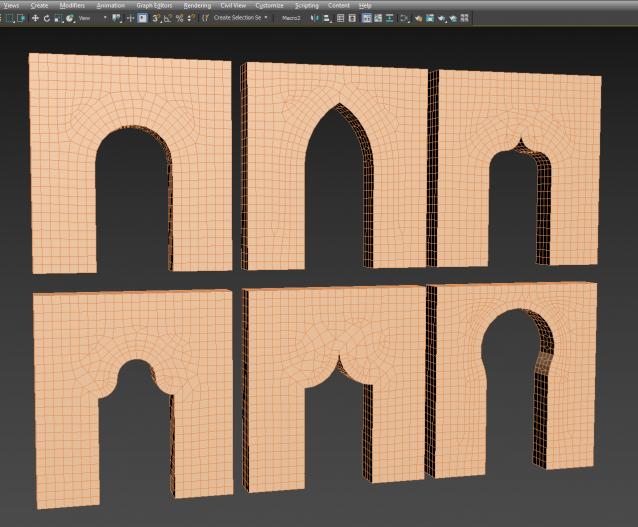
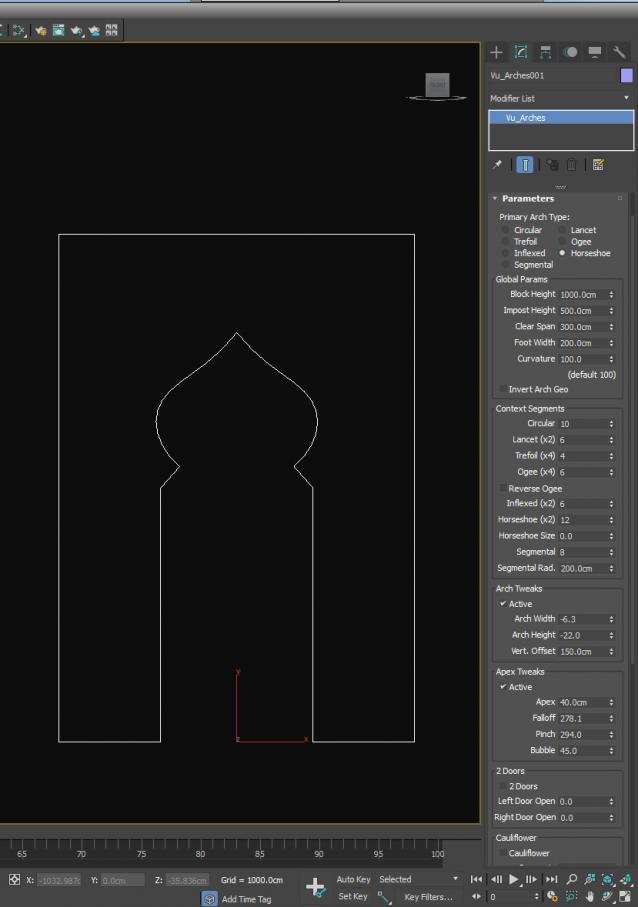
Creates various types of arches: Circular, Lancet, Trefoil, Ogee, Reverse Ogee, Inflexed and Horseshoe. Please note that I didn't follow any ancient building codec strictly to the letter...only that the curves are derived from perfect circular segments. Using the Curvature adjustment, you could get other arch types like Parabolic, Elliptical ...etc...
This creates splines, then you can Extrude and Quadrify into a Mesh...or you can also Quadrify then Shell...this should be done if you use the 2 Doors option as Extrude will not work properly with the 'doors' opening/closing.
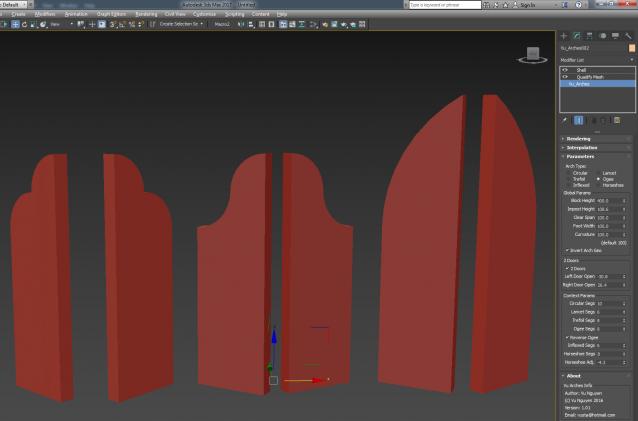
ver 1.01: can now invert Arch geometry to get doors, tombstones...
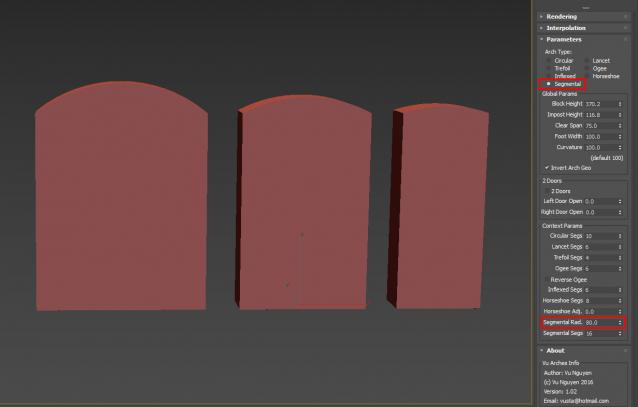
ver 1.02: YES !!! Segmental is finally available. Please note, as Segmental arch is always a segment from a perfect circle, the Curvature adjustments will have no effect on this. Also, although I didn't show it in the latest video, as you change the Clear Span, the Segmental arch will auto adjust as illustrated by the 3 different tombstones picture...ie...they're all different widths but the Segmental Radius remains unchanged, it auto adjusts itself up/down.
ver 1.03: Added Cauliflower pattern (semi circle for each segment). This can be applied on top of the primary arch type, except Trefoil (and other combinations) due to overlap. Also added Vertical Offset for Horseshoe.
ver 1.04: Added Multi Spans functionality
Ver 1.05: HUGE update...
- Arch Tweaks so you can adjust the Width, Height and Vertical Offset of the Primary Arch
- Arch Apex Tweaks allows you to create pointed shape from other shapes...eg. even from an ordinary semi-circle...so now you can have pointed Horseshoe for example.
- Cauliflower Tweaks so you can manipulate the mini-arch similar to a primary Arch.
- Default creation scale to 'tens' instead of 'hundreds' to suit people using meters instead of cms.
- Note: when using Cauliflower, avoid tight overlaps like Trefoil. Also when Chamfering the Cauliflower and if you use Flip, ensure you have 'some' Falloff...otherwise, you'll see huge geometry..until you enter some value in Falloff.
- Added a Units version for people with System Unit = m and Display Unit = cm (see latest pic). Ver 1.05 now contains both Generic and Units versions.
If anyone prefers to pay me directly, please email me and I will send a payment request via Paypal (you don't have to have a Paypal account). On CreativeMarket, it requires you to have a min amount with Paypal and some ppl don't like this....I understand...
Comments
can be done...
ahh...understand now...so I guess you would be using these as the actual door itself ?
(or tombstones...Here Lies Our Glorious Hero Who Couldn't Figure Out a Way to Get Through The Arch of Victory On His Victory Lap ?)
Wondeful.. That's what i've been waiting for 2 years ago :)
Vgood job and i hope you can include "segmental arch" in the arches types, it would be better also if the script can exclude the surrounding wall and keep only the arch object standalone.
please refer to this
http://www.scriptspot.com/forums/3ds-max/scripts-wanted/semi-circular-ar...
arch. Hazem Mamdouh
www.hm-studios.com