3ds Max | All

Expanded Object Colors

1 vote

This free script will give you some extra options for wire colors of new objects. You can set it to use default max, use current active layer color, set a specific color, set a range of colors and set value stepping.

To Install, just place the file in the Scripts/Startup folder.

To change settings, run this Macroscript:

macros.run "wallworm.com" "WallWormLaunchColorManager"

You can create a button/menu to launch the settings floater via Customize > Customize User Interface and finding the function "Launch Color Manager" in the "wallworm.com" category.

MXSPyCOM

1 vote

A modern version of MXSCOM, to allow for editing & execution of 3ds Max MaxScript and Python files from external code editors.

In 2005 Simon Feltman released the first MXSCOM, a small Visual Basic 6 application that took commands and sent them to Autodesk's
3ds Max's internal COM server. This allowed users to choose their own external code editor for editing MaxScript and to be able to
have their MaxScript code execute in 3ds Max by way of having the code editor utilize MXSCOM to send the file into 3ds Max and have it

multiscatterTool

9 votes

multiscatterTool picture

Help when using many multiscatters.

Variations Render

1 vote

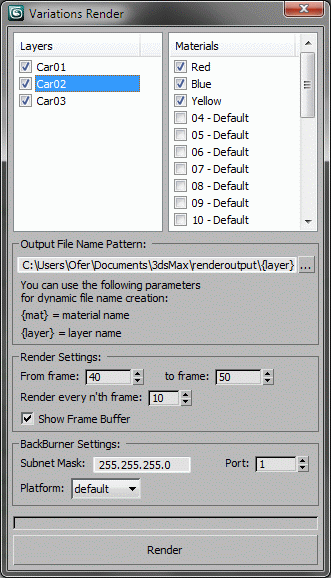
Renders all variations possible using the selected layers and materials.
For each render, it shows only one layer from the selected layer, and renders it with all selected materials, by assigning the material to all objects in the layer, rendering and moving to the next material.
Developed for Martin Jann (http://pixelsonic.com/) who allowed it to be released as open source.

XrayUnwrap 2.0 - Cowdfunding campaign help to founding

1 vote


Hello everybody, we launched a crowdfunding campaign to develop XrayUnwrap 2.0 for Autodesk Maya and 3ds Max. In the video we show the new features we would like to add to this great plugin! thanks for your support! Please visit our crowdfunding campaign here: https://www.indiegogo.com/projects/xrayunwrap2-0-quicker-auto-unwrapping...

Pathstribute

-13 votes

Pathstribute is a 3ds Max plugin which gives users the ability to distribute a mesh along any number of splines. Users are given a variety of controls to adjust the number of clones, the placement of the copies, scale, and the rotation. All controls support animation.

Download now!

MCG Voxelizer

8 votes


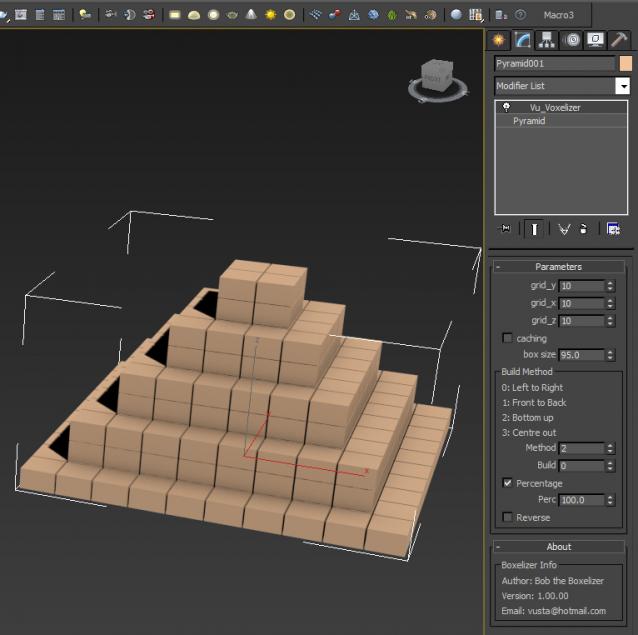
Bob the Boxelizer added some bells and whistles to Christopher Diggins' Voxelizer in the Sample Pack. Probably more useful to mographers....or use Bottom up method to illustrate 3D printing..

Video here: http://1drv.ms/1Itid08

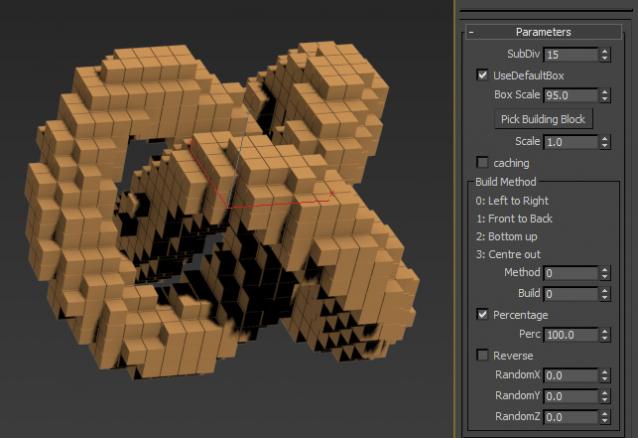
Ver 1.01.00: the voxels are now 'cubic', ie. uniform in all dimensions, not oblong if your orig geo was oblong. Also added option to pick building block instead of default 'box'.

Maxscript for Github

0 votes

A little tool for commit and push your repository directly from 3dsMax using Maxscript and command line

Fibonacci

2 votes

Fibonacci

Simple script to see Fibonacci and Golden points in viewport

Path Node Offset

23 votes

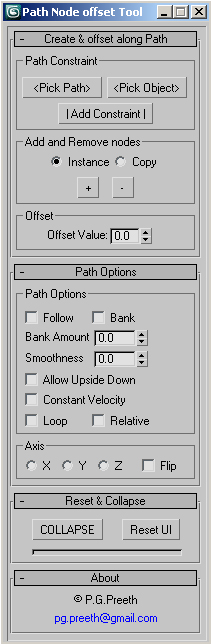
Max script for constraining a node to a path and duplicating as much as you want along the path with proper offset values.

This tool has all the option for path constraint. Later the constraint can be collapsed.

Syndicate content