Tagged 'shape'

PolyDetail

11 votes

PolyDetail is a 3dsMax plugin that helps you to quickly draw nice ornamnets with a mouse brush.

Ornaments are one of the most time consuming things in 3d modelling. With PolyDetail you can create a large variety of ornaments in a few minutes.

Product geometry is in polygonal format so you can easily adjust it with standart modelling tools.

With 12 default ornament brushes you can easily create cool looking ornaments or if you want you can add your own custom brushes for a large variety.
Rotation and twist settings helps you achieve interesting details with minimal effort.

Polyline Pro

19 votes

Profile shape

11 votes

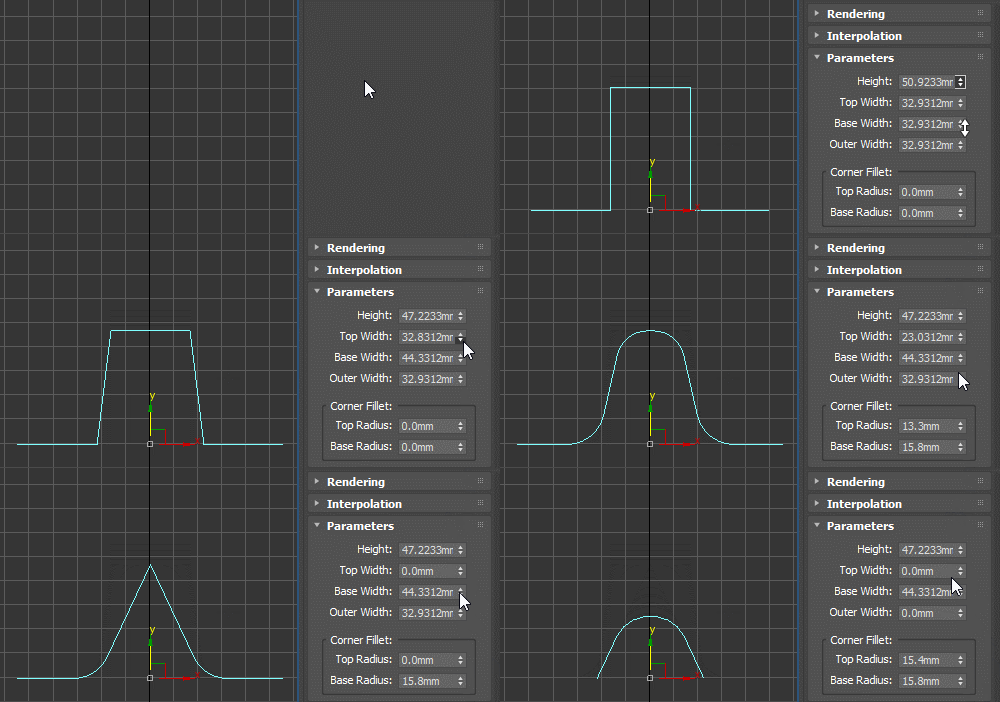
Profile spline primitive to be used with classic Bevel Profile or Shell modifier as the edge profile shape, as a sweep profile and for other similar use cases. Can be rotated, flipped and reversed as needed (for example for Shell, you should use the X Direction).

Pulley Belt

10 votes

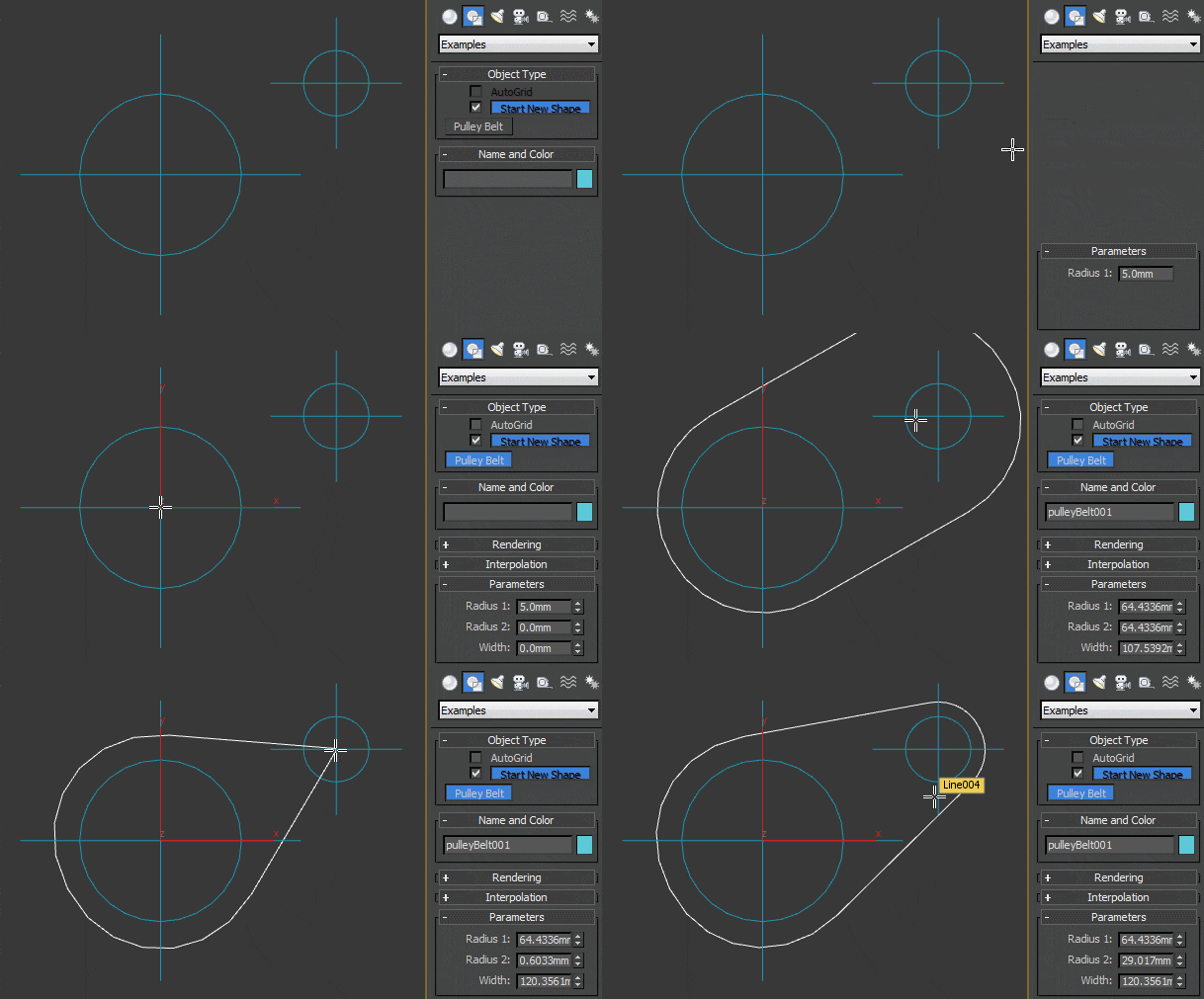
Technically you can probably call it a rounded isosceles trapezoid but it will be more useful as a base for path of bicycle chains or pulley belts. When both radii are the same and spline set to renderable, it could also be used as a simple chain link.

Quick Isolate Object

66 votes

With this useful and funny script, you can isolate in a ListBox, the category object in Geometry, Shape, Light, Helper, Camera and Space Warp in the viewport.  We can select, rename and count the items in the scene.  Useful in many work situation.

qio

Quick Mask

72 votes

Quick black and white mask from the selected objects

Quick Mask

Now support XRef Scenes

Refine by Intersect

1 vote

3DSMax Script for Refining Selected Shape if 3ds Max Version is 2019+ or Creating Editable Spline Shape according to 4 Points .

Resize Splines From First

27 votes

Tools that resize spline sub-objects in regard to their first vertex, one with a scaling factor, the other using a fixed size.

Select Similar Spline

1 vote

this script works like select similar faces in polyboost or gmt, but with splines. so feel free to test it an post some suggestions :)

it have two modes:
by segments - selects by spline segments and their lengths (most precise)
by length - selects by overal length of the spline (useful in some cases)

new in v2.1
by type - selects by knot type (bezier,corner,etc)

Select spline segments by matID

0 votes

With this script you can select splines' segments by matID.
There are two methods of selection:
- "Use IDs of selected segments" - select some segments and press the [Select] button. The script will find the matIDs of the selected segments and will select all other segments with the same matIDs.
- "Use IDs typed below" - type as many matIDs as you want in the field(separate matIDs with comma) and press the [Select] button. The script will select all segments with the matIDs entered by you.

Syndicate content