Tagged 'skin'

Skin_Or_Poly_Shrink_Selection.ms

3 votes

maxscripts.time-in-motion.com

SelectedVert_Increase_Effect_by_point01.ms

3 votes

Bind this script to a hotkey and use it to additively increase the weight for each vert for the selected bone.

DeltaMushToSkin

3 votes

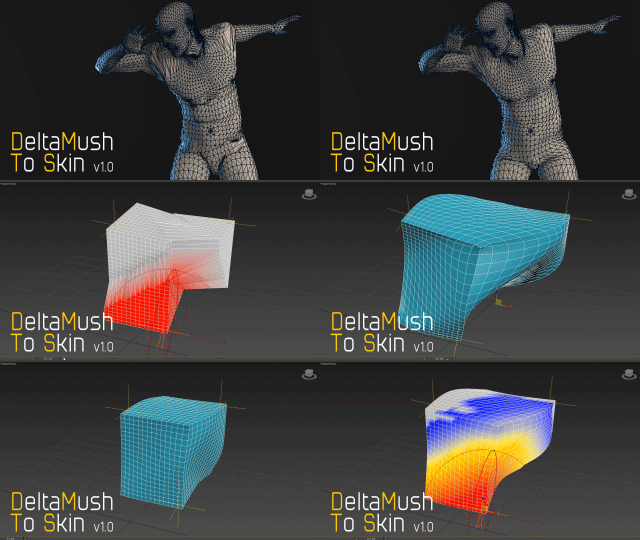
DeltaMush to Skin is a c++ 3ds Max modifier which smooths deformations while preserving details with "converting" to Skin feature - the plugin solves Skin weights matched as close as possible to the DeltaMush result. It enables the user to export such rigg to the game engine like Unity, Unreal etc. The whole process is incredibly fast thanks to multithreaded optimization.


DQ skinning Copier

3 votes

In previous max versions like max 2016,
when you save the envelopes, it doesn't save the Dual quaternions weights.
Which is a pain when you need to transfer skinning from a model to another for whatever reasons.
The thing is I do quite a lot of rigging and I faced this problem more than once with no out of the box solution.
And I needed to transfer only the DQ weights, not the other envelopes.

So here is a super simple script to do that.

How it works :
1 : select the model which has the DQ weights set. (the skin has to be the first modifier)

SkinHelper

2 votes

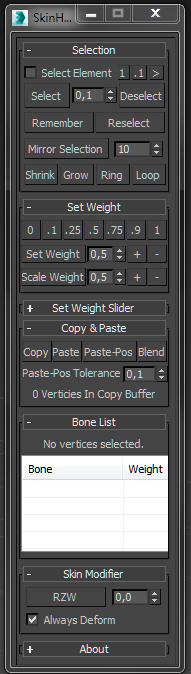
Hi, hope you like my SkinHelper.

I tried to add a bunch of selection helping tools to the skinning process, so I replaced the hole UI of the 'Weight Tool' copied the default functions and added some more functionalities like, ...

Select by Weight; Save & Load Selection; Mirror Selection; Shrink, Grow, Loop, Ring addition; Set Weight Slider

I would like to read your feature ideas for this kind of tool.

Developed in 3dsMax2013.
SelectedVert_Weight_to_0.ms

2 votes

Bind this script to a hotkey and use it to Decrease the weight for each vert for the selected bone to 0.

Hammer Skin Tool For 3ds Max

1 vote

Hammer Skin Tool for 3ds max

Macroscript is under "Savas" Category
Script works on selected vertices on skin modifier.
It does not work as expected on first couple of button clicks, But starts to work properly after third button click.

Paid one and free variants are the same. You can grab whichever you like.

Should work after Max 2019 update 2. Tested on Max 2022

Massfx Rope Creator

1 vote

Massfx Rope Creator 3ds max plugin

The fastest solution to create ropes for your Massfx simulation which allows you to create a rope between 2 objects automatically!

MCloth Animator [MassFX]

0 votes

MCloth Animator

MCloth Animator allows you to simulate mCloth on any animated mesh directly, including the 'Skin' modifier of your character! Your mesh will stay original and not being simplified (as 'convex'). No more headache with proxy objects or exporting to other software. MCloth Animator will simulate selected objects automatically with only 1 button! Don't waste your time for routine.
Third party plugins are natively supported.

Syndicate content