Tagged 'viewport'

Remove background image

1 vote

>>> obsolete since max2013 <<<

Allow to easily remove a background image assigned to the viewport (alt +b key)

   (by default in max, you can only check/unchek "display background")

UVW to Editable Splines

15 votes

Just a simple script that duplicates what you see in UVW editor in to Max viewport (editable Spline), usefull for ai exports for example.

Measure By Sphere

0 votes

Measure By Sphere in object local grid from screen

Just create sphere from point to point and look radius

BlockRender

1 vote


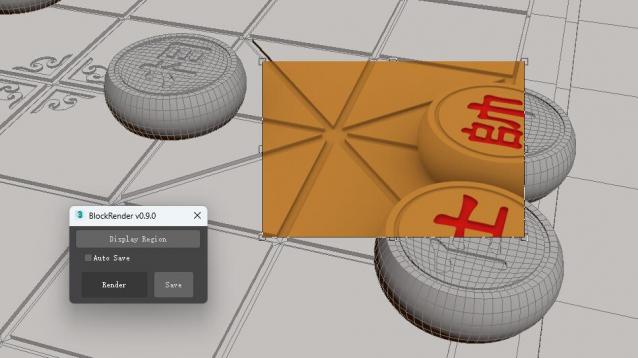
The BlockRender one click region rendering plug-in, allows you to customize region rendering and view the results directly in the viewport, and save the rendered image automatically or manually.


[Main Functions]

--Customize region rendering and view results directly in viewports

--Automatic and manual image saving

sorry!I don't know where the script of the plug-in is. It will be uploaded later.

Playback Viewport

17 votes

Playback Viewport reproduces what I think is a killer feature of XSI (well, for animators though) :

It automatically switches to a viewport designated by the user when animation playback starts, and switches back to the previously working viewport once the animation stops.

"View and Zoom Extents Selected" macro buttons

0 votes

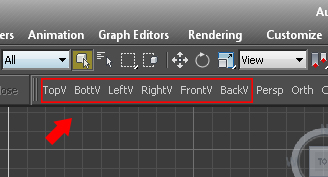
Simple macro buttons to set active view and run "Zoom Extents Selected" command. (If no object selected, "Zoom Extents" instead.) So you don't lose track of objects while switching views.


Autorun Custom Viewport Statistic

0 votes

Autorun Custom Viewport Statistic with start 3ds Max

Testing on 3ds max 2014

-- Install: Copy to 3ds Max directory scripts\Startup

-- Example: Copy to C:\Program Files\Autodesk\3ds Max 2014\scripts\Startup

This script is a modified version http://www.scriptspot.com/3ds-max/scripts/change-viewport-statistic

Swap background color

13 votes

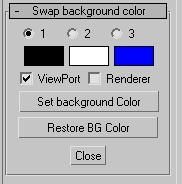
Simple utility to set background color for ViewPort and/or Renderer.

SceneShutter

0 votes

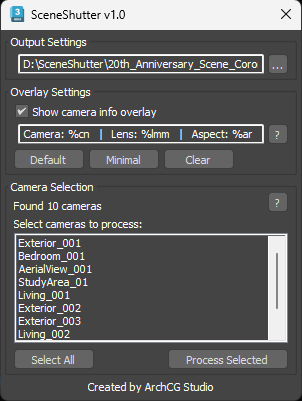
SceneShutter — Camera Viewport Export Tool for 3ds Max
Batch export clean, safe-frame camera previews with overlays and flexible aspect ratios — in seconds.

What is SceneShutter?
SceneShutter is a powerful yet lightweight tool for Autodesk 3ds Max that allows you to quickly export clean, safe-frame viewport previews from multiple cameras — without rendering.

1 Click AO Render

3 votes