Tagged 'copy'

Move/Clone to cursor

3 votes

Hi, this is simple script which move or clone selected objects to surface under cursor. You can bind it to any hotkey (I usualy use Alt+S and Alt+C).

1.0.1

- initial releas

1.0.2

- settings can be binded to hotkey

- possibility to turn on random rotation in Z axis

1.0.3

- multiple object selection can be treated as object list, so in clone mode random object will be selected

- cloned objects can be automaticly moved to active layer

 

CopyTo

5 votes

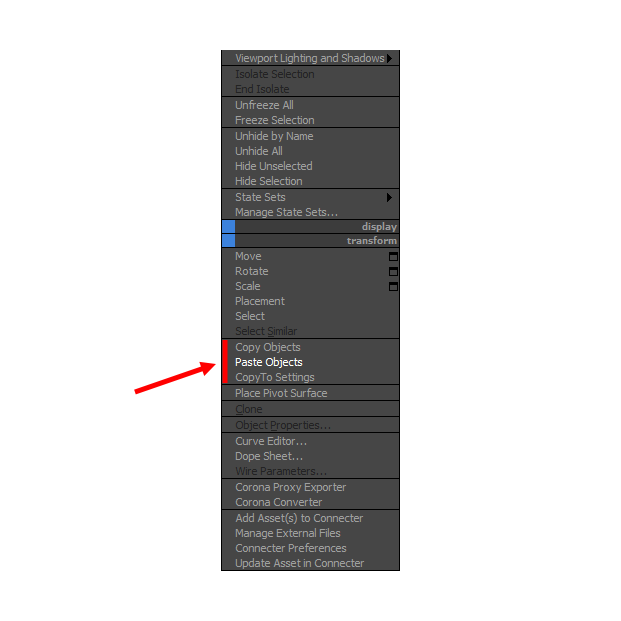
With CopyTo PRO script you can copy objects and paste them into the current scene or between open windows 3Ds Max.

Lazy Manager

1 vote

Joker Martini has released Lazy Manager, a new tool for 3ds Max that allows users to copy and paste objects, materials, and modifiers across multiple instances of 3ds Max and includes support for sharing these assets across an entire studio of artists using a shared network location. Lazy Manager costs $10 and supports 3ds Max 2012 an upwards.

Folder Construction Copy

2 votes

It is a script to copy the folder structure under the specified folder to another folder.
Files contained in the folder are not copied.
This script will help you to create folder that use for render output.
For example, copy folder hierarchy of shot A to shot B.

How to Use:
Enter source folder path and destination folder path to copy data to.
And press button.

Copy modifiers

4 votes

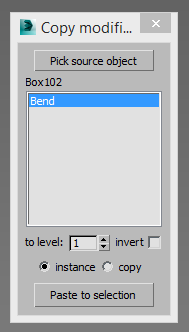
Simple tool for copy/instance modifiers from source object to selected array of objects. Does not copy only edite_poly modifier because 3dsmax does not allow doing this by script.

miauu's Extended Clone Tool

2 votes


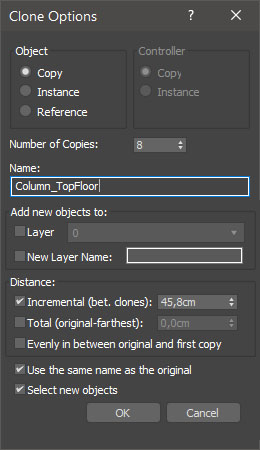
miauu's Extended Clone Tool adds new options to the standard Clone Options dialog.

The main goal - save time using these features:

- move the created objects to a new layer,

- move the created objects into existing layer

Transfer Materials

1 vote

Transfer materials, object properties (standard and Vray) and modifiers between objects based on names, vertex count or transfom. Can work between multiple Max instances. Handy for transfering materials from lookdev to lighting scenes with caches.

Installation:

just drag&drop to max and the you can find the script inside ProgressiveFX category

Changelog:

v1.2

- bugfixes

- possibility to remove string from object name before copy

Max CP

0 votes

This tool copy and paste objects between many 3ds max windows. You can add a shortcut like ctr+c ctrl+v.

OutFiler file browser

8 votes

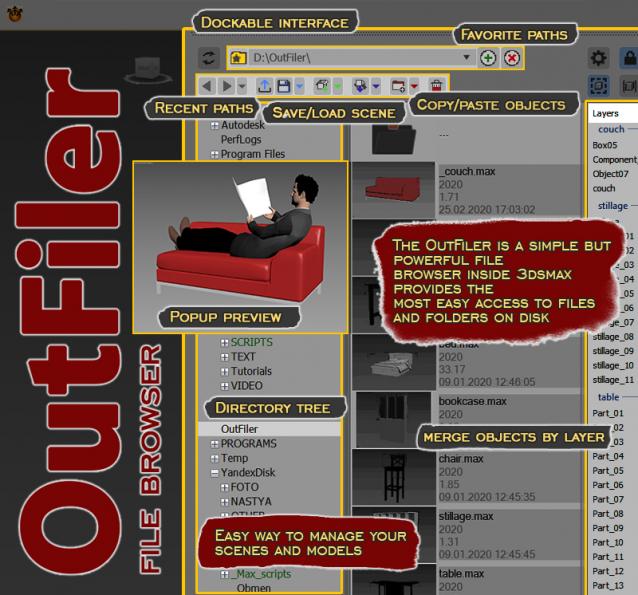
The OutFiler is a simple but powerful file browser inside 3dsmax that completely replaces standard save/load/save selected/merge/import/export dialogs. I believe folder tree much more comfortable and transparent.

The OutFilers provides the ability to quickly find the necessary folders, save the history of movements along them with back/next buttons and recent list and the favorite paths for quick access to working scenes.

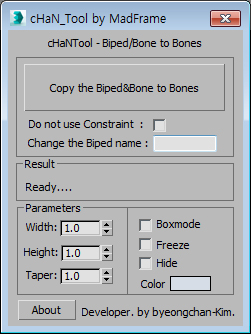
Copy the Biped&Bone to Bones

2 votes


1.Select Target(Biped or Bone)

2.[Copy the Biped&Bone to Bones] pressed button

3.The target name is automatically changed to Hep001.(If you want to enter directly  Change the Biped name)