Tagged 'utility'

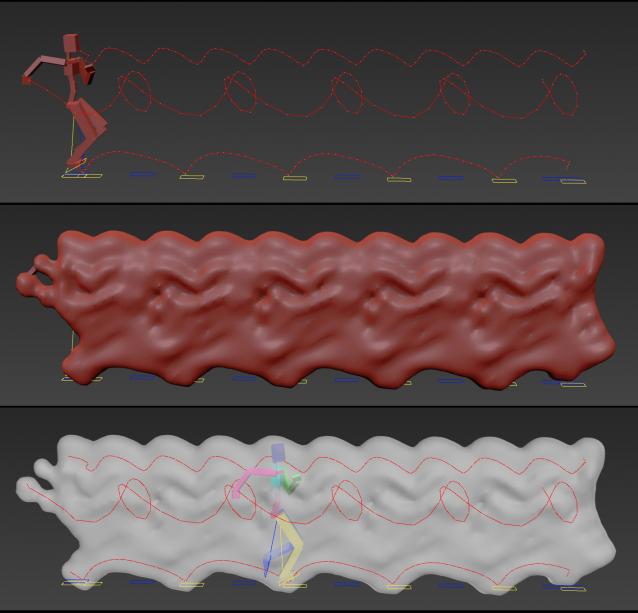
Animation Trajectory Volume

3 votes

This script helps you create an aproximate mesh that covers the animated object (transforming or deforming) through the animation range.

It can come in handy:

-When trying to build an environment around your animatedcharacter for example.

-or to see how your animation flows instead of using the normal line trajectory.

-also to know the dimention that our charachter are moving in to build FumeFX container or other fx stuff.

It's based on Blob mesh so:

FumeFx FreezeFrame

3 votes

FumeFx FreezeFrame is a very simple script for work with “still simulation” like clouds, nebula, ecc...The script have only 2 buttons:

update 1.0

-Freeze/unfreeze button: to set the out-of-range type to work statically
-Frame spinner: set the simulation frame(useful in lookdev step)

update 2.0 change log:

-Added a source list to manage multiple grids at same time
-More accurate workflow for freeze/unfreeze grids
-Added a status bar that display the source status
-Better code organization

let me know if there are some bug or some request.

Thanks

Share and Enjoy!

Script Box

3 votes

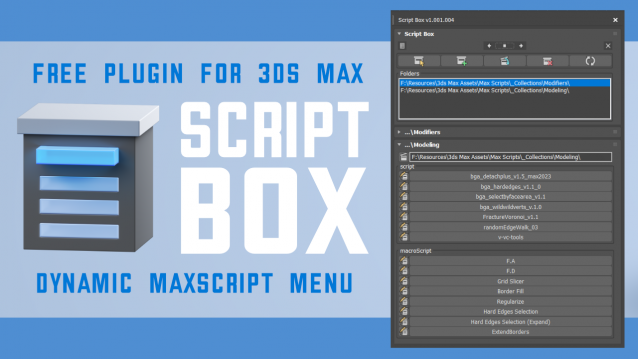
Script Box optimizes your scripting workflow by creating a dynamic dialog menu for Maxscript files.

Simplify installation and execution of Maxscripts by selecting any folder and get a menu that can launch external MaxScripts without adding custom buttons. Freely organize and integrate macroScripts, plugins, utilies and regular scripts inside 3ds max without going through a set of complicated steps.

The current version is free with no limitations, offering the same functionality as the paid version. Future updates are exclusive to paid users.

Main Features

  • Dynamic dialog menu 
  • Execute MaxScripts from any folder
  • Multi-threaded file loading
  • Organized by macroScript, plugin, utility and regular scripts
  • Configure buttons and minimize UI
  • Custom tooltips with aditional information
  • Create, archive and open MaxScripts
  • Dock, resize, and collapse dialogs
  • Launch on start-up

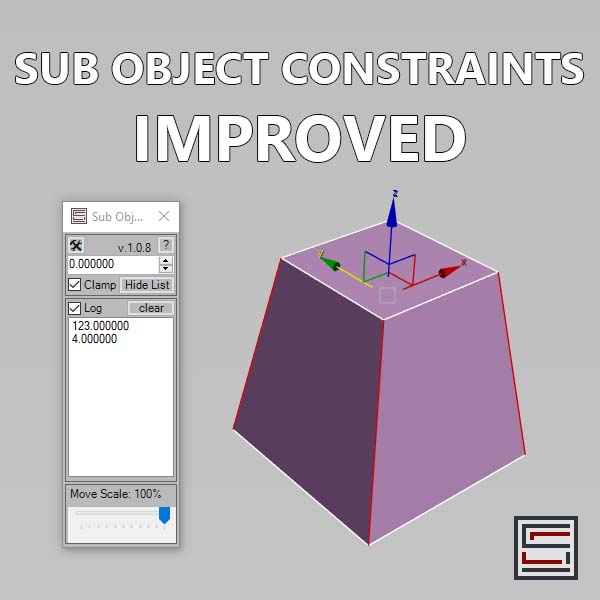
Sub Object Constraints Improved

2 votes

Description: Slide verts & faces along edge paths. Similar to the standard constraints, but works in both directions.

Mod Pinner

1 vote

Mod Pinner lets you pin any modifier to the top of the 3ds Max stack.

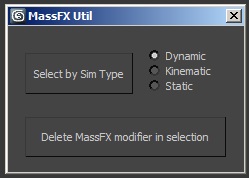
MassFX Util

1 vote

When working with MassFX, this script provides two functions:

- Select objects by simulation type (dynamic, cinematic, static)

- Delete the MassFX modifier in the selected objects

Encrypt Script Utility

1 vote

Scripted Utility to quickly encrypt a maxscript using the following method:

Related Object Finder

1 vote

This script allows you to find objects that related with your selected object.
For example, by modifiers, space warps etc...
You can find objects and select by the list. This script will help you recognize object relationship and dependency easily.

How to Use:
Select One object and press button. If the object have dependency to another objects, objects name will be listed up.
By selecting the name in list, you can select object in scene.

Accelerate

-2 votes

This script is here to speed up our workflow. A combination of scripts put together to quickly access animation, rendering, lighting, fumefx, frost, vray, Krakatoa and other utilities. more info coming soon

Syndicate content