
Script Box
Version:
1.100
Date Updated:
08/19/2024 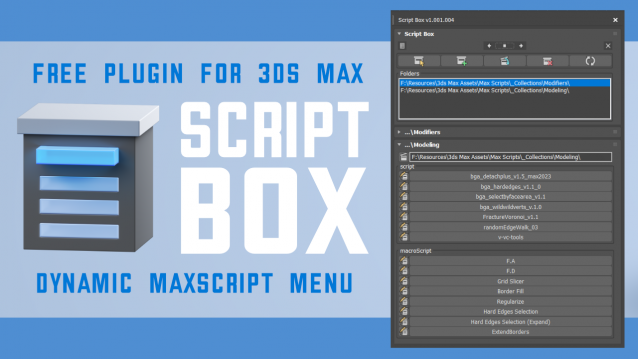
Script Box optimizes your scripting workflow by creating a dynamic dialog menu for Maxscript files.
Simplify installation and execution of Maxscripts by selecting any folder and get a menu that can launch external MaxScripts without adding custom buttons. Freely organize and integrate macroScripts, plugins, utilies and regular scripts inside 3ds max without going through a set of complicated steps.
The current version is free with no limitations, offering the same functionality as the paid version. Future updates are exclusive to paid users.
Main Features
- Dynamic dialog menu
- Execute MaxScripts from any folder
- Multi-threaded file loading
- Organized by macroScript, plugin, utility and regular scripts
- Configure buttons and minimize UI
- Custom tooltips with aditional information
- Create, archive and open MaxScripts
- Dock, resize, and collapse dialogs
- Launch on start-up
Support
- 3ds Max 2021 - 2025
- .ms, .mse, .mcr files
- MacroScript, Plugin, Utility and regular MaxScripts
Links
Change Log
19-08-2024 update 1.100
- support 3ds max 2025
- customize UI controls
- launch script on start-up
- custom sbx_tooltip information
- warning messages for bad scripts, bad arguments and unknow errors
- create new MaxScript
- archive MaxScript
- remember dialog fold status

Version Requirement:
2021, 2022, 2023, 2024, 2025