
Sub Object Constraints Improved
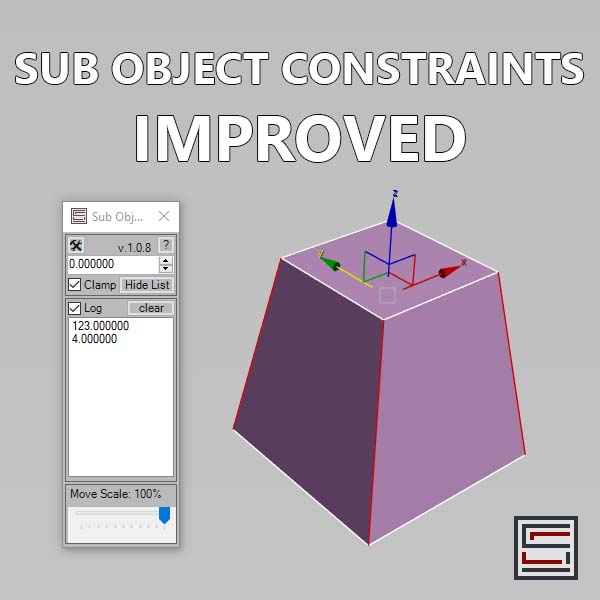
Description: Slide verts & faces along edge paths. Similar to the standard constraints, but works in both directions.
Usage:
1. Select a vertex or a face, select an edge(s) that will act as a constraint.
2. You can asssign a hotkey to the macro that will enable "instant mouse drag" or you can use the spinner.
3. You can log and store your sub object movement and reuse it in the next 3ds Max session.
4. Move scale in the settings adjusts the sensitivity of the "instant mouse drag"
Support: Editable Poly only.
Requirements: Tested on 3ds Max 2023.3; 2024.2; 2025.3; 2026.2
Installation: Drag and drop the MZP file onto a viewport or use "Scripting -> Run Script".
License type: Proprietary - Single User License
Disclaimer: This script is provided "as is" without warranty of any kind.
Use at your own risk. The author assumes no liability for any
damages or losses that may result from using this script.
Unauthorized distribution or modification is strictly prohibited.
Full license terms are provided in the LICENSE.txt.
Contact e-mail: [email protected]
Scriptspot: https://www.scriptspot.com/3ds-max/scripts?search=EvgeniyPoyan&date%5Bvalue%5D%5Byear%5D=
Gumroad: https://evgscripts.gumroad.com/
YouTube: https://www.youtube.com/@evgscripts
Portfolio: https://evgeniy_poyan.artstation.com/
:::CHANGELOG:::
v.1.1.0, 2 May 2026:
- mouse drag now works much smoother!
- you can delete entries from the list by right clicking
- number of digits now loaded from the current 3ds Max precision settings
============================= You can use the download link to buy the script. =============================