Tagged 'Tutorials'

3DS Max - Bevel Profile - Easy Modeling - Waffle Object

0 votes

In this video we will how many forms can be done easily using two shapes,
One serves as a cross section and the other as a rail.
The modifier called bevel profile will take care of the rest.
You can,after, fine tune the cross section or the rail and the geometry will update
In real time.

3DS Max Copy With Reference Point Like In AutoCad

1 vote

In this tutorial, we'll learn how to copy objects using reference points on
other objects, so that the copies will respect the same distance and orientation. If you're an AutoCAD user you already know how to do this operation in AutoCad.

Maxscript help for 3dsMax 2012 update

3 votes

I've written about setting up your local maxscript help-file: read it here. Alex Mak has posted a nice addition to this. Read it here on cgTalk. Now it's very easy to make your own, local maxscript help behave exactly the same as the online maxscript help. It automatically feeds the word at the cursor-position into the search field. This is what was missing from my previous solution.

3DS Max - Group tool is not available - Grayed out - Solved

0 votes

In this short video, we'll see why the Group tool, sometimes, becomes grayed out and not available. The reason for that is the presence of opened group among the selected objects.

3DS Max - Hidden features - 2D drawing aid - Polar / ortho Snapping

1 vote

My Blog Huh?

Actually I have already started a blog here: (can i put a link here?)

mertens3d - Blog

3DS Max - Accurate Display Of Procedural Maps - Solved

2 votes

In this video, we will solve the problem of procedural maps display,

3DS Max - Scene States - Multiple Rendering Scenarios In One Scene

0 votes

In this video, you will learn how to create different scene states for different rendering scenarios without having to save multiple Max files. After creating those states you can toggle between them in one click.

How to install my scripts in 3ds max

0 votes

Hello everybody,

In this tutorial I show how I install my max scripts in 3ds max.

Wish you a nice day :)

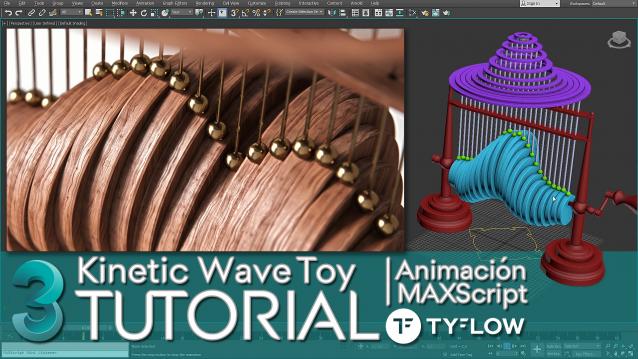
Kinetic Wave Sculpture | 3dsMax Tutorial

1 vote

In this tutorial I explain how to do in 3ds Max, the animation system or RIG of the "Kinetic Wave Toy" → https://youtu.be/F6MTOZWviAU

A step-by-step tour of all the techniques and tricks, where we also see many important concepts that every 3D animator or generalist should know.

From the basic 3D modeling of the RIG to the animation and programming of a User Interface (UI) with MAXScript, which will allow us to easily access all the parameters we need to explore the full power of a small parametric mechanical animation system.

How to ativate English subtitles: ️Configuration / Subtitles / Spanish (automatically generated) / Automatic Translation / English

Syndicate content