Tagged 'spline'

Helix

4 votes

功能介绍:

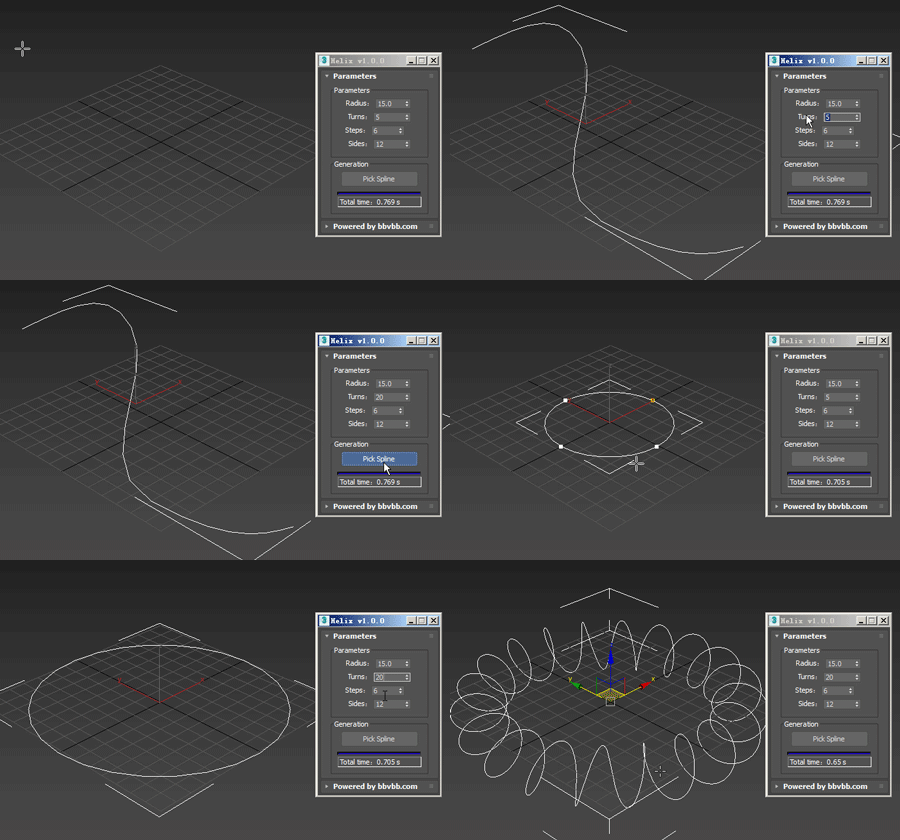
Helix for 3dsMax,是一款由#沐风课堂#用MAXScript脚本语言开发的3dsMax建模小工具,可以将任意弯曲形状的样条线一键转化为延该样条线路径上的螺旋样条线。

MAXScript for build helix spline.

Usage method: 

1 run Helix-1.0.0-en_US.mse.

2 create a spline in the Max view.

3 Click the "Pick Spline" button, and then pick the Spline. 

SplineFollow

1 vote


miauu's Polyline

16 votes

Arrow

18 votes

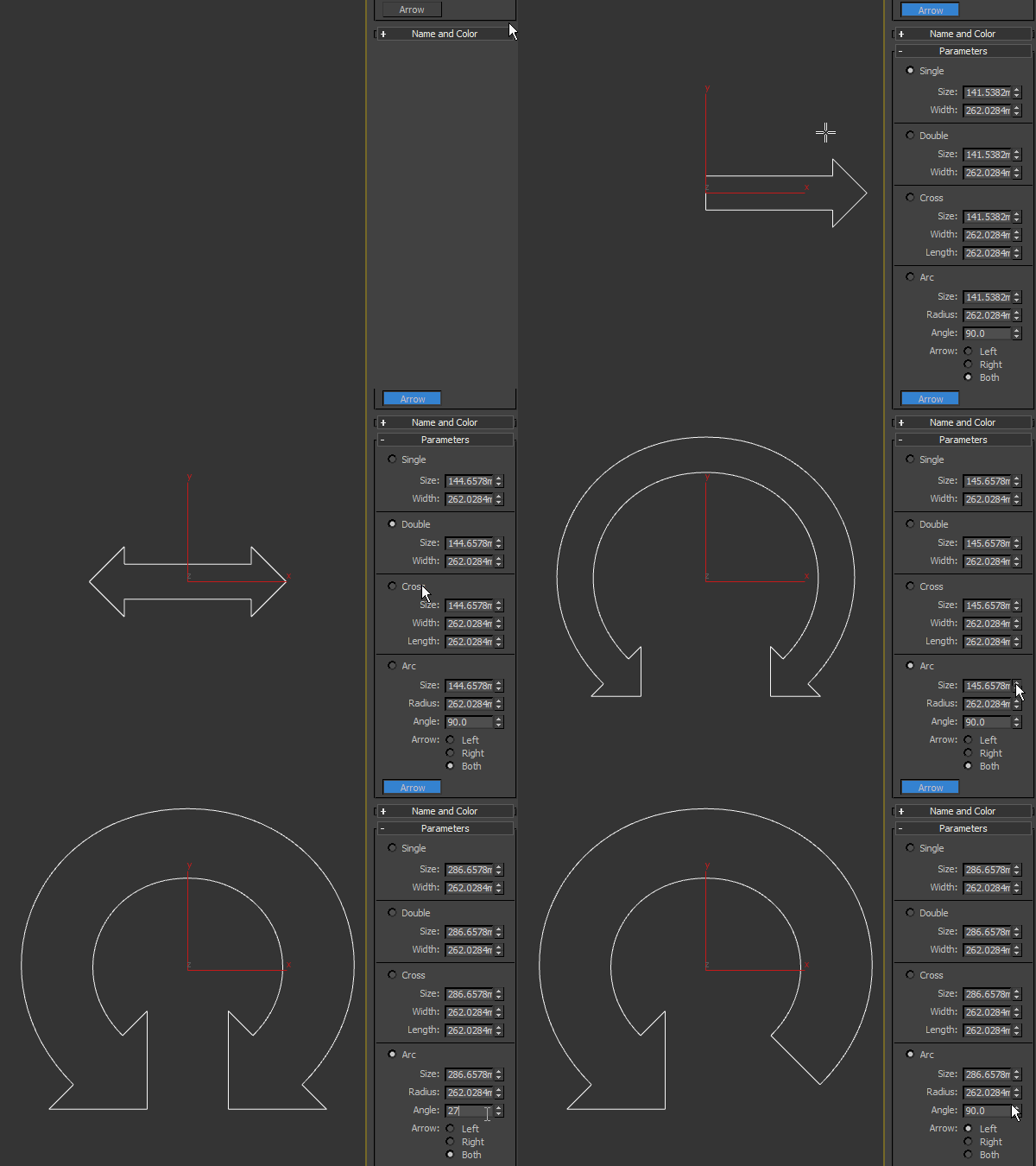
Arrow spline primitive, useful as a control object in rigging. Works only in 3ds max 2016 SP2 and higher.

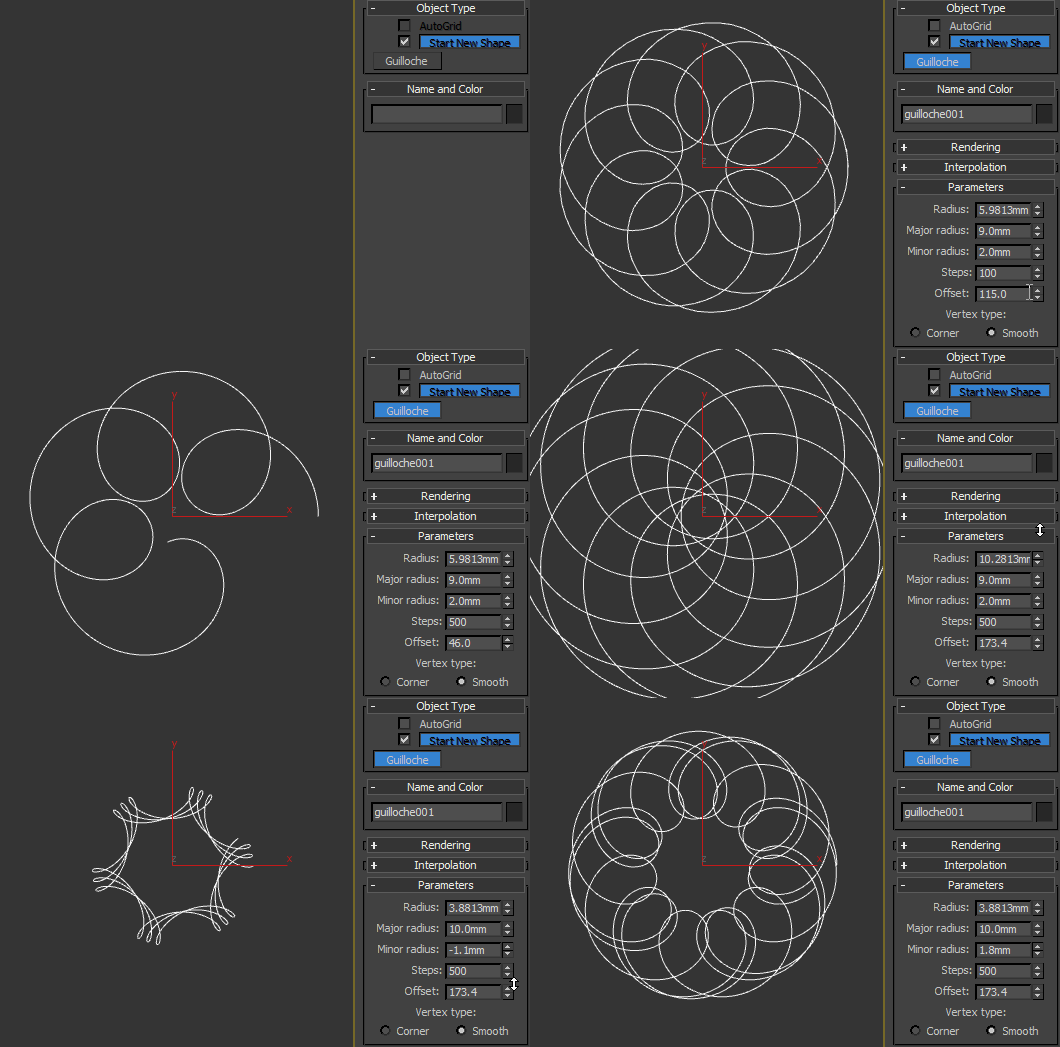
Guilloche

11 votes

Procedural guilloché pattern.

Polygon Creator

63 votes


This script is very useful for car exterior modelling. It allows you to create really smooth polygonal surface using splines or NURBS curves to control the shape of the surface. Also allows you to control the edge loops of the surface. With this script you have to draw only the borders of the surface you want. Watch the video or the help page for more information!

Cam Spline

9 votes

Cam Spline 1.0.0

Please note: This script was written and uploaded here before the release of 3dsMax 2013, which now includes an 'egg' spline shape.

What it does:
Cam Spline is an interactive, parametric spline tool which produces spline shapes based on two circles joined by two straight or curved lines, or a 'cam' shape. Cam Spline faithfully keeps the intersections at a true tangent, regardless of the diameter of the circles or the distance between them.

How to use:
The basics are really simple:

Orb Tool

0 votes

This plugin creates a new Spline primitive called "Orb". It can be used to quickly create orb controls for use in rigging, for example.

To use, either evaluate the script or place it in the startup folder to make it load on start.

#CAUTION# - 12/01/2015

I just noticed that when you create the Orb, the script creates a 0-size rectangle on the origin, which gives you dead vertices when it collapses the object. Will update ASAP.

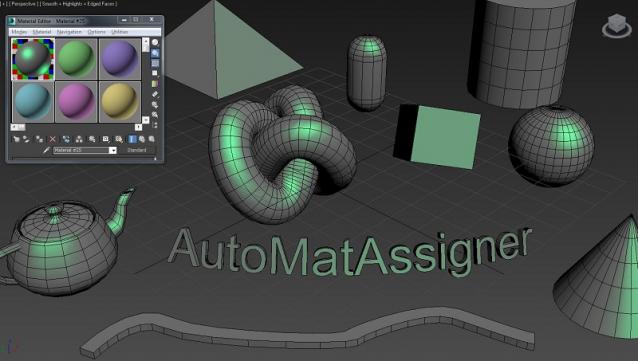
AutoMatAssigner

3 votes

GuideLines
AutoMatAssigner script assign material and black
wire color for each new object created.
The material assign is the material editor first slout.
The script is designed to help the artist on the creating process
by emphasize the wirecolor and polygons from the objects.
To use it - run the Automat.ms and it will run as long as 3ds max open.

Test on 3ds max 2014

enjoy,
l-nio

Align Pivot To Knot | Vertex

12 votes


With this simple script you can easily place selected object pivot (Spline or Geometry) on selected knot (segment) or selected vertex (edge, poly).

Upadate v1.5: Pivot On SubSelection

Syndicate content