Tagged 'script'

String Option Mental Ray

1 vote

This script allow to insert string option in Mental Ray engine

String option Mental Ray


Environment Lighting HDR Studio (MR)

3 votes

 NEW VERSION 0.9

This Script allows to insert a Environment map HDR in the scene and simluate a virtual set for rendering "white". Also useful in the preparation of illuminated images in HDRi.

New features (work in progress):

Change Log v.0.9

santex Toolbox

3 votes

santexToolbox

 (Pic. - tools used: 1.gold_nice, 2.Random scale, 3.Deselect + Random scale)

Quick Resize Image

1 vote

Simple and fun script that allows quickly of resize any image.

quick image resize

Particle script operators

5 votes


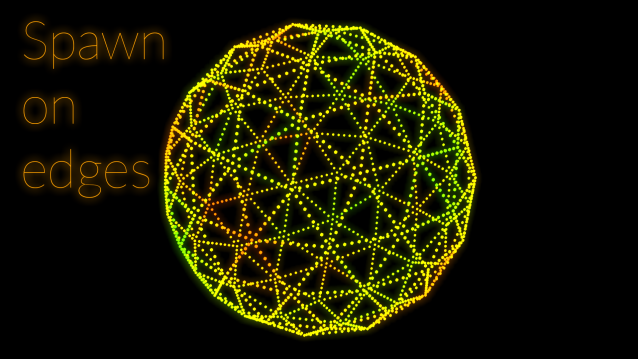
Two script operators for pFlow.

Create Quick Wall

7 votes

This script allows us to quickly create a wall using the shape (linee, text, circle ecc..)


----- Features

Rattle 1.0 - Parametric Noise Generator... Released!!!

2 votes

Rattle 1.0 is a script for Autodesk 3ds Max to manage noise in different ways in your scene and animations.
With Rattle you can use the noise on animation controllers in very easy way and in single and multi selection. You can use also the noise deformers to give noise to your meshes and create variation in your scene and animation.

Features:
- Relative Noise Controllers (so you can have it as additive controller to your animation )
- Noise Position Controller
- Noise Rotation Controller
- Noise Scale Controller
- Noise Deformer
- Noise Bend Deformer
- Noise Twist Deformer

Animation Trajectory Volume

3 votes

This script helps you create an aproximate mesh that covers the animated object (transforming or deforming) through the animation range.
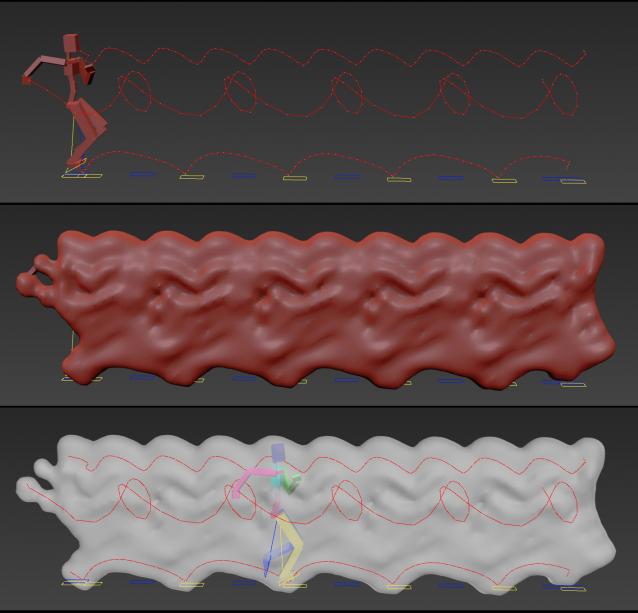
It can come in handy:

-When trying to build an environment around your animatedcharacter for example.

-or to see how your animation flows instead of using the normal line trajectory.

-also to know the dimention that our charachter are moving in to build FumeFX container or other fx stuff.

It's based on Blob mesh so:

Load Multiple Bips

0 votes

I created this script to speed up my daily work with crowd animation. If you have a lot of character studios rigged bipeds and need to load the same animation (walk loops, conversation...) on all of then, so this script might help you.

It's a .mzp file that you can just drag and drop into 3ds Max or run through the MAXscript menu. After that you will find the script at: Customize > Customize User Interface > Toolbars tab > Category: MMScripts > Load Multiples Bips".

To use the script you just need to:

Labyrinth Maker

12 votes