Tagged 'rigging'

Massfx Rope Creator

1 vote

Massfx Rope Creator 3ds max plugin

The fastest solution to create ropes for your Massfx simulation which allows you to create a rope between 2 objects automatically!

OffLoader_Hotkey_Setup.ms

6 votes

This script is to change the registered biped for the Offloader_Hotkey_Toggle script.

OffLoader_Hotkey_Toggle.ms

3 votes

Bind this script to a hotkey to toggle between Onload and Offload for a characters rig.

OffLoad_Light.ms

4 votes

Use this script to offload the deformation rig for a selected character. The character needs to be set upusing the naming convention listed in the tutorial section.Required File: TiM_Lib.ms

OnLoad_From_External.ms

5 votes

Use this script to onload the deformation rig for a selected character from an external file. The character needs to be set up using the naming convention listed in the tutorial section.Required File: TiM_Lib.ms

OnLoad_Light.ms

4 votes

Use this script to onload the deformation rig for a selected character. The character needs to be set upusing the naming convention listed in the tutorial section.Required File: TiM_Lib.ms

Parent Remember Relinker

8 votes

Record the Parents of your objects for easy relinking later.

ParentRemember ScreenCap

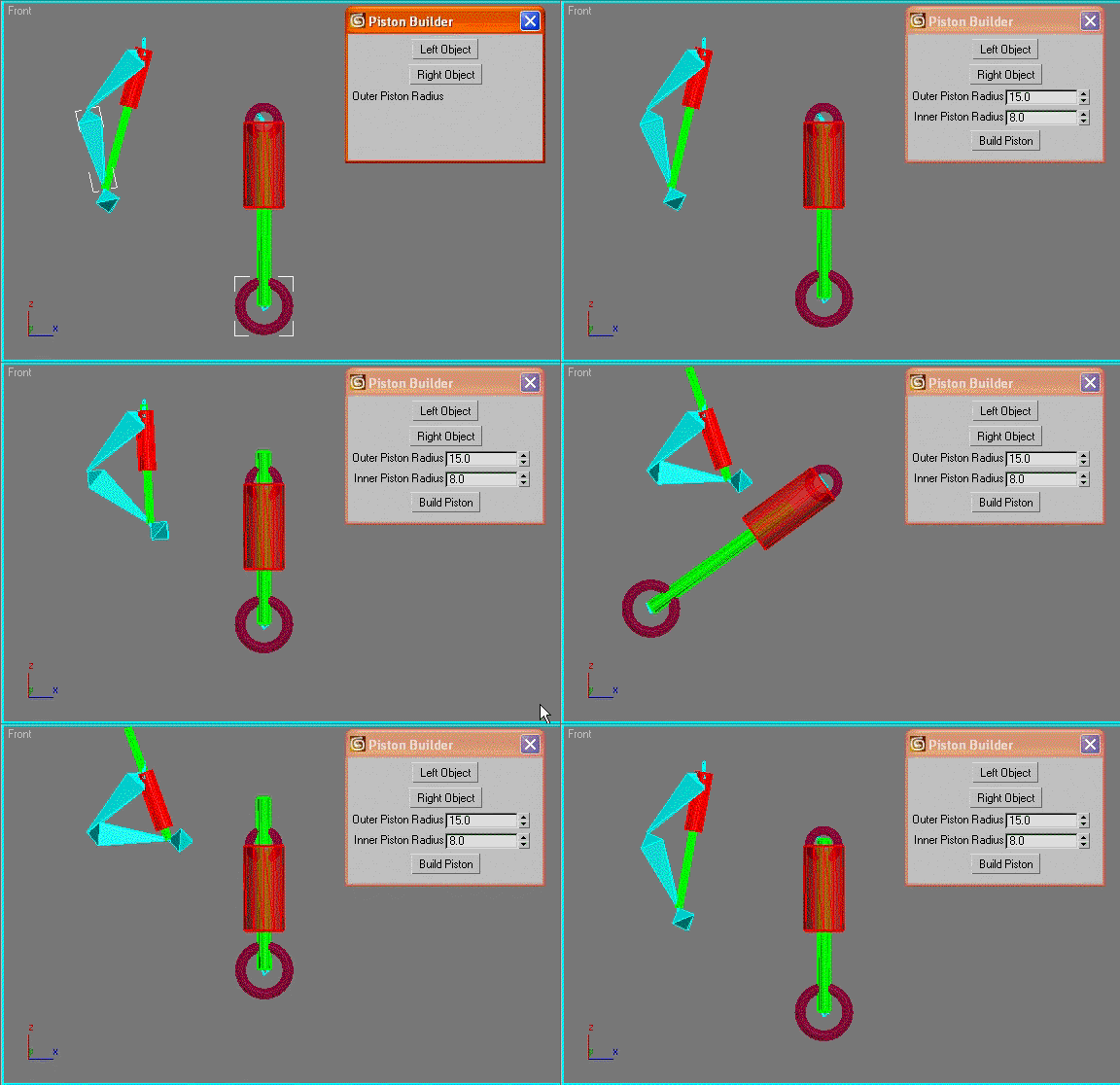
Piston Builder

24 votes

automatically creates a piston object between the pivot points of two selected objects and links the piston rods to the chosen objects. Good for car shocks or robots etc.

Photobucket

Pose Store Helper

31 votes

A scripted helper plugin designed primarily for storing, animating and editing poses in a bone based facial rig, offering the control of a bone based rig and the speed of the morpher modifier.

+++ UPDATE: Now includes mirror pose functionality.

Rig Ready Script

0 votes

Hello, my first MAXscript is complete.
Script for 3D modelers and 3D animators.
It is recommended that you use the Y up coordinate system to perform operations on character assets such as unity3D.

Use after 3D modeling mesh editing and size checking.

[Option]
Rotation XYZ : Pivot coordinate Change.

Option_Move : Moving the Selected Model is Location is all 0.0
Option_Rotate: When released, it is not affected by the coordinate system.

Final Apply : Button is apply all of the above.

Created using 3ds max official manual and internet.

Syndicate content