Tagged 'geometry'

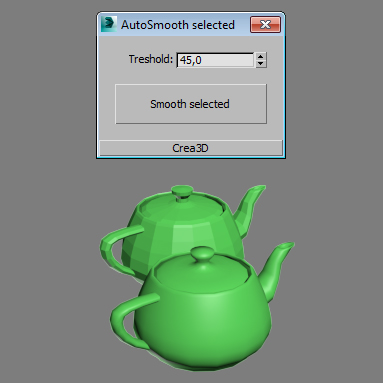
AutoSmooth selected

1 vote

poster

A little script which set autosmooth to selected objects.

Helixometry

-10 votes

Helixometry is a geometry plugin for 3ds Max that creates helix shaped meshes. All of its controls are animatable. The biggest benefit to this over the spline helix is the ability to taper the thickness of the mesh as well as twisting and turning. Check it out.

https://vimeo.com/65155264

Helixometry 1.0
- Start/End radius
- Height/Radius bias control
- Number segments that make up helix
- Number of turns
- Height of helix
- Radius randomizing option

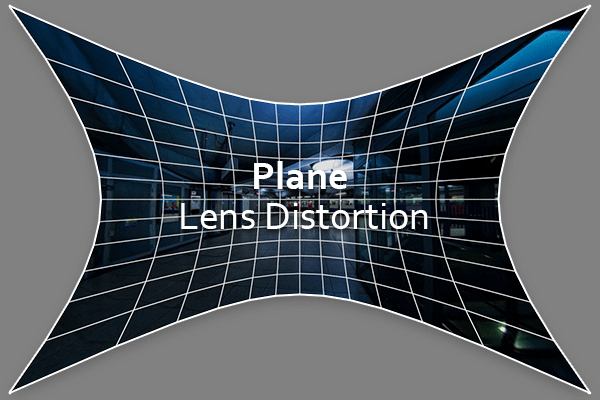
Plane Lens Distortion

5 votes


Plane Lens Distortion (PL Distortion) it is the primitive plane with applied UV mapping coordinates which allows you to correct lens distortions on Bitmap of assigned Material.

Quick Isolate Object

66 votes

With this useful and funny script, you can isolate in a ListBox, the category object in Geometry, Shape, Light, Helper, Camera and Space Warp in the viewport.  We can select, rename and count the items in the scene.  Useful in many work situation.

qio

Place Rivets

1 vote

Place Rivets is a max script for populating geometry object on a given surface along a driven spline.

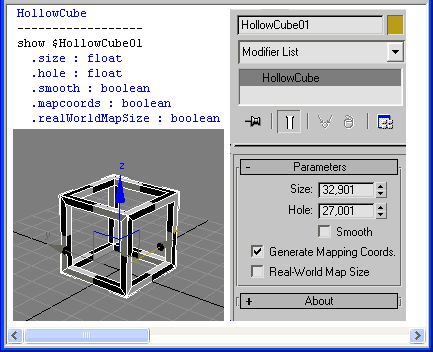
HollowCube

25 votes

HollowCube is a simpleObject scripted plug-in.
Procedural primitive that I made today for fun.

HollowCube

Installation:
Copy this (.ms) to Max "stdplugs\stdscripts\" folder

Usage:
HollowCube is in the "Create/Geometry" tab in the "Scripted Primitives" menu

Note:

Pattern Engine For 3ds Max

2 votes

Pattern Engine is a scripted tool for 3ds Max that can generate and edit a variety of 3D geometry types—such as parametric patterns, 3D tiles, partitions, shelves, wall art, upholstery, and more—much faster and more easily than other approaches.

dwTools

16 votes


dwTools is a set of few handy scripts for 3dsmax, that I made to speed up repetitive operations at work.

Updates:
- some UI changes
- added: Assign Maps for materials of selected objects
- added: dw_tools_starter.mcr so script could be assigned to hotkey
- added: postfix customization for Assign Maps
- added: DX toggle for materials of selected objects
- fixed: crashing after 2nd check for SubMultiSub

Attach Selected

0 votes

3dsMax Script for Attaching Selected Objects .

- Works on Geometries and Shapes .

- The First Selected Object will be the Main Object .

Sometimes when using Other Scripts for Attaching Objects you get wrong materials when containing Multi Sub Materials , So I made this Script to solve this Problem .

- After Installing , the script will be add to QuadMenu 1 (RightClick Menu) "Attach Selected" .

Scripted Geometry

0 votes

The actual script is a developed version of the one that you can find in the maxscript help file, Practical Examples: "Create Scripted Geometry Plug-in"

this one has two additional features:

1-it has a height property for the inner part
2-it has a limit property that you can use to limit the radial creation between 0 and 180 degrees

note: after installing you can go to create panel, geometry, standard primitives

Syndicate content