
View Slammer 9000 — one-handed view snap for 3ds Max
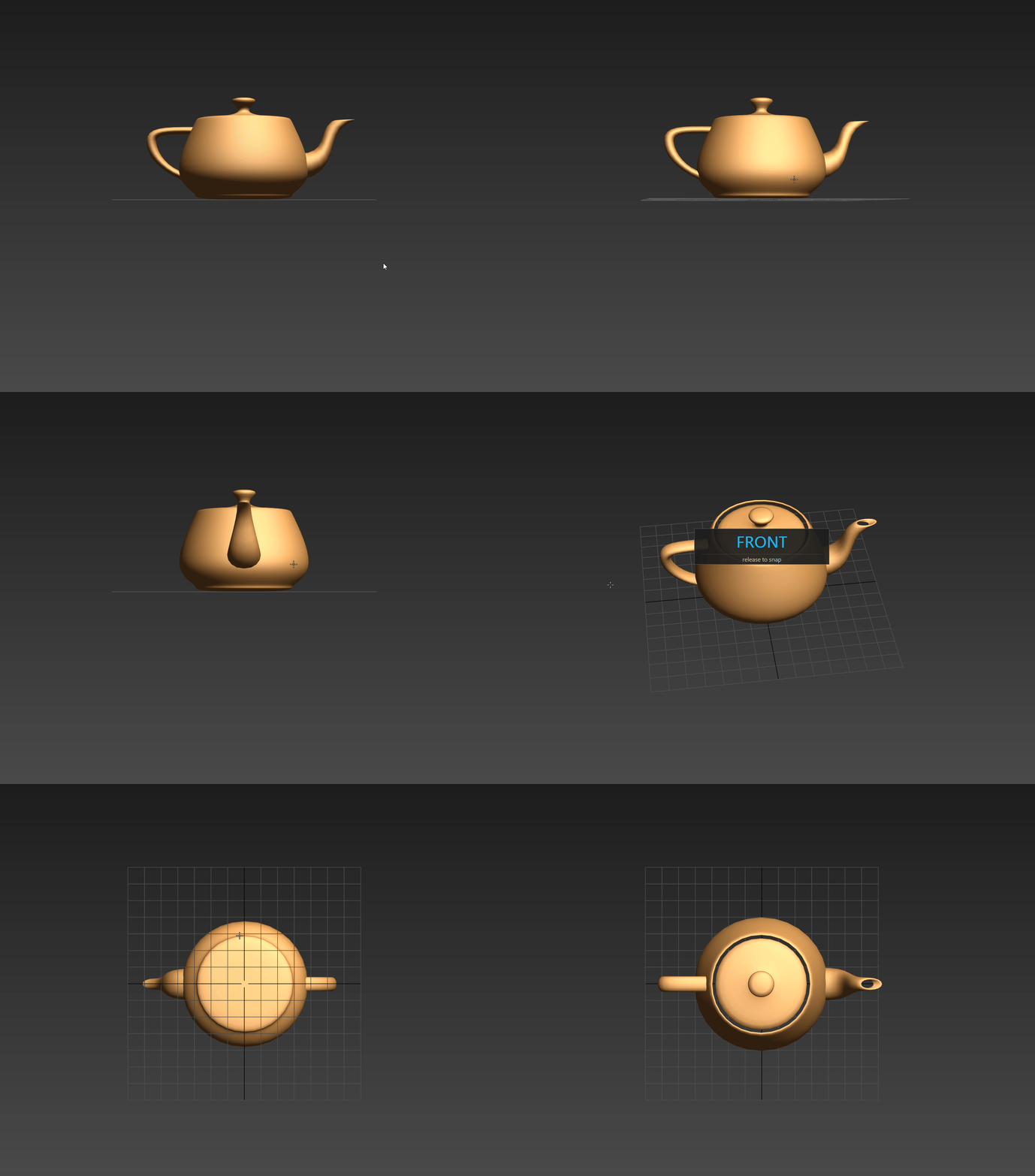 Stop fighting the ViewCube.
If you've ever wanted to "just look at the front of this thing" mid-orbit
and ended up clicking the ViewCube, hunting for a numpad key, or fumbling
through the View menu — View Slammer 9000 fixes that.
Hold Alt + Middle Mouse Button like you already do. Orbit a meaningful
amount in a direction. Release. The view slams smoothly to Front, Back,
Left, Right, Top or Bottom — your hand never leaves the mouse.
How it works
- Alt+MMB orbits like Max normally does. Nothing replaces the native orbit.
- During the drag, a centered overlay shows the cardinal you're about to
snap to, styled in your theme's Selection Highlight color.
- On release the camera smoothly rotates around the current focal
point to the cardinal direction, then recenters on the active
selection (or world origin if nothing is selected). Same distance from
focus throughout — no zoom-in, no zoom-out, no surprises.
- A tiny nudge (~under 40 px of cursor motion) never triggers a snap, so
Alt+MMB still works as a normal fine-tune when you want one.
Features
- Native C++ plugin (.gup) — loads at Max startup, zero MaxScript overhead
- Six cardinal views — Front, Back, Left, Right, Top, Bottom
- Smooth animated transition — quaternion-slerped rotation followed by
a recenter pass, sine ease in-out, ~200 ms total
- Theme-aware HUD — overlay color tracks your Selection Highlights
setting; change theme and the overlay follows
- No zoom change — your camera-to-focus distance is preserved exactly
- Selection-aware recenter — if you have something selected, the
camera ends up looking at it; otherwise it looks at world origin
- Multi-viewport — works in any viewport, any layout
- Camera & light views are left alone — never hijacks a camera shot
- One-click installer for every supported Max version
Compatibility
- 3ds Max 2024, 2025, 2026, 2027 — Windows x64
- Each version ships with its own pre-built binary
- No dependencies, no MAXScript extensions, no admin rights
Installation
30 seconds:
1. Unzip anywhere.
2. Run install.bat.
3. Pick your Max version (or "A" for all installed).
4. Restart Max.
The plugin drops into the standard per-user plugins folder
(`%LOCALAPPDATA%\Autodesk\3dsMax\<ver> - 64bit\ENU\plugins\`) — no
"Configure System Paths" step, no admin rights.
Manual install is covered in the included README.txt.
Uninstall
Run uninstall.bat, pick the Max version, done. Clean. No leftovers.
FAQ
Q. Does this replace Max's orbit?
No. Plain Alt+MMB still orbits exactly like Max does. The snap only fires
when you make a deliberate, larger drag.
Q. What if I orbit toward a corner / diagonal?
The classifier picks the nearest of the six cardinals based on the Euler
angles of your view on release. Whichever face you were closest to wins.
Q. Does it zoom in or out?
No. The camera-to-focus distance you had before the snap is preserved.
Q. What is "centering on selection"?
After the rotation, if you have any objects selected, the camera slides
sideways so it's looking straight at the bounding-box center of the
selection. Same distance, just a translate. If nothing is selected, it
recenters on the world origin instead.
Q. Will it conflict with my other plugins?
The plugin only observes Alt+MMB events and doesn't replace any command
mode, so it coexists with everything cleanly.
Q. Linux / Mac?
3ds Max is Windows-only. So is View Slammer 9000.
Q. Source code?
Not included with this purchase. Reach out if you have a licensing
question or a custom build request.