Tagged 'Scripts'

Polyvis

7 votes

Polyvis is a maxscript utility intended to help artist determin what polygons on certain objects are visable to a particular camera during animation of that camera/objects. The utility is especially intended to determin what polygons are visable on weapons in FPS games...

YUZKONTROL 2.0 TEST

26 votes

Super Dupper Rock Replacer 2000 Elite

2 votes

I made this very simple took at work a few days ago to replace dummy rocks that the layout artist has placed with my high rez vray proxies. It does not replace multiple objects at once by design. It is created so that I can hand place my library of Rocks quickly and with some customization.

What it does:

move to origin

1 vote

the script allows you to move selected object/s to 0,0,0 coordinates.

useful when moving imported cad files or 3d files to immediately move your objects to 0,0,0

note: it uses selected objects center for reference

v.1.1 - now works on group/s
v.1.0 - initial script

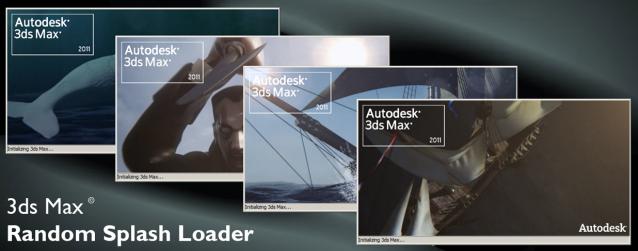
3ds Max Random Splash Image Loader

32 votes

framer

9 votes

framer is a mousetool used to very quickly change renderheight and -width. This is great for rendering regions or single objects of your scene, similar to a blowup render, but with variable aspect ratio. When dragging the frame, the aspect ratio changes interactively in the viewport. For further explanation please visit my website. Feedback welcome!

clothBatchSim

17 votes

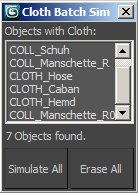
This is a simple way to simulate multiple cloth simulations in 3ds Max in one go. It will find all cloth modifiers in your current selection of objects and simulate them one after another, thus you don't have to start each manually.

 
After simulation it will show start and end time, so you can see how long the process took.

Short explanation video (1min) here:


selection tools

12 votes

Several macros to set coordinates system - toggle window/crossing selection - and to change axis restriction. Put them into your favorite quad menu - and you can ditch the main toolbar away. Good for viewport-space-hungy users.

Color It!

6 votes

  • Give your whole scene color.
  • Perfect for first layout or color to your animation rigs.
  • Color picking circle so you do this with high speed.
  • Custom load any different image you want to pick colors from.

PistonMaker

2 votes

  • Creating Pistons in no time
  • Easy to use : One button application
  • Auto Update : Stay up to date with the latest features

Syndicate content