Tagged 'selection'

Select Similar

17 votes

Allows you to select objects that are similar to the currently selected object. It will compare the bounding box size, mesh (vert, face, edge counts) and material either within the currently visible objects or all objects in the scene.

Demonstration video here

Selection Manager (speed up you work in scene)

1 vote

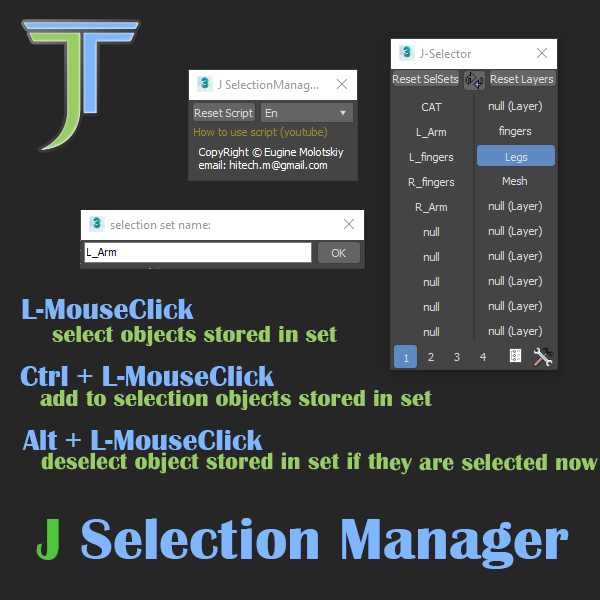
J Selection Manager

designed for speed up your work by optimizing the selection of objects and hiding/showing groups of objects

Selection Toolbox

1 vote


Quick Select

Objects In View
– Selects all objects visible in the current viewport

Objects Not In View
– Selects all objects not visible in the current viewport

Selection-Switch

1 vote

Switches quickly between two selections (objects or sets).

Useful for any type of jumping back and forth between two objects - like in alignments.

selectionHighlighter

9 votes

This script simulates the Selection Highlighting mode from Silo in max. The idea is if you hover over an object, the object is selected, if you hover over a vertex, it selects the vertex, if you hover over an edge, the edge is selected, etc. No need for extra mouseclicks. Autodesk has half added this feature, this script goes all the way to adding full silo style selection highlighting. Note: This only works in max 2008.

selectionRandomizer

5 votes

Will randomly select objects based on a value provided.

Selectionset Manager

4 votes

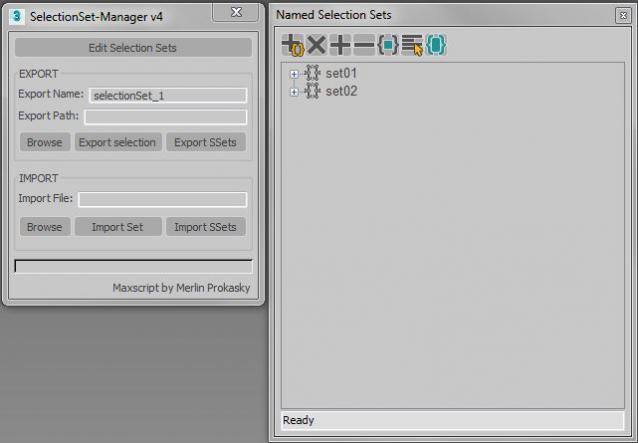
Tool for exporting and importing selection sets

Simple tool to transfer selection set between Max files.
Selection sets depend on the naming of scene objects.

Functions:

*export of actual selected objects as selection set
*export of all selection sets in scene
*import of exported SelectionSet files (.txt)
*import several files (.txt)

Manual:
Export:
*set name of export file
*paste or browse export path, otherwise it will choose the actual Max folder

SelectionSet Tools

3 votes

This script allows you to export and import of Selection Sets as XML file. By selecting name in list, you can select the Selection Sets in scene.

How to use:

・Save SelSets / Load SelSets Button:
Export and Import selection sets in 3dsmax. In Load Selection Set Window, you can select any sets to import.

・update list Button:
synchronize selection sets list in scene and Selection Set List below.

・Selection Set List:
select set name in list, then the objects are selected in scene.

Self Intersection Selection

7 votes

The macroscript performs a selfintersection test on editable mesh
objects and selects all faces that have intersection and all edges that
are the cause of it. tested in max5 but should work on higher too.

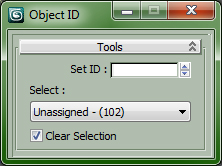
Set and Select ObjectID

0 votes

All is in the Title...

Drag in Viewport to install ObjectID Macro, Drag again to Uninstall.


Customize > Customize User Interface...

Category : "CopScripts"

Syndicate content