Tagged 'align'

Stick Locator

23 votes

Stick Locator
=============
version 1.2

written by Mayec Rancel

(macroScript)

Description:
Creates a point dummy, and parents it to the reference object's vertex/center,
using controller expressions.

This is useful to parent other objects to a specific part of a deforming
mesh, or an object whose transforms have been 'baked' (e.g. point cache).

I have found it specially useful, in FX work, for particle/fluid emitters.

Notes:
- Only the 'center' method can be used with splines.
- When using 'vertex' method, the dummy's rotation will align to the

Macro Snippets

26 votes

Show Vert Nums
Quick Z Direction
Distance to Clipboard
Angle to Clipboard

Make planar & UV align commands

15 votes

Hey, guys.
Just a simple set of commands you can find in the Algomorph Category under Main UI group once you've put the scripts in your Macro folder and run them. These commands don't appear in either MainUI group / Editable Poly category or in the Editable Poly or the Edit Poly group, although they do appear as on-screen rollout buttons.

As far as the UV align X or align Y functionality goes, this doesn't explicitly exist in Max as a shortcut or button command, which is kind-of an old feature that Max was always lacking contrary to some other 3D apps...

Move To Surface

23 votes

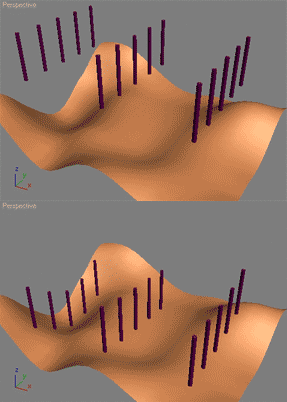
The following will let the user move objects along their Z axis to fit a specified surface. Such a script can be used to automatically plant trees, poles etc. on the ground.

This script is straight out of the 3ds Max MAXScript reference file. Its part of the MAXScript 'How To' lessons that teaches how to use MAXScript with practical problems. Load your MAXScript reference (the one that ships with 3ds Max) and do a search for 'align surface' and it'll be the first result.

I did not write this script I merely copied the code here as aligning to a surface is a very common request. Make sure to read the other 'How To' tutorials in the 3ds Max MAXScript reference - they're all really good!

alignViewportToFace

6 votes

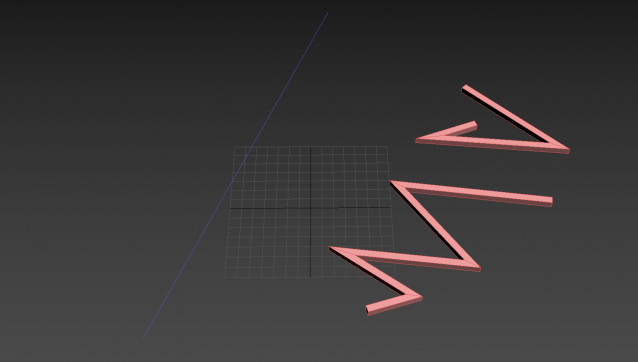
Aligns the viewport to the selected face. Thanks to Carl-Mikael Lagnecrantz for some code inspiration.

Tutorial:
Select an editable poly object, select a face, run the script. Now you have a new view perpendicular to that face.

Shape Vertex Aligner

2 votes

3dsMax Script for aligning shape vertices by 2 or 4 points

  • By 2 Points each vertex will be aligned depending on its segment direction.

  • By 4 Points - the first 2 Points will determine the direction.

  • with Alt Execute the vertex will be aligned perpendicularly.

Place Rivets

1 vote

Place Rivets is a max script for populating geometry object on a given surface along a driven spline.

Align Tools

15 votes


This script has been in my toolbox for a long time, so I’ve taken it out, polished it up, and partnered it with a friend. There are probably other scripts out there that will do this for you but I hope you will find mine intuitive and easy to use.


Instance-Align

4 votes

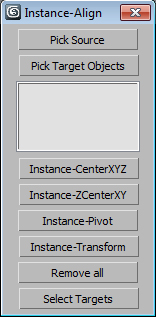
Very useful script for interior visualisation (cafe, bars, restaurants): add lights, change chairs/ tables, put tableware on many tables, e.t.c.

1. Pick object to clone

2. Select targets, click pick targets -> ok

3. Choose align method:

- CenterXYZ

- ZCenterXY (Align minZ of source to maxZ targets)

- Pivot align

- match all transform

After execute new objects will be selected. U can select target objects (to hide or delete).

BOA Dist

3 votes

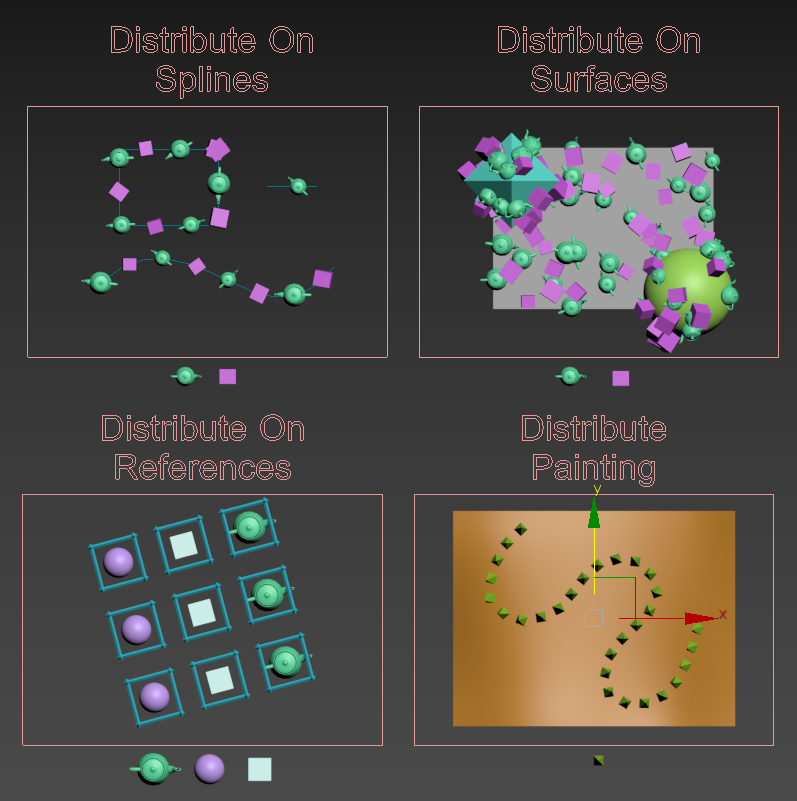
Quick Object Distribution tool for 3ds max.

Developed to be a simple alternative to object distribution plugins.

Ideal for low count instance distribution.

BOA Dist Distribution Modes

More information on: www.boxofapps.com/boadist *Alpha and Beta versions are Free to use on commercial projects.