Tagged 'camera'

Unreal Engine 4 - Camera Animation Exporter

5 votes

Create Camera from View

5 votes

If no camera is selected, creates a new camera from any view type, no matter if it's perspective view, ortho view or front/back/left/right/top/bottom. If a camera is selected, aligns that camera to current perspective view. Intended to replace the macro assigned to Ctrl+C by default.

Quick Isolate Object

66 votes

With this useful and funny script, you can isolate in a ListBox, the category object in Geometry, Shape, Light, Helper, Camera and Space Warp in the viewport.  We can select, rename and count the items in the scene.  Useful in many work situation.

qio

Quick Vray Camera for 3dsMax2016 and Vray 3.xx

4 votes

Very simply script which allows the creation of  "hidden" Vray Physical Camera in 3dsMax2016 with Vray 3.xx

qvc

In the last release of Vray 3.2 for 3dsMax, the Vray Camera does not appear; VRay uses the physical camera of 3dsmax. If you write in maxscript: " vrayCreateVRayPhysicalCamera() " we can create the "hidden" Vray physical camera.

Quick Vray Camera, facilitates the work for us.

NukeOps

39 votes

A set of functions wrapped into a minimalist single-click button to help 3ds Max and Nuke artists to bring the 3ds Max 3d scene assets into Nuke's powerful 3d compositing scene.

This tool allows:

1) Copy cameras and any other objects (as points) and their animation into clipboard for an easy Copy+Paste action inside Nuke.

2) Generate .chan files from selected cameras and any other objects (as points) and save them either many at once or one at a time to selected destination.

Photo Studio Pro+ for Vray

44 votes

Photo Studio


Photo Studio Pro (PS Pro) is a photographic exposure control tool for computer generated images. Since 3dsmax2016 physical camera is supported and new perspektive and DOF functions. The interface is designed to manage your exposure output. PSPro has some very special features like: realtime exposure or the simulation of the Av/Tv mode of a SLR camera. 


miauu's Fit Camera to Objects

0 votes

Lock and Unlock objects and Cameras

1 vote

this is a very sipele one but usefull.
This script allow you to lock and unlock transforms for any object and camera in one click.

Menu 1 - "Lock All Trasform For Selection":

- Lock and unlock all transforms.

Menu 2 - "Separated Trasforms":

- Lock and unlock Separated Trasforms: Transform, Rotation, Scale.

Menu 3 - "Cameras In Scene":

- Lock and unlock all the transforms for all the cameras in the scene.

note: in menus 1 and 2, if you select a camera and lock or unlock it will apply on the target as well.

Camera Image Plane

2 votes

Maya-style image plane.

Installation:
-just copy the script in scripts startup folder and you will find the image plane inside target or free camera rollouts

CamLister

4 votes

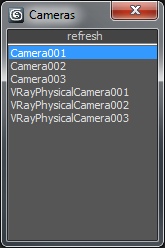
A very simple Camera Lister which allows to select and assign cameras by clicking it in the list.

Leftclick: Select the camera
Rightclick: Assign to current active Viewport

Very simple one but still my most used Script for daily work ;)