Tagged 'camera'

Select Active Camera

30 votes

Simply selects the active camera from the current viewport (even if cameras / layer is hidden). If you've ever been frustrated because you're working full screen looking through the camera lens then need to change something about your camera, this script is for you. In that case you just run the script and bam you're able to edit camera properties in the stack or adjust keys in the time slider all with a single keystroke instead of having to hunt around in the select by name dialog...

Usage:

Motion Graphics Tools

29 votes

A Max Script with a bunch of commonly used tools for working with motion
graphics and standard materials in Max.


nukeXimporter

25 votes

This is a script request developed for a friend of mine how uses Nuke's 3d tracker.

--
*** Bug fixes, objects support (need seperate export from nuke), set origin added, workflow improvements (second video with the updates)

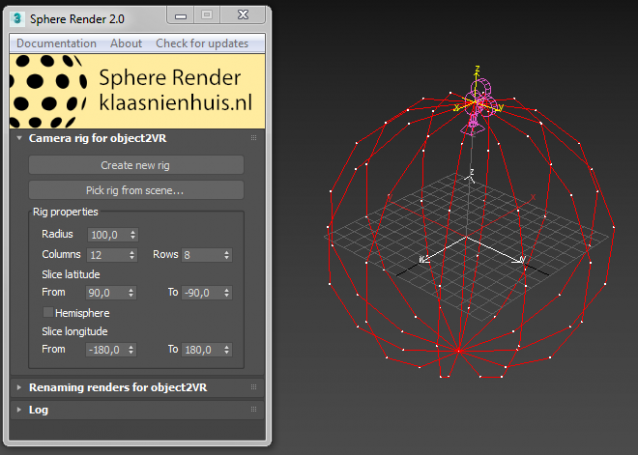
Sphere render for Object2VR

25 votes

This script creates a set of rendered images which can be used with object2VR. Object2VR in its turn creates a flash or webgl item from it. Check out my blog for a more elaborate description. Or go directly to the documentation here.

Camera Aspect Lister

18 votes

This little script is for people who makes numerous still image camera views with different image aspects. The script lets you choose a camera and modify the aspect on the fly and store this as a postfix the camera name.

This way you dont have to remember what aspect you used for a certain camera.

Script is only beta version - and my first ever script, so be warned. 

I am thinking of expanding to also link up a scene state with each camera, for easy storing of per-camera lights etc. 

ProSequencer

17 votes

Wide Ratio Camera Tool

16 votes

The Wide Ratio Camera Tool creates a camera rig that overrides the project's image output ratio.

Example :

- The final output image is for tv (HDTV 1280x720) : ratio 1.77.
- We want to display some 2.35 ratio for a "movie effect".

It works with 3dsmax's default cameras (free and target), and VrayPhysicalCameras.
The ratio is handled by a Custom Attribute in the created "c" helper.
The masks are properly wired : the ratio and the camera's focal length can be animated.

View Manager

13 votes

Save and restore up to 5 views in the current scene.

I am working on a bit more usefull version but I have some issues to be resolved. The idea is like in AutoCAD - you save up to 5 views in the current scenes - for now you can't save or name them but I hope to resolve that. This helps in working in the viewport without the need to create cameras.

HoHa Camera HandHeld

12 votes


Hello.

Here is another script for the community.

I was looking for a good camera shake - handheld generator for 3ds max. Couldn't find any. So I decided to write a script to make that happen. ( Didn't we all? :))

Handheld Desmonstration


Qpreview

12 votes

This script will make preview renders from the viewport using the default 'make preview' dialog, when completed it renames the preview file to match the camera's name.

This makes it easier to generate preview files for a ruff edit, without having to manually rename the preview files again and again.

Syndicate content