Tagged 'Animation'

Camera Studio

1 vote

poster1

Camera Studio allows you to animate cameras much faster! You can create an orbit or spiral motion around selected objects with just 1 click and easily manipulate it. There is a number of other motion presets. Add shake to selected cameras when you need.
The motion path function allows you to create a seamless motion between several reference cameras (watch the video).

Massfx Rope Creator

1 vote

Massfx Rope Creator 3ds max plugin

The fastest solution to create ropes for your Massfx simulation which allows you to create a rope between 2 objects automatically!

VRayProxy Animation Control

36 votes

For the new support for animated deforming meshes to VRayProxy object in VRay 1.50.SP2

How to control large numbers of proxy animated objects, randomly altering their values speed, frame offset and scale. Besides controlling all the parameters of VRay Proxy (display, playback, meshfile and selections)

Use with copies of proxies and work on selected objects.

Anim to keyframe convertor

1 vote


This simple script help you to convert your animation to keyframes. This script supports:

 — Transform Animations (Move, Rotate and Scale)

 — Linked Animations

 — Constraints

 — Point Cache

 — PFSource

 — 3ds Max Hair & Fur

 — Populate

 — Convert animated objects to MORPHER animation

Bookmarks

1 vote

Bookmarks is a tool to help animators to stay organized.
It is inspired from the bookmarks tool in Maya.

You can quickly create visual bookmarks on scenes or individual objects,
change their color, range, name, comment, link a camera...etc

Then you can use them to navigate your animation, isolate specific time ranges, move/scale keyframes, retime...etc

Bookmarks

0 votes

Bookmarks is a tool to help animators to stay organized.
It is inspired from the bookmarks tool in Maya.

You can quickly create visual bookmarks on scenes or individual objects,
change their color, range, name, comment, link a camera...etc

Then you can use them to navigate your animation, isolate specific time ranges, move/scale keyframes, retime...etc

gizmoControl

42 votes

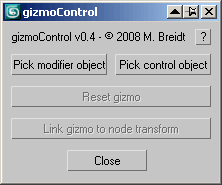
gizmoControl UI screenshot This macroscript (to be found in the "MB Tools" category after executing the .mcr) will allow you to link the transformation of a modifier gizmo to some other scene object. Afterwards, the gizmo will always be fully aligned to that other scene object, which can be freely animated by any kind of controller and linked to any other scene node. In some way this is very similar to World Space Modifiers but it works for any kind of modifier gizmo.
This tool can be very useful for creating complex modifier animations, for example animating a Slice modifier's plane along a path, attaching a UVW Map modfier to some animated helper object, transforming a Displace modifier with some other object, or having an extra node control the- symmety plane of a Symmetry modifier.

PhysX Painter

6 votes

santa Trajectory Limiter

4 votes

Sometime when we are working with complex animation scene we want to view a part of portion of trajectory for an animated object (as because the total trajectory line is showing us so much complex view) there we can use this script. Here we can mention the starting limit and the end limit of trajectory display. Then the script will show you only the trajectory of range given by you. You also can interactively enable or disable and control the trajectory line. If you face any problem for trajectory structure or position you can refresh it anytime.

Bone on spline

2 votes


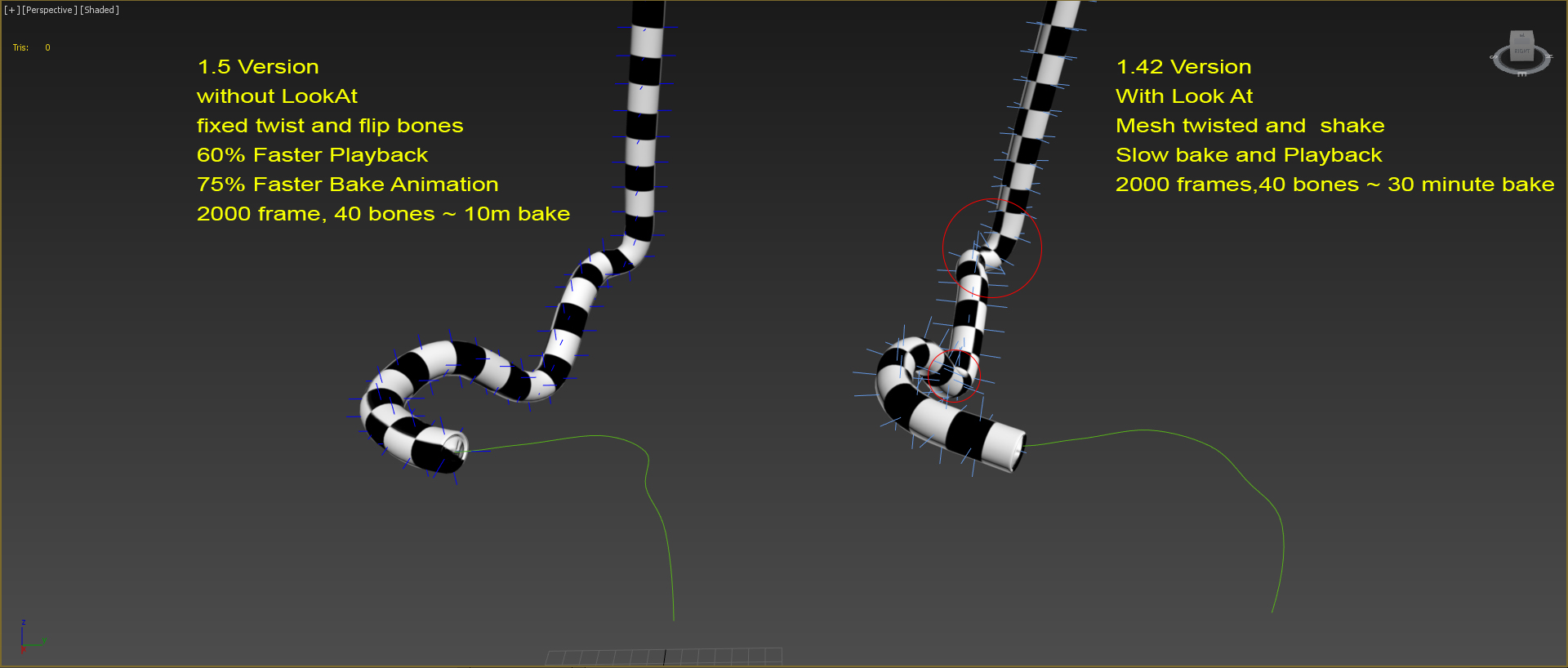
Animates bone spline. It will be useful when the animation: worm, snake, or something like that.

-- Update version 1.1
- Now you can change path every time
- Add "Update end frame"
- Minor fixes and improvements

-- Update version 1.2
- Fixed flip bones

Syndicate content