Tagged 'scale'

Procedural Map Scale

23 votes

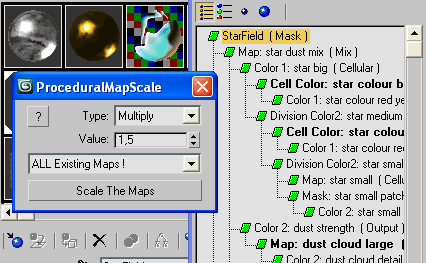
Resize Maps

Good for global rescale at once the size of all procedurals.
Works on any resizable procedural map.

Quick Link Lock Tool

1 vote


Tronotools Quick Link Lock Info

A small tool I created to more quickly handle link locks. You can globally lock or unlock everything with one button. Same with just movement, rotate or scale separately. Supports multiple objects and behaves just like the normal 3dsMax Hierarchy->Link Info System.


v1.1 - Fixed a bug when no objects were selected.

Radius Scale

1 vote

Radius Scale sets the working pivot to the intersection of 2 coplanar lines, then selects the loop between the initial selection and switches to the scale tool. Useful for changing the radius of rounded corners. Right now the script references the Smart Loop feature of Miauu's Script Pack 2. I'm using it to loop between the 2 selected edges, but if you don't have his script you can delete the following lines and select manually instead,or come up with something else that does the job, or buy his script :)

macros.run "miauusScriptPack_vol2" "macroSP_vol2_SmartLoopDotSelection_UI"

Randomizer

75 votes

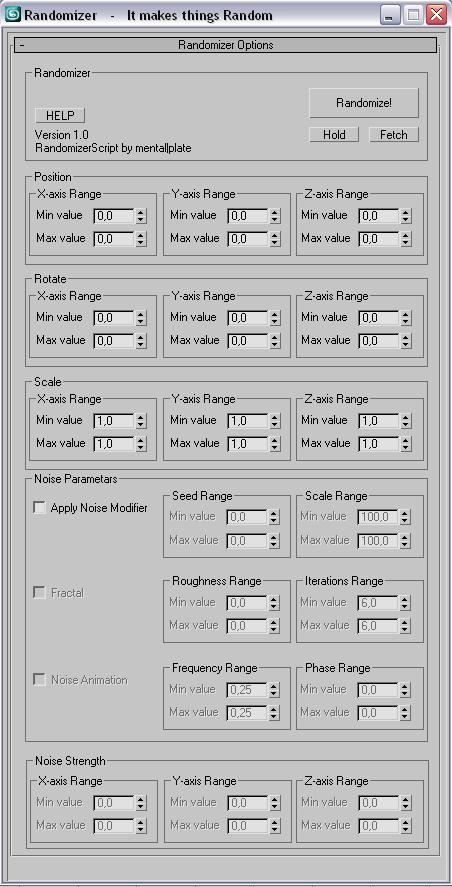
This script is for making things random....like you have a 100 of same boxes and you dont want them to be the same :D.
You select all of them and enter your values hit Randomize! and that is it.
You can also add random noise animations!


Progress on :

Rapid Resize Modifier

8 votes

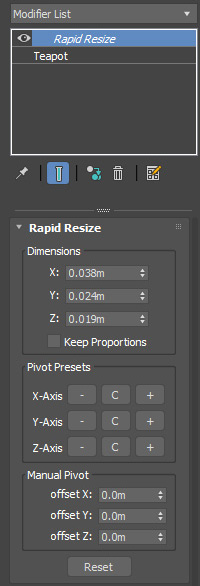
Scripted Modifier that extends the Xform Modifer.   Allows you to non-desctructively scale objects to precise real world dimensions.  Works on both single and multiple objects.

Version 1.4:  Fixed a major bug related to opening scenes that have the modifier in use where a script error would occur.  Pivot offsets are now stored and loaded with the scene.  Thanks to Yue Fan for reporting the bug.

Resize Splines From First

27 votes

Tools that resize spline sub-objects in regard to their first vertex, one with a scaling factor, the other using a fixed size.

ResizeAfterZBrush

0 votes

Hi,
this is a little Script I made 10 month ago ...
And from then to now it was indispensable for my 3ds-Max <-> Zbrush Workflow.

It's a rough version so use it carefully -> save your scene before you use it until you get how to use it ... maybe I'll upload an easier understandable version ... but it should be selfexplainable enough.

What it does? I scales you Mesh to the correct size (in cm's!) like my character is 1,65 cm tall ...
well even a few more features are there too
like the *10 scale and the /10 scale button and so on

Scale Move Tool

14 votes

So basically what this tool allows you to do is to move a bunch of objects using Max's scale tool, in a similar way that can be done with vertices in sub-object mode, whilst not affecting the scale of the objects.

Scale on Value

3 votes

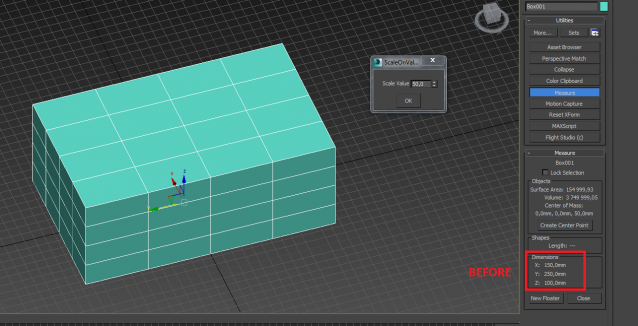
Scale on the custom value (+ or -) for X, Y, Z axises (for planes on second axises)

Syndicate content