Tagged 'Material'

Delete Spurious Keys

1 vote

When you have unwanted keys on Meshsmooth/Turbosmooth modifiers, it can be a pain even if the iteration value does NOT actually change. If you have hair and use Vray moblur/displacement, it may crash if you have these keys in your scene.

These keys are created when you hit the big Set Keys button and your Key Filters has Modifiers checked. Use this script to get rid of these keys (and optionally material keys as well).

As usual, back up your file before running the script. Just drag and drop the script into your Max viewport to run.

UnwrapUVW Editor AutOOpen

4 votes


v.2.3 Now, when you run Unwrap UVW_Editor_AutOOpen on an object where Unwrap already exists anywhere on the stack, it will become active in the editor. A new modifier will only be added if there is no modifier at all.

Теперь при запуске UnwrapUVW_Editor_AutOOpen на объекте, где в любом месте стека уже есть Unwrap, именно он станет активным в редакторе. Новый будет добавляться только если модификатор отсутствует вовсе.

Script makes. Скрипт делает
1) Assigns unwrap UVW. Назначается unwrap UVW

Material Toolbox

1 vote

Manage the Material assignment, Material ID number, and Wirecolor of scene objects.

Feature List:

+ Easily Select all objects with shared Material, Mat ID, or Wirecolor

+ Interactive Clipboard to store Materials, Mat ID's, or Wirecolors

Material converter 1.xx

6 votes

Description:

Simple utility to make it easier to move scenes from a rendering engine to another. Some work have to be done in terms of materials or types of engines, but it will progress step by step. In the following table you can appreciate the possibilities of the script at this moment:

Help file explaining the whole process included with script.

UPDATED v1.24:
· Many Internal fixes

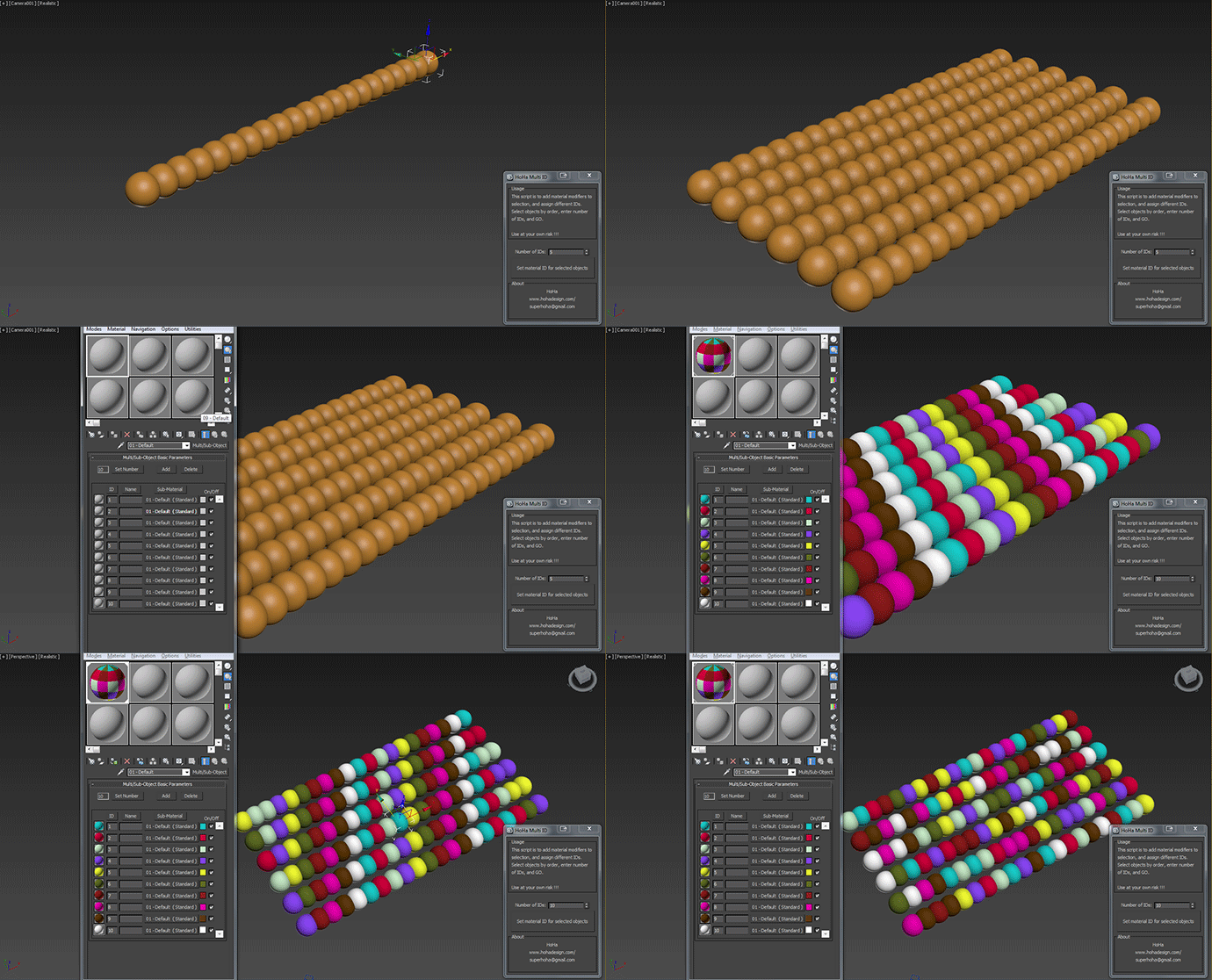
HoHa Material ID

3 votes

Just another small script to add "Material" modifiers on top of the sellections to assign random or in order material ID. Apply multi subobject material to the selection first.

Comment and feedback are welcome.


Change Log:

V1: Basic as above.

V1.1: Added a random IDs button for making the IDs Random (duh) :)

Cheers

Cryengine 3 export preparation

0 votes

This script is specific for use with Cryengine 3. So if you don't intend to use this with Cryengine 3, this script will not work and be of no use for you.

It creates all the appropriate layers for the lods and main object, creates the dummy and linking the mesh to the dummy. Creating the proper material, submaterials (4 by default) for the model and the proxies, assigning the crytek shader and the physicalize (no draw) to the proxies.

Left for you is assigning the proper IDs manually to the correct submaterials (if needed).

Game Models Tools

4 votes

This script lets you perform various texture map batch operations and batch import and map various game object formats. You can batch populate and rename the filepaths for different map slots ( as well as set other common properties ). If you have many bitmaps named according to a naming convention, you can quickly populate the appropriate maps accordingly.

At the current moment, there is no help documentation.

Simply run the script from the maxscript menu.

Works with Standard and Multimaterial

Best Regards joqqy

Interactive Universal Renamer

17 votes

NEW VERSION: Asset Paths + Sorting + Filtering + Multiselection

Make sure to select items in the list to see the renaming preview and do the actual renaming!

Copy and Acquire

0 votes

This is a simple maxScript to make a copy from a base object and Acquire Position Rotation Scale and Material from the targets.

copy and acquire v1.0

UV Cage Rendrer

0 votes

#

This script is now a part of CheckMate tools by POPA_3D

 please checkout 

http://www.scriptspot.com/3ds-max/scripts/checkmate-tools-by-popa-3d-tur...