Tagged 'paste'

MaxCopyPaste

4 votes

MaxCopyPaste Poster

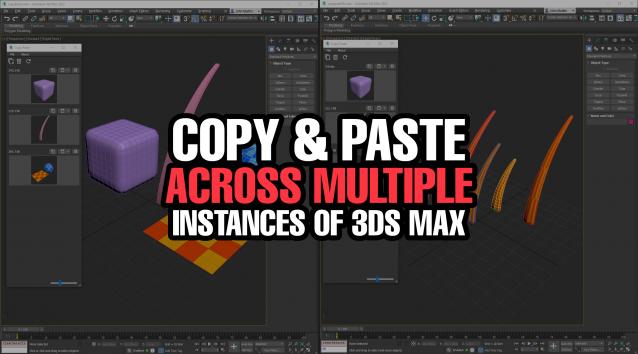
"Copy-paste on steroids" with some extra features such as clipboard history, drawing and placing objects on top of your geometry, and copying objects between 3Ds Max instances. You can choose whether to duplicate materials when you paste an object. Instancing is supported now. Return the missing functionality that makes your workflow intuitive and fast. Watch the video for more details.

NukeOps

39 votes

A set of functions wrapped into a minimalist single-click button to help 3ds Max and Nuke artists to bring the 3ds Max 3d scene assets into Nuke's powerful 3d compositing scene.

This tool allows:

1) Copy cameras and any other objects (as points) and their animation into clipboard for an easy Copy+Paste action inside Nuke.

2) Generate .chan files from selected cameras and any other objects (as points) and save them either many at once or one at a time to selected destination.

Copy Paste - Objects/Materials/Modifiers

3 votes

Copy Paste is a 3ds Max tool that allows teams or individuals to copy and paste objects, materials, or modifiers across multiple instances of 3ds Max. It supports sharing these copy/paste buffers in shared locations on the network or local on your computer. The tool helps to keep everyone up to date with real time updates anytime a new copy is created or modified.


Copy and Paste Object Properties

3 votes

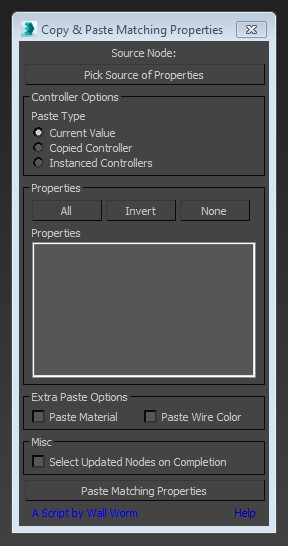
This little script will help you transfer arbitrary properties from one object to another. All properties that you selected that have matching names and types in the destination nodes will get the property values of the source node. You also have the option of instancing the source value's controller across the updated properties.

copy and paste maxscript

Macro Snippets

26 votes

Show Vert Nums
Quick Z Direction
Distance to Clipboard
Angle to Clipboard

Transfer Materials

1 vote

Transfer materials, object properties (standard and Vray) and modifiers between objects based on names, vertex count or transfom. Can work between multiple Max instances. Handy for transfering materials from lookdev to lighting scenes with caches.

Installation:

just drag&drop to max and the you can find the script inside ProgressiveFX category

Changelog:

v1.2

- bugfixes

- possibility to remove string from object name before copy

Copy_Paste_Selected_Properties

8 votes

get a node's properties, select some of them, an apply them to other objects.

Max CP

0 votes

This tool copy and paste objects between many 3ds max windows. You can add a shortcut like ctr+c ctrl+v.

BOA Ref

3 votes

Quickly paste image references
from your clipboard directly to your 3d scene.
Powerful tool for artists that use references workflow.


BOA Ref Banner

More information on: https://assets.boxofapps.com/tools/boa-ref

*Alpha and Beta versions are Free to use on commercial projects.

Lazy Manager

1 vote

Joker Martini has released Lazy Manager, a new tool for 3ds Max that allows users to copy and paste objects, materials, and modifiers across multiple instances of 3ds Max and includes support for sharing these assets across an entire studio of artists using a shared network location. Lazy Manager costs $10 and supports 3ds Max 2012 an upwards.

Syndicate content