Tagged 'modifier'

Sculpt Fixing

3 votes

Sculpt fixing is a tool for 3ds Max that lets you sculpt any object that uses a Point Cache modifier. The Point Cache modifier allows you to store modifier and sub-object animation to a disk file that records changes in vertex positions. If you are using an imported Point Cache modifier on a model to play back the animation and you need to sculpt it, Sculpt Fixing is an intuitive and easy-to-use tool that will save you time.

Shrink_Wrap.ms

12 votes

This script will shrink one mesh to the surface of another mesh or meshes. This can help making a lowpoly collision object for a character. First a snapshot of the selected object is created. The original object is put into box mode (so it is easier to

Hair Tweaker

54 votes

A simple UI for making hair tweaks much faster. All selected objects you can create guides with one click. Turn on/off dynamics on multiple objects at once. Adjusting viewport spline percentages. Great for tweaking hairs while working.

Advanced Bend Modifier

6 votes

A maxscript that gives the user more control over the bend modifier
It lets the user input a width and the script will move the center to get the correct width

features:

- uses smart snap to snap to a custom grid
- easily choose angle and direction
- apply new bend modifier with correct offset
- auto update current bendmodifier with selected settings
- realtime update of all settings!
- support for all 4 directions and 4 angles (90 180 270 360)
- choose your final width
- modify multiple selections at same time
- snap position to grid

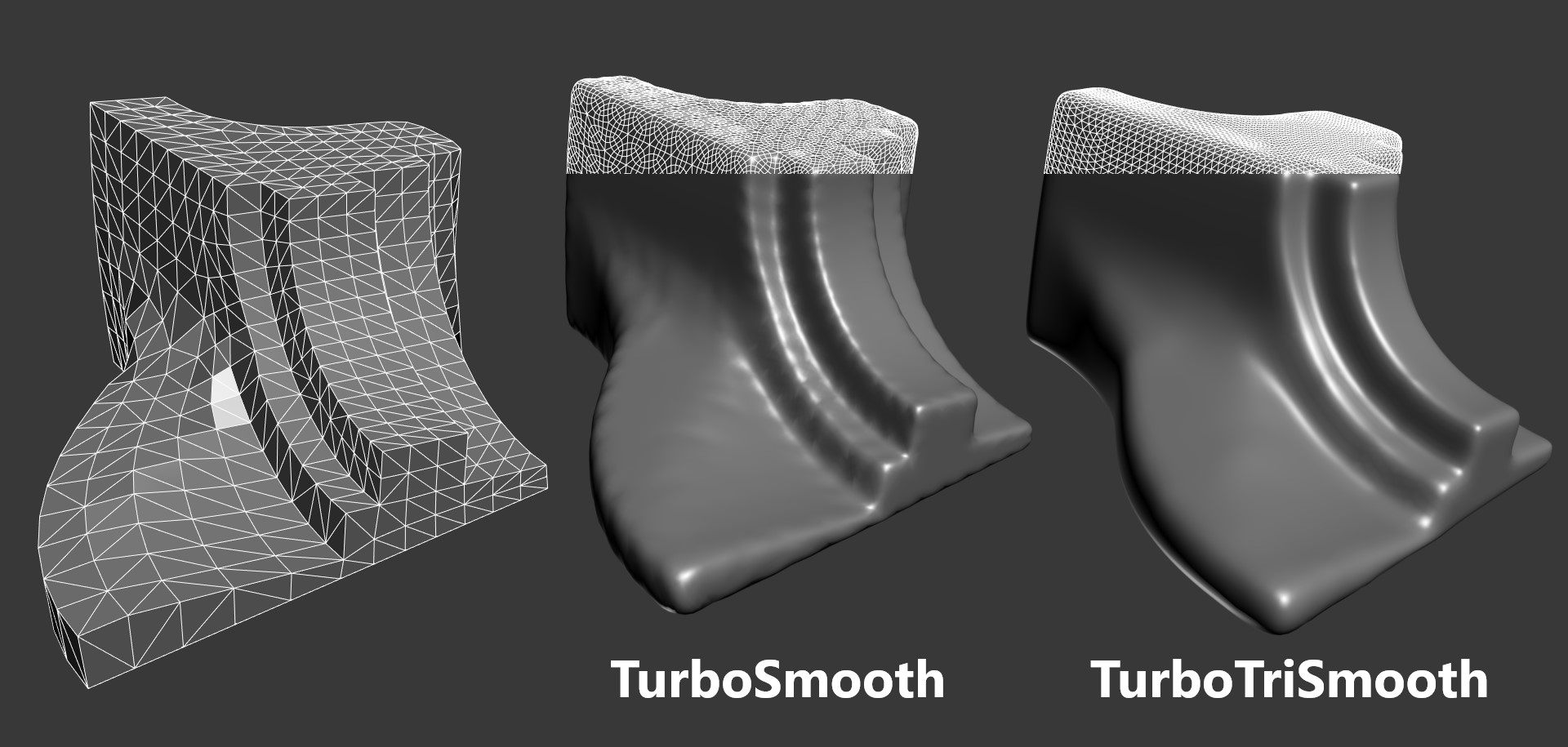
TurboTriSmooth

4 votes

TurboTriSmooth is a modifier for 3ds Max that subdivides triangle meshes while producing smoother results and nicer topology than the standard TurboSmooth. It can be used on triangulated models, cloth, scans, decimated meshes, fluid simulations, terrain or on any triangle mesh. Get it from https://mariussilaghi.com/products/turbotrismooth

Edge Selection from SmoothGroups

5 votes

Modifier that converts smoothing group borders to edge selection. If you want to display the result, put a Mesh Select modifier below this one and make its edge mode active.

BCS_Projector (Boxify-Cylindrify-Spherify)

2 votes

With this modifier, you can project your object into either a box, a cylinder or a sphere.

In box mode, you will have ability to modify the width, length and height.

In cylinder mode, you can change the radius, the height and the direction.

In Sphere mode, you can only change the radius.

There is also a global parameter in percentage that control the overall deformation effect.

Collapse To Morpher

0 votes

This script allows you to collapse changes to an object but maintain the morpher modifiers with its data intact.

Its idea is to activate every single target 100% ,copy the mesh ,collapse then finally add all targets again, it also work with progressive morph targets.

Works on single objects and only one morpher modifier.

Align Modifier

0 votes

TurboManager

12 votes

Manage all turbosmooth modifiers in the scene.
apply/delete/modify turbosmooth values for either :
1..entire scene or
2..selected objects