Tagged 'Tutorials'

How to quickly create a Car Rig using XrayCat Survival Toolkit 1.0

2 votes

We'll demonstrate an easier and intuitive way to associate reactions to the controls of a rig, using only XrayCAT ST instead of Reaction Manager.

Tutorial sections:
- Basic rig structure creation
- States definition using CAT layers and JoyCreator
- Conclusion: animation test of the car rig

CGWiki - MAXScript Info Page

18 votes

A detailed wiki entry on MAXScript. Includes development history, language overview, possible applications, etc. A good read even for those of us who have been around MAXScript for a while!

Using Regex in 3dsMax

1 vote

There used to be two things in life that truly scared me. One was the soundtrack from Frozen. The other was Regular Expressions. Find out which one I said "Let it go" to...

A few notes about code optimization

47 votes

The base idea of this topic is to say to all coders - always to research, because this is the only way to get rid of any myths. Each myth may hinder your future development and may leave a wrong impression in us for the MaxScript language at all.


MAXScript tutorials. Procedural Modeling (Spanish)

2 votes

En estos vídeos, aprenderás a crear un pluging de objeto en 3ds Max, usando la superclase SimpleObject.
Un plugin de objeto define una geometría basada en triángulos, cuya posición, número y orientación, forma un volumen en el espacio 3D. Estos objetos, pueden ser cajas, esferas, o cualquier cosa. En muchos sentidos es similar a las primitivas estándar de 3ds Max, pues el objeto puede variar de tamaño y de número de segmentos.
Estos videos, son parte de las materias de scripting de la Ingeniería en Animación Digital en la Universidad Panamericana en Guadalajara, México.

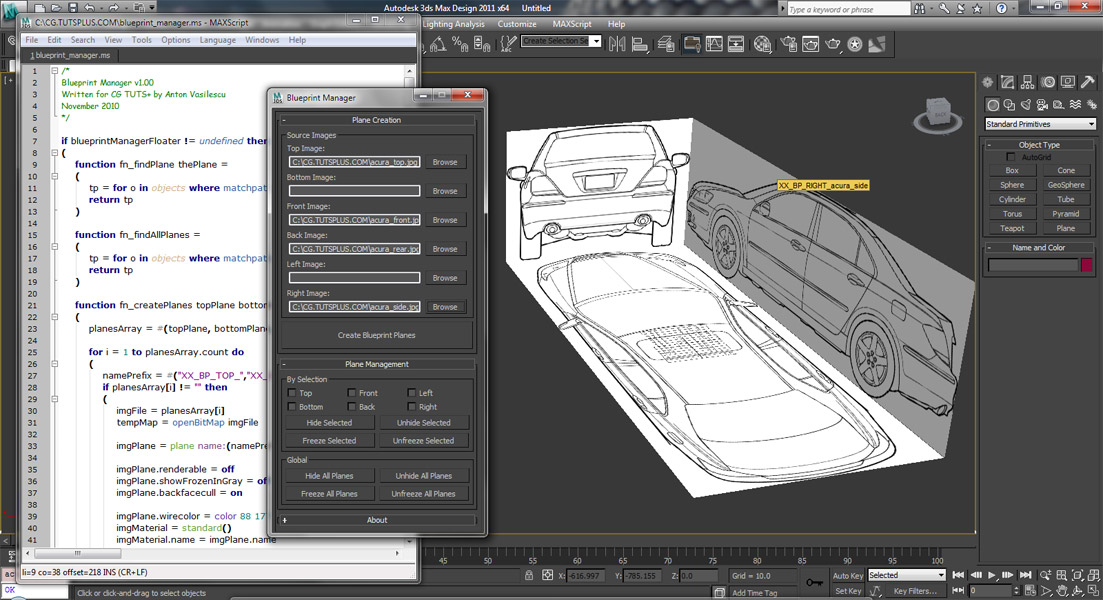
Coding a 'Blueprint Manager' script series

37 votes

This three-part video tutorial series is looking at how to create a ‘Blueprint Manager’ script in 3Ds Max.

Tutorial #004 - Audioflow SplineSync

43 votes

SplineSync

V-MOTION Tutorial on Audioflow SplineSync that covers the UI and some basic functionality

Software: 3ds Max

Topics discussed:
- Installation
- User Interface
- Setting up Audio Controller
- Adding Point Helpers
- 3D Spline based on Audio/Wave/Noise Controllers
- Spline2Mesh Creation

Length: 15 minutes / Download Tutorial for High-Res

Download Audioflow SplineSync: www.v-motion.co

Bokeh in 3dsmax with particle flow and maxscript

24 votes

Note from admin - I just ran across this great tutorial showing how to use maxscript and pflow to render fast, simulate dof based on camera focus.

...

This script will define particle’s scale and transparency depends on camera’s focus. Now you can animate the geometry or the camera and render the particles with scanline. Don’t forget to cache all the particles for viewport/render using the Cache operator.

This setup renders pretty fast as opposed to mental ray’s or vray’s honest dof. And we have fast bokeh effect with the ability to inceract with scene geometry.

Brick Wall Quick

4 votes

This is not a tutorial or script, just download the .max file.

Just trying out a brick wall with several scripts but sadly I have an old laptop so I thought why not try to make my own brick and then use the Clone Modifier (iToo) to clone it to two layers so that I could add more layers at a later date. It worked, I admit it's not brilliant but it might be useful to someone out there.

Made in 3D Max 2009

Added a Script made using Primitive Maker, it will be found under Wall and created a brick.

maxscript help for 3dsMax 2012

2 votes

The maxscript help for 3dsMax 2012 has gone online. By default, 3dsMax doesn't ship with a local help for mascript and for the main program. When pressing the F1 key, your browser opens and finds the help online. This has its advantages and disadvantages. A big disadvantage is that you need an internet-connection, and if you have one, it needs to be fast. For many people this is a reason to download the help-files and use the local version instead.

Syndicate content