Tagged 'Cameras'

RenderCam

6 votes

Outputs a sequence of rendered images of whatever was in your camera view at the current interval time. Useful for outputing a sequential set of images showing the progress of you building your scene.

RenderCam

7 votes

When running (and on is pressed) will output a sequence of rendered images of whatever was in your camera view at the current interval time. Useful for outputing a sequential set of images showing the progress of you building your scene. Minimize the script (don't close it) to let it run without cluttering your view.

rp_CameraRig

1 vote

RT Camera Editor

4 votes

"This here is a script for editing cameracuts realtime in max. I know there are a few out there but this works a little bit differently. As it is also written for in-house production there are some known whatnot to do's. The cwi_rt_edit_2_res.mcr simply resets any (i hope...) errors rt edit has caused. Use at own risk...
Written for r3.1 and not tested on r4."

Select Active Camera

30 votes

Simply selects the active camera from the current viewport (even if cameras / layer is hidden). If you've ever been frustrated because you're working full screen looking through the camera lens then need to change something about your camera, this script is for you. In that case you just run the script and bam you're able to edit camera properties in the stack or adjust keys in the time slider all with a single keystroke instead of having to hunt around in the select by name dialog...

Usage:

SetFL

4 votes

"A number of camera people have noticed that max cameras' focal length has a lower limit of 9.857mm. Strange. huh? Well. Here's a little script that works around that."

ShakeCam

6 votes

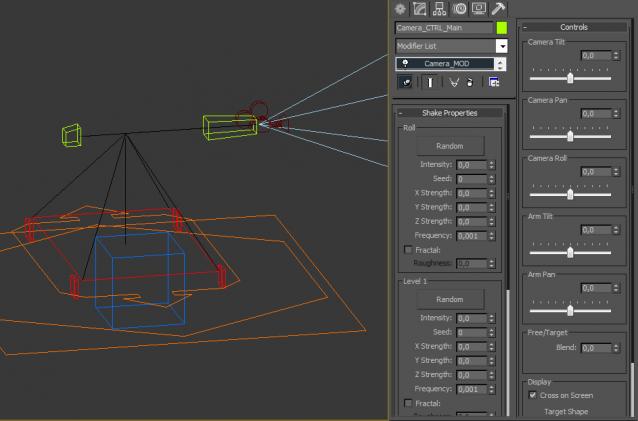
Simulates camera shaking in earthquakes - explosions - etc.

Usage: take a good perspective view - go to frame where you want it to start and run the script.
Now you have a new free Camera - Camera_Shaken01 - that has a procedural shake animation layered on position track.

ShowCameras

6 votes

Made for hotkey use - if any cameras are visible - the script hides the cameras - if all cameras are hidden - it makes all cameras visible. Good for quickly hiding and unhiding all your scene cameras. Note: While there is a toggle under display to show or hide cameras - if you hide a cameras and then uncheck that box - the cameras is still not shown because you manually hid it.

SolidRocks

569 votes

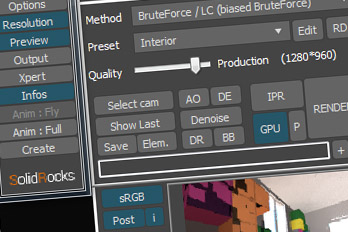
SolidRocks V2.4 is out !!  Support for V-Ray 6 (hotfix 2) and  MAX 2013-2023 ! 

SolidRocks adjusts and optimise all needed Vray parameters to reach the best rendertime/quality ratio.

Learn Vray progressively, see in realtime changes made by SolidRocks when you change resolution/quality.

SolidRocks includes new tools for both VrayMasters and Beginners:

TerraCamOut

4 votes

This exports a max camera to a terragen script. The interface has some information about how to use it. (After you render your terragen sequence with this - you can re-project the renders in max onto your imported terragen mesh and render motion blur.)
Interface snapshot

Syndicate content