Tagged 'spline'

Puzzle Maker

1 vote

Puzzle Maker is a 3ds Max tool that can generated customizable puzzles for any 3d artists. After installing the tool, assign it to a shortcut, toolbar, or menu bar. Then launch the tool and begin creating.

Features v1.0

- Supports 3ds Max 2018 or newer
- User specified number of pieces per row/column
- Mix-n-match peg shapes to
- Specify the puzzle piece size

Quadro buttons - hotkeys on four buttons

1 vote

Allows 4 buttons to add many features. If you are tired of running around the keyboard as a pianist and assigning a bunch of combinations, you have the opportunity to put a script and use 4 buttons for modeling (the main functions are assigned).

It works like this: Functions for Editable Polygon, Edit Poly, And some modifiers, are assigned to 4 buttons, which work in different modes in different ways, depending on which sub category you are in (or which modifier is currently selected.)
Sory for my English

QuickTools

52 votes

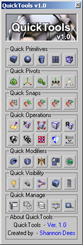
QuickToolsA collection of useful maxscripts and max features combined into one tool window. Most of the scripts I wrote myself. Some I did not write - but included as I use them regularly and find them to be extremely efficient work flow enhancers - furthermore I found no need to reinvent already solid wheels. Full credit is given to all script's authors both in the code comments and on the about page - however if for some reason I have neglected to give proper credit please let me know and I will rectify any and all such oversights. Furthermore - should anyone be unhappy that these are included I can remove them from the public release version. Finally any tools not categorized by those first descriptions are just standard max affairs to which I have given more convenient access - or are standard max affairs that have been slightly altered to suit certain production needs.

Radial Function Grapher

5 votes

Generates shapes based on radial functions

Rat's Nest

4 votes

Create a tangle mess with a spline in a random spherical layout.

rdg::dashed

8 votes

This tool generates dashed lines out of arbitrary splines.
Select a spline and press 'generate'.
If the Spline is consisting of mupltiple sub-splines - a dashed line for every spline is generated.
The length field displays the length of the first spline.
Rotation changes the alignment to the path from 0 to 90 degrees.

rdg::spline::offsetSpline

9 votes

This macroscript lets you select a spline and generate one or more splines with a specified offset. Unlike the 3DS MAX offset function in 'Editable Spline' - this offset spline detached from the original spline.

Check the 'consecutive' checkbox to keep the result selected.

Refine by 2 Vertices

1 vote

This Script will Add 2 vertices for each vertex in the Selected Spline by Specified Percent
(its useful for fixing the UV for Sweep modifier)
Hope you find it useful.

Refine By Distance

1 vote


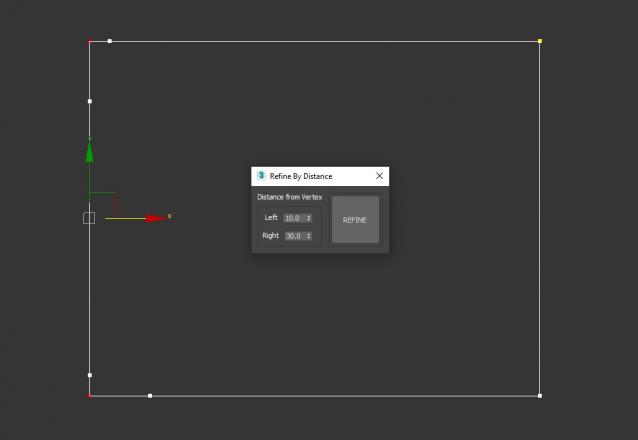
3DS Max Script to Add 2 Vertices on each Selected Vertex by Specific Distance or to All Vertices if no Vertex Selected . Left of the Vertex will be Towered the Previous Vertex . Work on Multi Selected Shapes .

Refine Spline

6 votes

Adaptively adds extra points to a shape while retaining the shape's existing points and curvature.

Syndicate content