Tagged 'spline'

Simple Catenary

13 votes

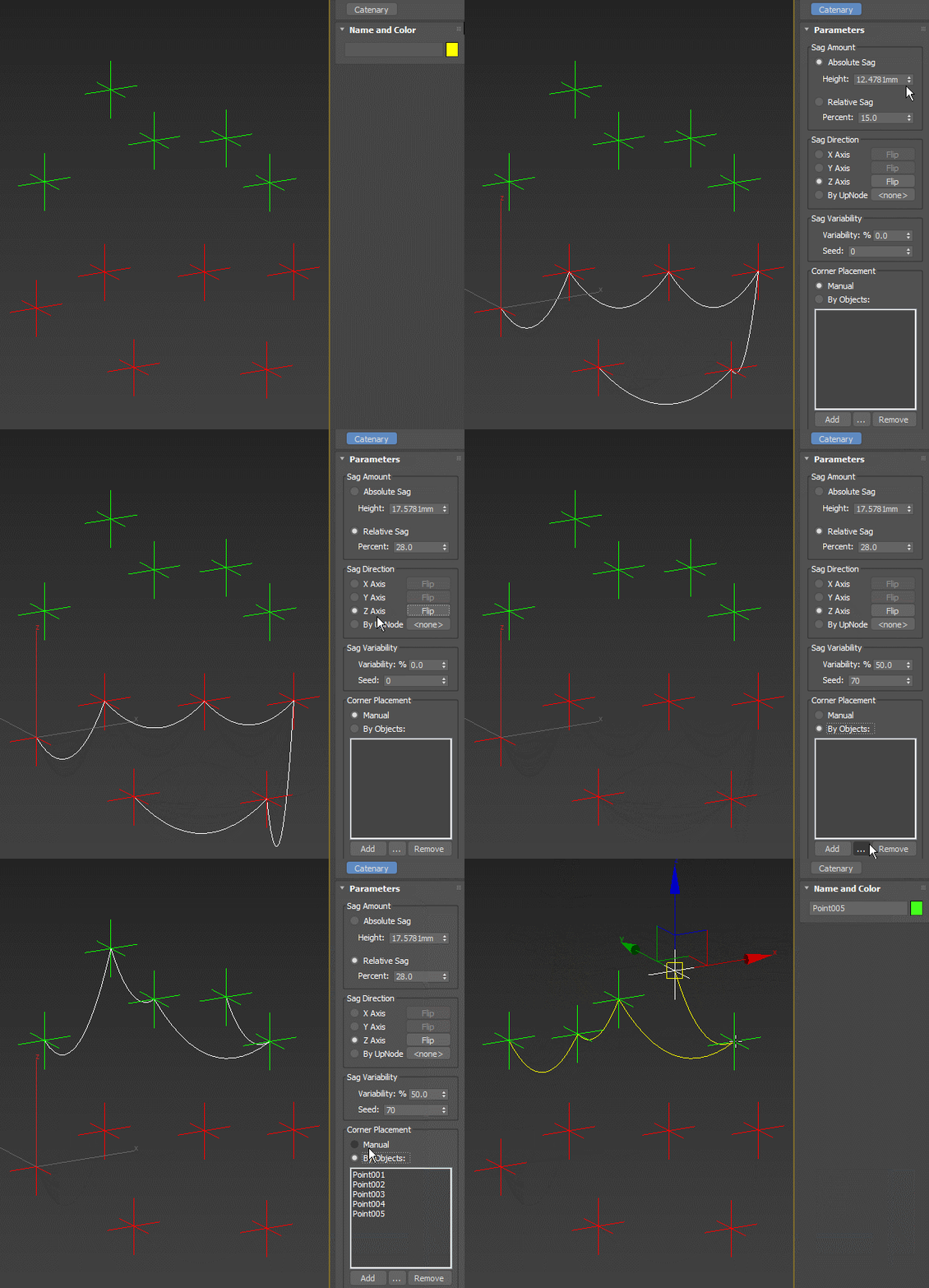
Simple multi-point spline approximating the shape of the catenary curve (the shape formed by a hanging rope). Allows for driving the point positions by scene objects, controlling the slack by absolute sag amount or relative to the length of the line between points, randomization of the slack and other options:

Simple Catenary

Svoe_KickHotBox_Modelling

1 vote

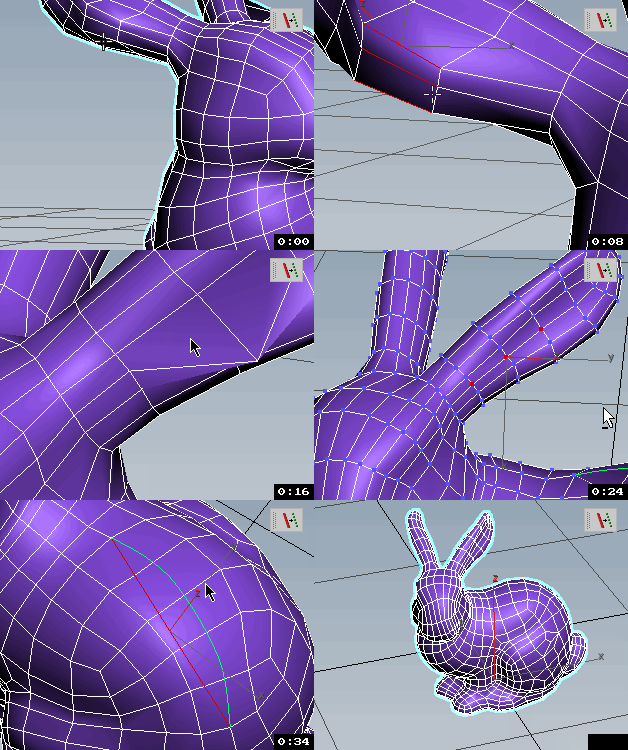
QUICK ACCESS TO MODELLING

Menus with changing buttons depending on the selected objects and subobjects.
Works with Edit poly, Editable polygons, Edit spline and some modifiers.

Resize Splines From First

27 votes

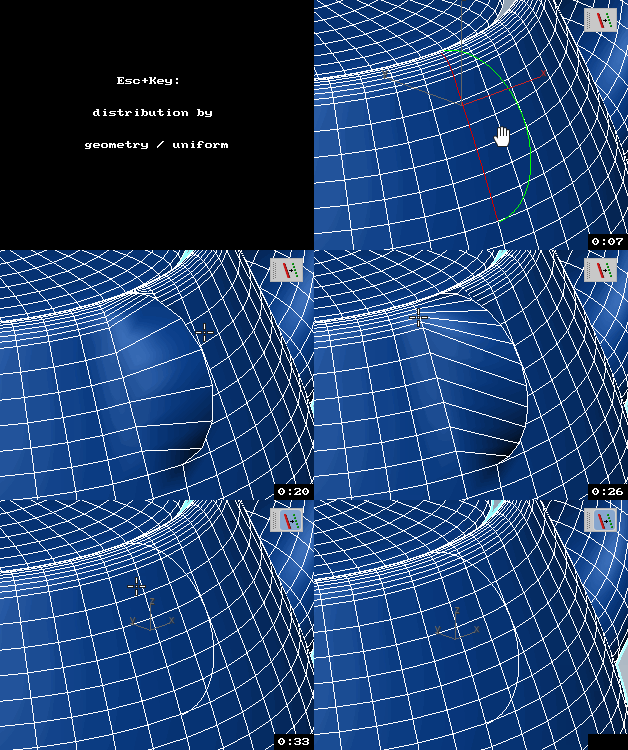
Tools that resize spline sub-objects in regard to their first vertex, one with a scaling factor, the other using a fixed size.

Edges To Curve / Rectification

4 votes


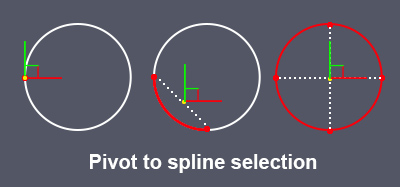
Pivot to spline selection

0 votes

Sets the pivot in the center of the spline selection.
Works with vertices, segments and splines.

pivot to spline selection

Quadro buttons - hotkeys on four buttons

1 vote

Allows 4 buttons to add many features. If you are tired of running around the keyboard as a pianist and assigning a bunch of combinations, you have the opportunity to put a script and use 4 buttons for modeling (the main functions are assigned).

It works like this: Functions for Editable Polygon, Edit Poly, And some modifiers, are assigned to 4 buttons, which work in different modes in different ways, depending on which sub category you are in (or which modifier is currently selected.)
Sory for my English

SplineTrace

43 votes

SplineTrace is a MaxScript that can be used to:

- convert a 2D Image into spline shapes, where each spline corresponds to an interior or exterior contour (outline) in the image. Works best on Black/white images but can be used on Colour images by adjusting threshold value.

- create a flat 2D object which corresponds to the "black" areas of the image. Any internal "white" areas are removed from the object.

- quickly turn a plain 2D image into a solid 3D object.

- create a flat 2D shape or 3D Object from an existing spline (not just those created by this script)

ChangeLog:

Mesh Surface

21 votes

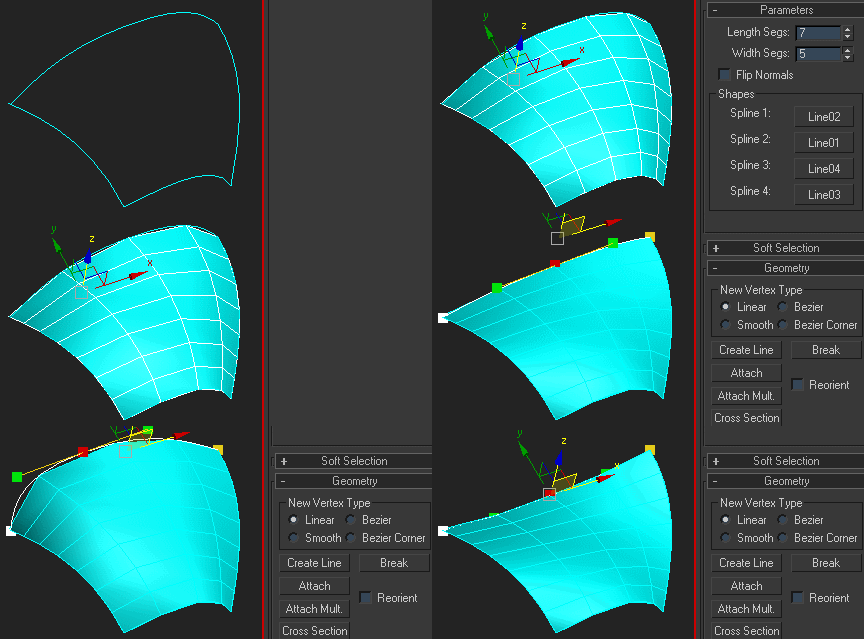
Creates surface defined by four splines. The order of picking the splines matters - they should form a closed loop. If you get a weird looking mesh, try once again starting with another of the four splines:

Note that if any of the splines are animated, the resulting mesh is animated, too.

Select spline segments by matID

0 votes

With this script you can select splines' segments by matID.
There are two methods of selection:
- "Use IDs of selected segments" - select some segments and press the [Select] button. The script will find the matIDs of the selected segments and will select all other segments with the same matIDs.
- "Use IDs typed below" - type as many matIDs as you want in the field(separate matIDs with comma) and press the [Select] button. The script will select all segments with the matIDs entered by you.

Advanced Sweep

15 votes

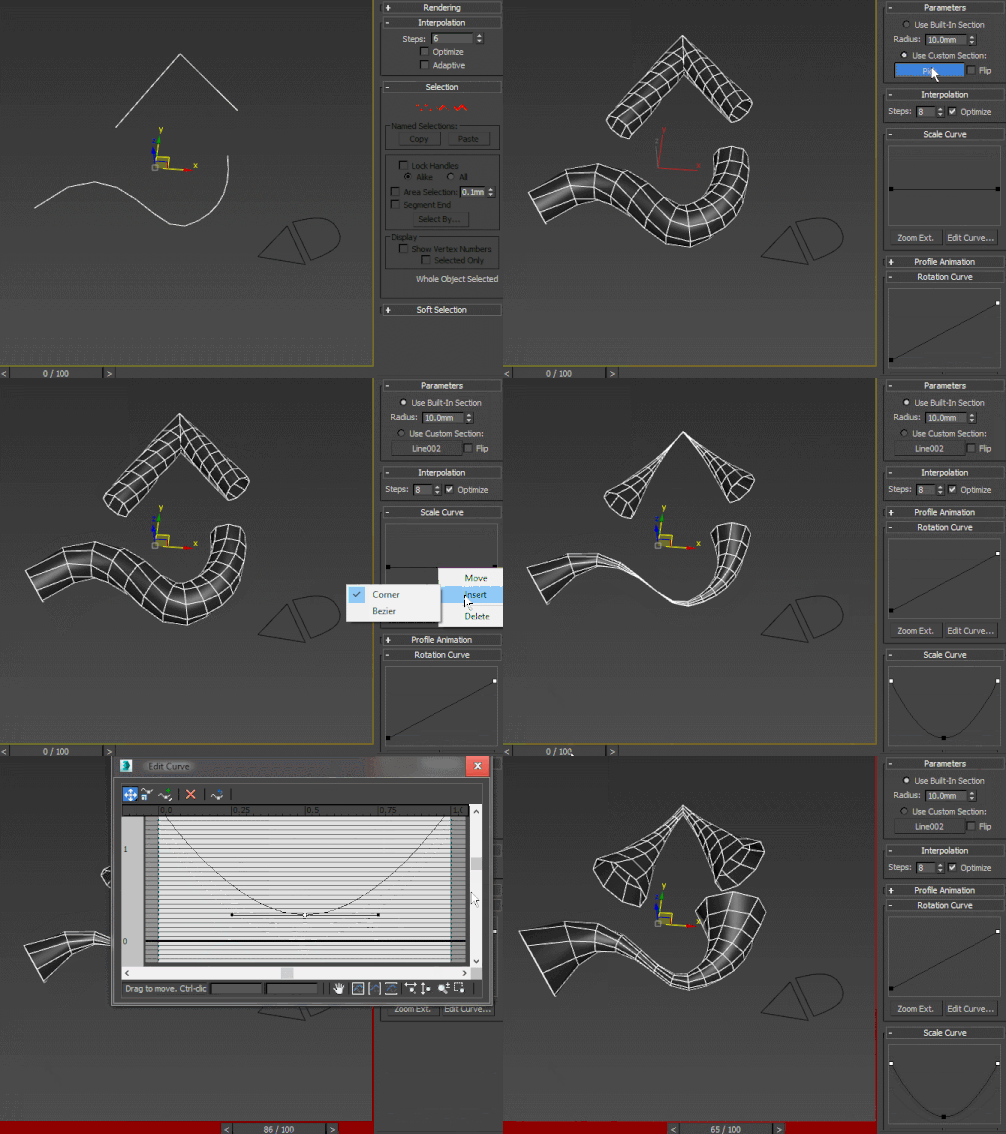
A curve-controlled scripted sweep modifier. As of now, both the Interpolation and Profile animation rollout UI items are just placeholders for non-implemented stuff. Using curve controls this way is pretty much experimental and as such, I wouldn't advise using this in production - better collapse it or make a pointcache and use that instead.

Syndicate content