ScriptSpot is a diverse online community of artists and developers who come together to find and share scripts that empower their creativity with 3ds Max. Our users come from all parts of the world and work in everything from visual effects to gaming, architecture, students or hobbyists.
This Script will Add 2 vertices for each vertex in the Selected Spline by Specified Percent
(its useful for fixing the UV for Sweep modifier)
Hope you find it useful.
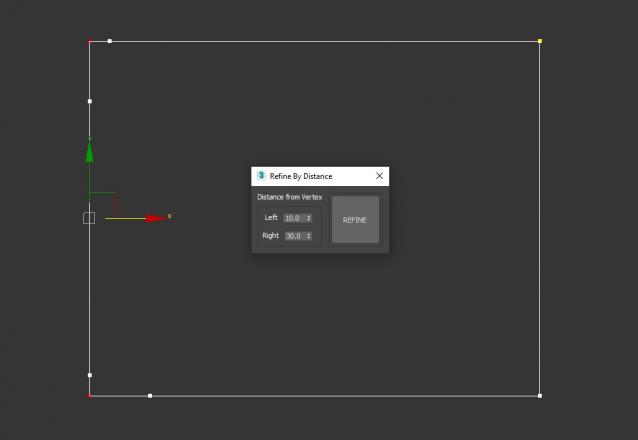
3DS Max Script to Add 2 Vertices on each Selected Vertex by Specific Distance or to All Vertices if no Vertex Selected . Left of the Vertex will be Towered the Previous Vertex . Work on Multi Selected Shapes .
Breaks the selected shape object (Line or Editable Spline) into as many objects as there were splines in the original object. Unlike the other explode scripts, this one doesn't try to rebuild the splines point by point and instead duplicates the object and deletes all the other splines, which means they all keep the original attributes like material, material ID, interpolation settings, renderable settings and so on.
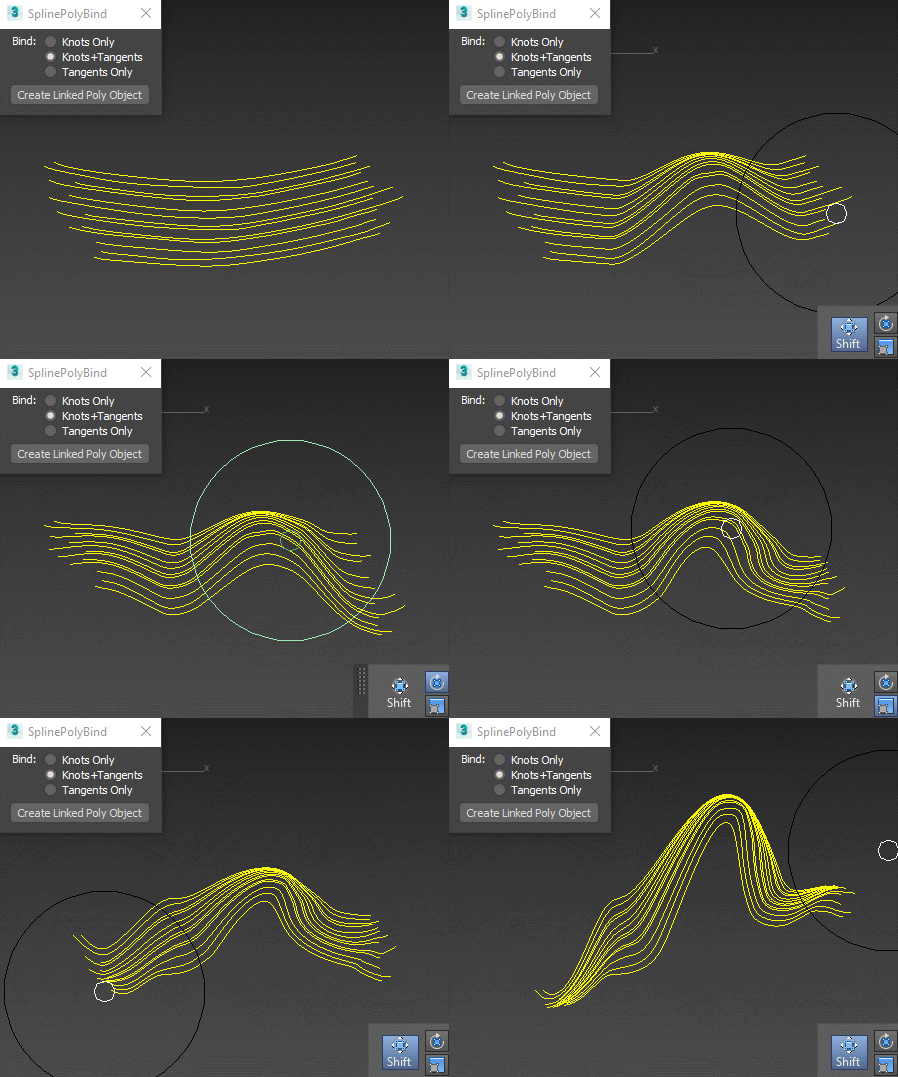
Creates an empty vertex-only object that you can deform with polybrushes (or any other editable-poly-friendly tool), and the splines will follow the deformation: