Tagged 'workflow'

Oormi Tools

4 votes


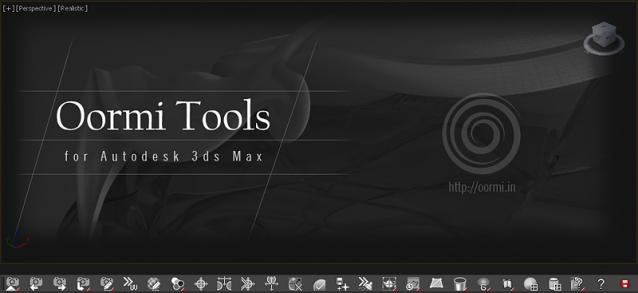
Oormi Tools is a script which has a number of tools for everyday use. These are meant to be time-savers, click reducers and some are useful new features.

Update: New version 0.2 is now available.

Hide_All_Link_Objects.ms

4 votes

"Use this script to hide all "Link" objects"

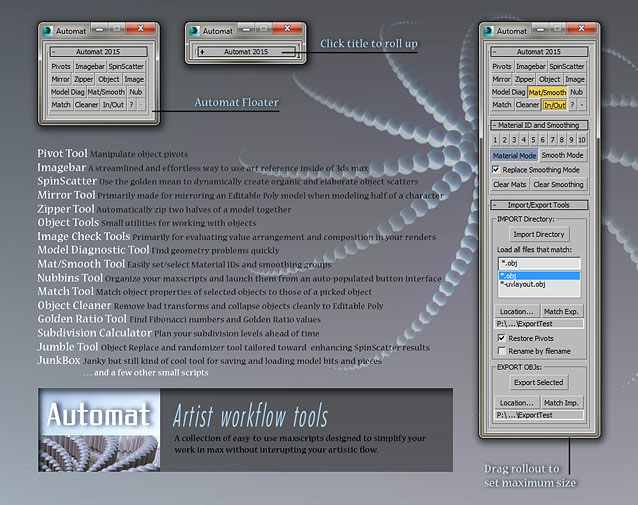
Automat - Artist Workflow Tools

4 votes

Automat banner

A large collection of time-saving scripts all organized into a simple and clean interface.

SCRIPTS included: Pivot Tool, Imagebar, SpinScatter, Miror Tool, Zipper Tool, Object Tools, Image Check Tools, Model Diagnostic Tool, Mat/Smooth Tool, Nubbins script launcher, Match Properties Tool, Object Cleaner, Golden Ratio Tool, Subdivision Calculator, Jumble Tool, JunkBox, and more.

Custom Normals Tool

3 votes

ShowFrozenInGray_Off.ms

3 votes

Toggle ShowFrozenInGray for selected object(s) off

FX Optimizer

3 votes

Camera Studio

1 vote

poster1

Camera Studio allows you to animate cameras much faster! You can create an orbit or spiral motion around selected objects with just 1 click and easily manipulate it. There is a number of other motion presets. Add shake to selected cameras when you need.
The motion path function allows you to create a seamless motion between several reference cameras (watch the video).

Collaborative Copy Paste Update: Copy to Older Versions

1 vote


The Cross-Computer & Local Copy-Paste script for 3ds Max, is designed to streamline your workflow and enhance productivity. This script allows you to easily copy and paste elements between scenes on a local machine, as well as across different computers connected to the same file server and across different versions of 3ds Max.

Cryengine 3 export preparation

0 votes

This script is specific for use with Cryengine 3. So if you don't intend to use this with Cryengine 3, this script will not work and be of no use for you.

It creates all the appropriate layers for the lods and main object, creates the dummy and linking the mesh to the dummy. Creating the proper material, submaterials (4 by default) for the model and the proxies, assigning the crytek shader and the physicalize (no draw) to the proxies.

Left for you is assigning the proper IDs manually to the correct submaterials (if needed).

Accelerate

-2 votes

This script is here to speed up our workflow. A combination of scripts put together to quickly access animation, rendering, lighting, fumefx, frost, vray, Krakatoa and other utilities. more info coming soon

Syndicate content