Tagged 'select'

Subobjects Converter

9 votes


v3.07
Fixed Shift+1 Shift+2

v3.01
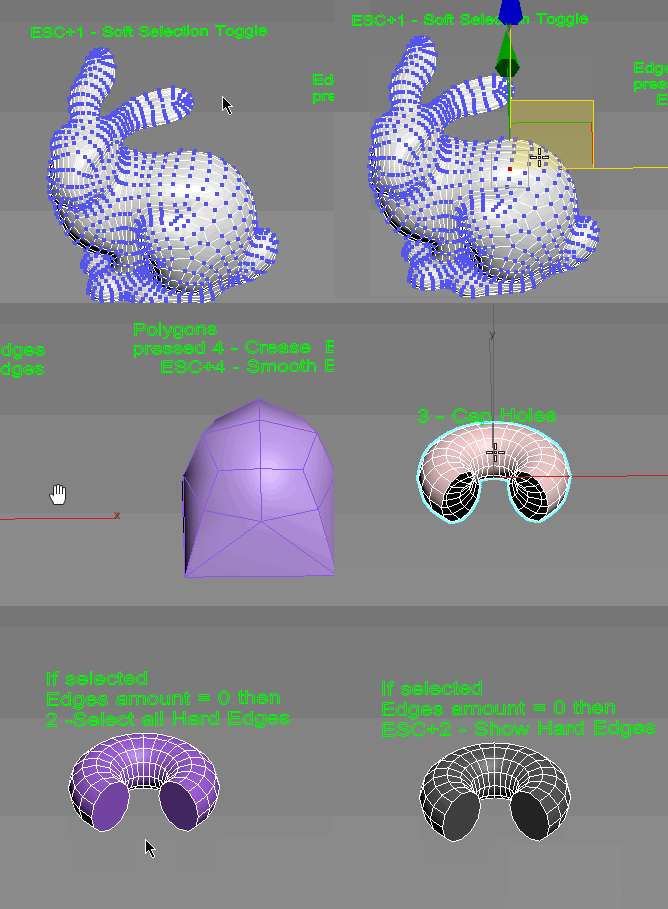
If Esc+Key of script keyboard pressed and current subobjectlevel is 4 or 5 (Face or Element) and selected all faces then will run Smoothing Groups floater (a separate special window)
Если нажата Esc+кнопка скрипта и текущий подобъект 4 или 5 (Грани или Элементы) и все грани выделены, то будет запущен Smoothing Groups floater (отдельным специальным окошком)

Fixed bug of switch from subobject 5 to 4
Added Extended Subobjects:

Select Similar

17 votes

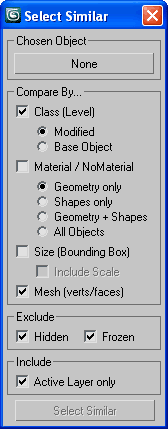
Allows you to select objects that are similar to the currently selected object. It will compare the bounding box size, mesh (vert, face, edge counts) and material either within the currently visible objects or all objects in the scene.

Demonstration video here

ProSelect

148 votes

A better way to select object in 3dsMax's viewport.

The current problem with Max's default selection method is that is cycles trough all the object underneath the mouse pointer, resulting in endless clicks to get the right object. you'll get it in the end but it's not pretty.

So what does this script do?

The existing selecting mechanism is not altered, this just adds a few things.

When you now click on a stack of objects, and keep holding the mouse button down, you can move your mouse up/down to select objects further or closer to the viewpoint.

Select instances objects

2 votes

Small but very useful script for selected instances objects

- select only visible instances objects
- work fast, support undo
- work of script would be broken by pressing Escape button

for install you should drag&drop script into 3ds Max
Find it in Customize -> Customize user interface -> Toolbars.
Category: # Scripts

Tested on 3ds max 2012

SplineTools

2 votes

Simple tools for working with splines in 3dsMax.

These tools includes:

  • -Selection filtering *Select only closed *Select only open 
  • -Clean up *Convert to spline and perform overlapping points weld.
  • -Close all *Close all splines
  • -Set points to corner/smooth/bezier/bezierCorner *Sub-object level sensitive
  • -Select by length *Select and sort splines by input length
  • -Sort *Detach open splines
  • -Explode *Explode shape object to splines (not segments)
  • -VArranger *Arrange selected splines by input z values and optionaly create a surface. Used to create terrain from drawing.

SplineTools_ScriptSpot_V.2.0

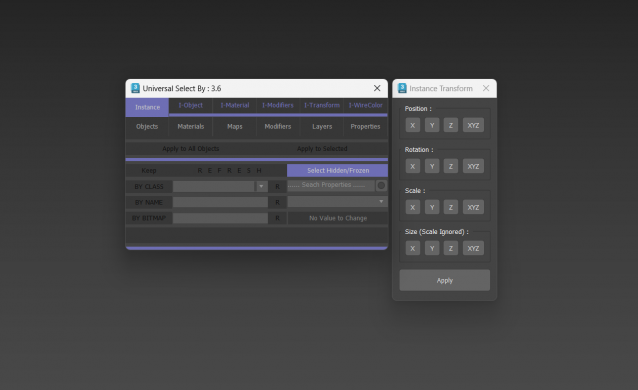
Universal Select By

9 votes

Select Similar Objects

50 votes

Select similar (to chosen) nodes by assembly of similarities.

SSObj

Camera Lister

30 votes

its a simple script for selecting cameras in your scene

v3.4 functions:
-fixed epic bug with history file
-safe frame replaced with camera correction

v3.2 functions:
-script now remeber its position and size

v3.1 functions:
-removed bug with locked selection
-added help button so help menu don't appear on script start

v3 functions:
- removed some unnecesary functions, fixed bugs and added window resizing
- 2click...select camera target
- click...use camera
- 2click+shift...selest camera and target
- 2click+crtl...toogle safe frame on/off

v2 functions:

Select Object By Material Name

66 votes

Select Object By Name

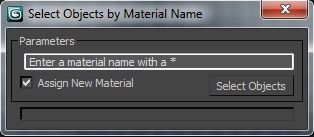
Select Objects By Material Name

Skip Every N-th

61 votes

Skip every vert/edge/face. In Loop mode, you can skip edges and polygons. In Ring mode you can skip vertices,edges and polygons. To make poly loop select 3 faces(the middle one is starting face), check PolyLoop checkbox, set "Skip V-E-P" spinner to value greater then 2 and start skiping. You can't skip one face, only 2 or more. Ring mode does not have this limitation. "For Steps" spinner works only with edges. If you want to skip every 2 edges five times, set "Skip" spinner to 2 and "For Steps" spinner to 5. Instalation: Drag-n-drop SkipEveryNthVEPRingLoop.mzp to 3ds max.

Syndicate content