Tagged 'script'

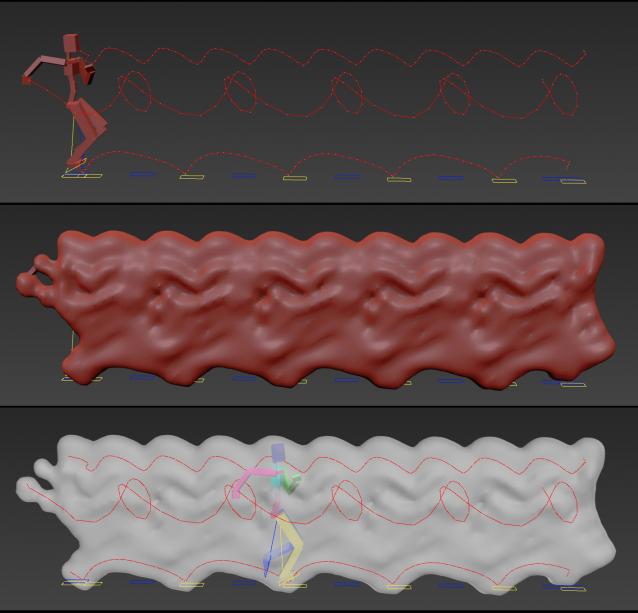
Animation Trajectory Volume

3 votes

This script helps you create an aproximate mesh that covers the animated object (transforming or deforming) through the animation range.

It can come in handy:

-When trying to build an environment around your animatedcharacter for example.

-or to see how your animation flows instead of using the normal line trajectory.

-also to know the dimention that our charachter are moving in to build FumeFX container or other fx stuff.

It's based on Blob mesh so:

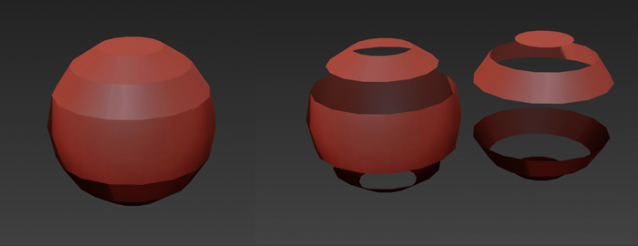
Separate Mesh by Smoothing Groups

3 votes

This script allows you separate polymesh by smoothing groups.
Unzip script into: C:\Users\user\AppData\Local\Autodesk\3dsMax\2014 - 64bit\ENU\usermacros\

Quick Isolate Object

66 votes

With this useful and funny script, you can isolate in a ListBox, the category object in Geometry, Shape, Light, Helper, Camera and Space Warp in the viewport.  We can select, rename and count the items in the scene.  Useful in many work situation.

qio

Vertices to Splines

0 votes

Generate splines from the normals of mesh vertices.

This script is useful to create quick hair/fur splines or special effects.
It’s an incredibly powerful tool when used in conjunction with TurboSplines script to create things like tentacles, spikes, spines, appendices, etc.

You can set the number of splines, length, number of knots, variation and chaos.

SIGERSHADERS VWall

24 votes

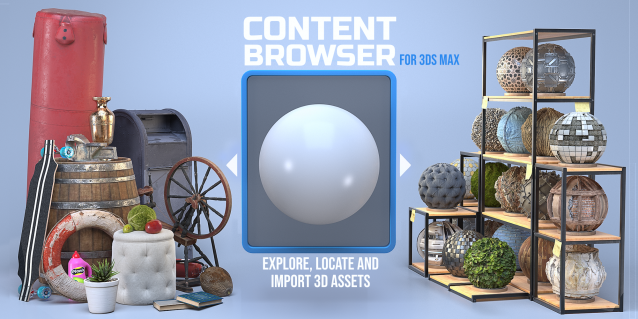
Content Browser

2 votes

The Content Browser helps you quickly browse and import 3D assets on your computer.

Load any folder accessible on your machine and the Content Browser will find any materials, hdri’s, models, and max files. It will group, organize and display these files as assets, recognizing previews, LODs, mapping channels, resolutions and other important information automatically. 

It simplifies the importing and merging process for 3d models, max files, material creation and hdri environment maps by allowing you to directly browse, filter and drag all of your 3D assets from sources like MegaScans, PolyHaven, gameTextures, Poliigon, Arroway into 3ds max viewport or material editor. 

Main Features

  • Load any folder and find 3D models, max files, materials and hdri’s.
  • Show grouped files as assets, group matching assets and find preview images.
  • Drag and Drop asset into the 3ds max viewport or the Slate Material Editor
  • Import assets to Slate and Compact Material Editors
  • Default Merge and Import 3d files and max scenes, with automatic relinking filepaths
  • Choose LODs/resolution/variations and Import multiple assets at once
  • Folder hierarchy, File list and Preview Gallery

CamMapMod - Camera Map replacer and updater

38 votes

This is my first script ever, so improvements are to be made.

Doing Camera Mapping ?

Ever wished to replace and update all the Camera Map modifiers you want in one single click ?

Bored of selecting your meshes one by one and then choose your camera again and again ?

The wait is over. Because this tool may save you some great time, which you can then spend to refine you Matte Painting skills !

Spline Data

1 vote

Spline Data 3dsmax script - banner

Splines overview instantly


santex Toolbox

3 votes

santexToolbox

 (Pic. - tools used: 1.gold_nice, 2.Random scale, 3.Deselect + Random scale)

computeConvexHull

1 vote

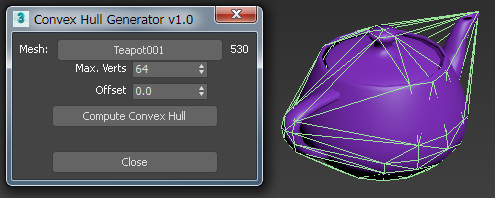
This is a standalone script for computing a convex hull mesh from a scene element.

computeConvexHull UI

Syndicate content