Tagged 'materials'

Copy Paste - Objects/Materials/Modifiers

3 votes

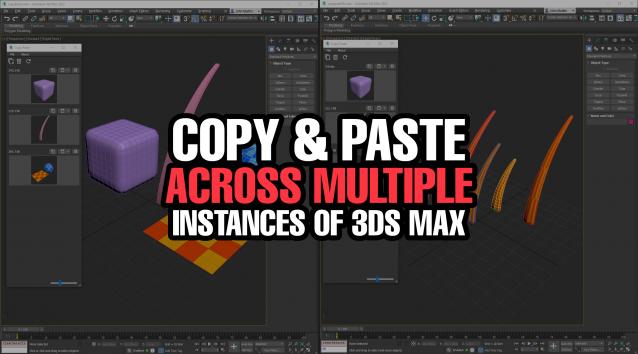
Copy Paste is a 3ds Max tool that allows teams or individuals to copy and paste objects, materials, or modifiers across multiple instances of 3ds Max. It supports sharing these copy/paste buffers in shared locations on the network or local on your computer. The tool helps to keep everyone up to date with real time updates anytime a new copy is created or modified.


library collector

17 votes

A simple script that can be used to merge individual .mat files (material libraries) into one big file. Pretty lame interface, but it gets the job done. Feel free to modify as needed.

FinalRender Material Converter

20 votes

This plugin adds a single button to your Interface. When you open it you can:

+ convert Standard to FinalRender Material
+ convert FinalRender Material to Standard Material
+ Show all (diffusemap) textures in view port

Additionally you can manually reassign the slots for the texturemaps.

Auto Material

2 votes

This MacroScript works as an on/off toggle. When on, the currently active material in the material editor is applied to new objects that you create. It also works on objects that you copy that don't have materials.

Vray Mass Material Editor

1 vote

Simple script, that walks through all Vray Materials (including Sub Materials of Multimaterials, VrayBlendMtl, Vray2Sided, VrayBump etc. including Sub-Sub...and Sub-Sub-Sub Materials) to make mass-changes like adjust Glossy Reflection Samples, Enable/Disable Bump Maps, change Trace Depth etc. ----New---- Added checkbox "Affect selected objects only". Please remember, if selected and not-selected objects share Materials/Material Instances, also the materials of the not selected objects will be affected, of course. Have fun, use at your own risk!

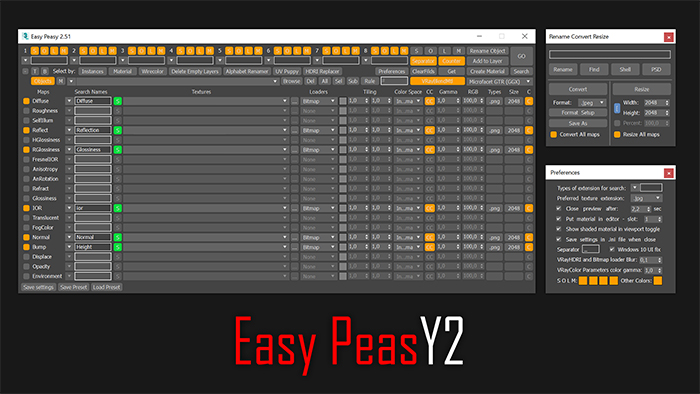
Easy Peasy 2

3 votes

Cheetah!

Materials to Scene

3 votes

Straight forward script to load a directory of your choice or by recursively going through a single directory (be careful it doesn't go through too many as this will be slow to load) and loading up .mat files.

From here the script will apply Materials only (no maps) to teapots.

I use this to quickly populate the scene with all materials inside a .mat file to tweak and update it quicker.

See screenshot.

Can be found under the category: 3dwannab

Open script and change:
local intialMLPath = "F:\SS_3diT\Textures & Materials\Corona"

to your own user library of your choice.

Monster Matte

23 votes

Milyan's object cleaner

1 vote

V-Ray Material Shortcuts

34 votes

These short cuts are really collection of very simple Macro scripts. Like my Turn Viewport Maps On/Off this one has had some serious staying power with artists to date it has to be one of my most used scripts. All of the macros are designed to manipulate V-Ray materials globally throughout the scene, very quickly and efficiently. Each macro effects every V-Ray material in the scene. They are very handy in a number of situations, for example when you get a file from a junior that has the glossy sub divs on every material sky high.

Syndicate content