Tagged 'materials'

MultiMats6

0 votes

* Title: Multi_Mats6

* Description:
-- Create Multi-Material with 6 SubMaterials
-- Can be assinged to a Box, Plane or Selection

* How to use this script:
-- Click on Multi-Material button to create a Multi-Material with 6 SubMaterials
-- We can assign this newly created Multi-Material to Box, Plane or our selected objects

Here's the screenshot of the script -
https://postimg.org/image/irtojn2op/

miauu's Drag&Drop Pro

1 vote

waRp Slate

2 votes

Inserts into Material Editor sets of 24 SCENE materials.
If there are more than 24 materials in the scene you can choose, which set of 24 you want to load to the Material Editor (slate number one means get the first 24 scene materials, set number two means get the second set of 24 materials and so on).

waRp CtrlMtls

0 votes

This script simplifies the editing of the textures (that are imported from Mari) within 3ds Max. It changes some basic parameters of all the imported textures.
It automatically enable only the mapping slots that have textures assigned to them.
It only works with materials that are assigned in the scene and have the keyword "_tg" in their name

Options that are included:
-- Turn on or off a particular mapping slot
-- Change the RGB offset
-- invert the textures
-- Preview the textures in the viewport

ShaderBuns

1 vote

- Created to improve organizing and retrieving of shaders and their settings quickly.
Features:
• Unlimited libraries
• Recursing of folders
• Create new shader libraries
• Add and Delete shaders
• Copy and Paste shaders from one library to another
• Shader previewer

Scene Notes Pro @ Show Notes Only

0 votes

Scene Notes Pro Show Notes allows you to read the notes saved with Scene Notes Pro.

You can't add and/or edit the notes, only to read them in case that you do not own Scene Notes Pro.


Selection Toolbox

1 vote


Quick Select

Objects In View
– Selects all objects visible in the current viewport

Objects Not In View
– Selects all objects not visible in the current viewport

Sub-Materials ID

0 votes

Sub-Materials ID - это скрипт для 3dsmax, открывает всплывающее окно со списком материалов и их id в Multi/Sub-Object материале примененном к выделенному объекту и возможностью быстро применять материалы по id на выделенные полигоны.
пока работает только в editable poly.
- кнопка Apply - теперь копирует материал с первого выделенного объекта на остальные.
- кнопка Apply - теперь если объект не в Edipable Poly, или не в режиме subobjectLevel, то применяется модификатор Material с выбранным id материалом, если модификатор уже есть на объекте то меняет его id.

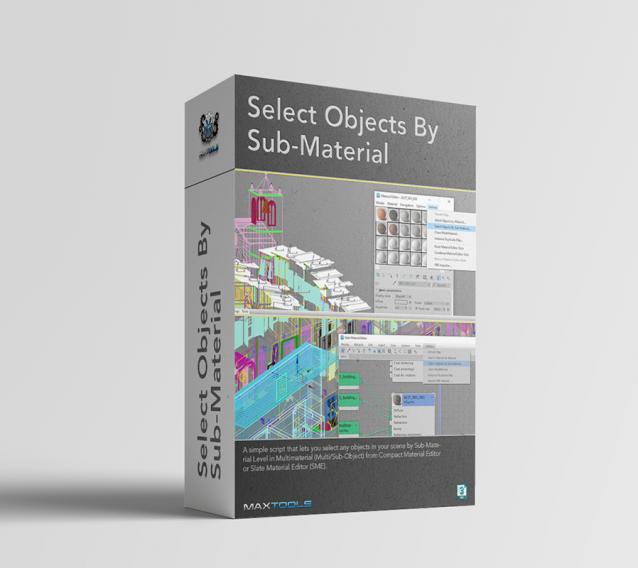
Select Objects By Sub-Material

1 vote

Select Objects By Sub-Material (SOBSM) is a simple free script that allows you to quickly select all objects in your scene that use a selected sub-material from a Multi/Sub-Object material.

Unlike the native "Select Objects By Material" tool, which only selects objects by exact main (parent) material match, this script analyzes material IDs assigned to faces/polygons. This allows you to select objects by a specific sub-material, even when a Multi/Sub-Object material is assigned to the entire object and the desired sub-material is only used on a portion of its faces.

The script works with both material editors in 3ds Max - the Compact Material Editor (Medit) and the Slate Material Editor (SME). Select a sub-material in any editor, run the script, and all objects that use this sub-material (on faces with the corresponding ID) will be selected.           

Syndicate content