ScriptSpot

Plugin

VoroFrag

By LittleLordPotala · 2012-09-26

Version
2.5
Version requirement
2008 to 2021
Date updated
2020-09-17
Votes
39
Downloads

Tags: fragmentation, voronoi

Description

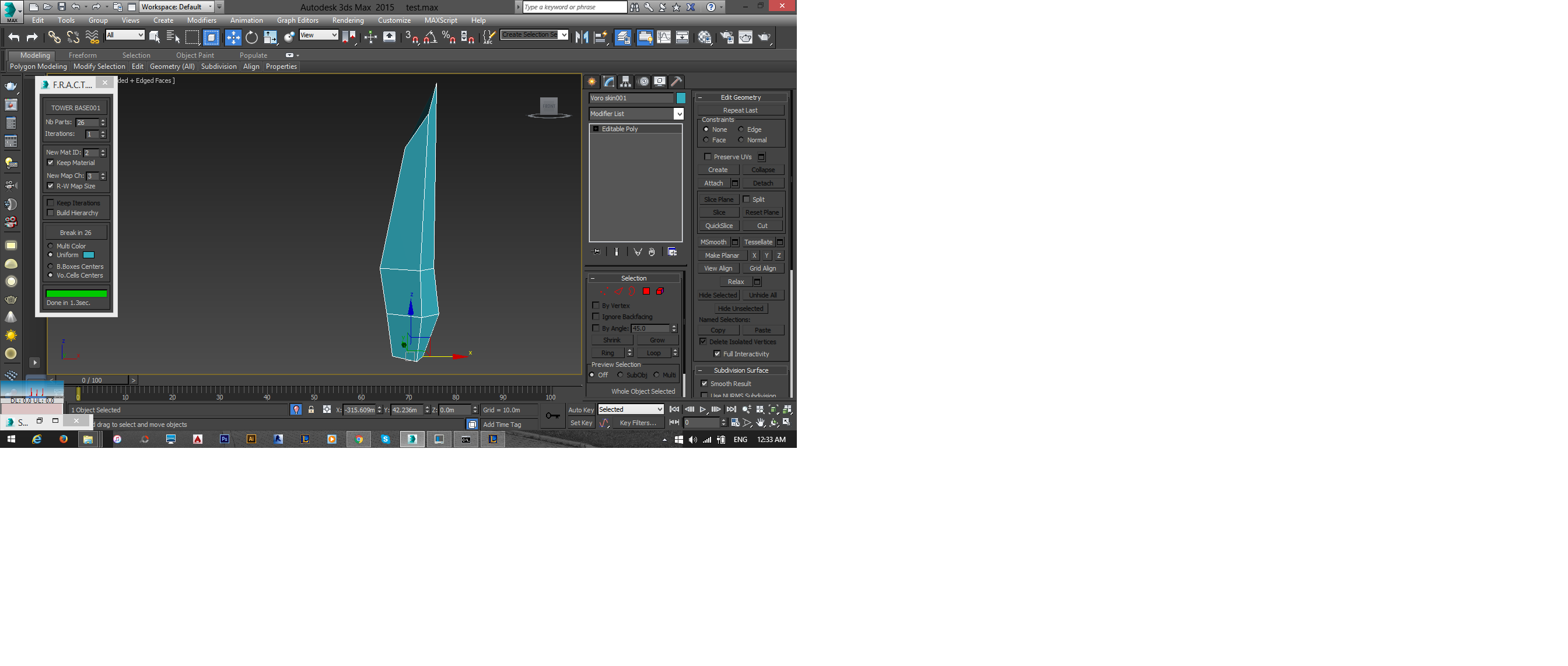
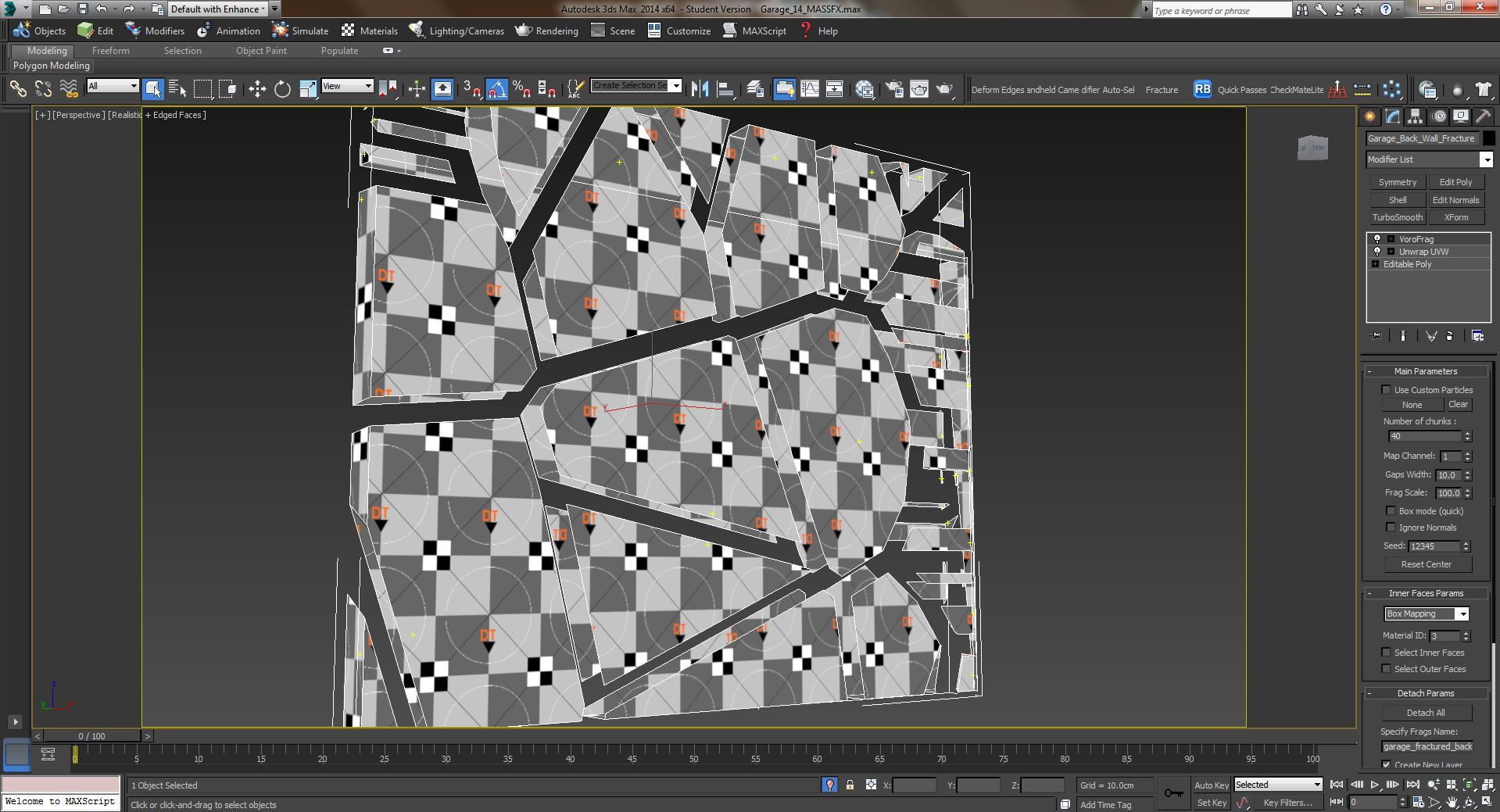
VoroFrag is a free modifier that allows to make voronoi fragmentation. It handles convex and concave objects, as well as hollow meshes and open surfaces. It offers a "Box Mode" for quick fragmentation. Support for mapping coordinates, material ID and normals.

Recompiled for 3DS Max version 2017 to 2021

You will find the full documentation (in pdf), the change_log and the plugin in the attached file

Videos
Comments (77)

Update

dmitrybelonosov · 2023-10-03

Hello, Colleagues! Is there any hope that this plugin will be updated to 3ds max 2024?

solid gaps help

remainz · 2022-09-28

Thanks for the latest compile.

I need the gaps as my solid mesh instead of the fragments. Or more ideally a spline web of the gaps.

The video seems to suggest that this is possible by simply scaling the gaps but this only makes the gaps larger, not solid. I have tried using a boolean but this was too messy.

Is there a simple way to make the gaps the solid output?
thanks

Alexandr Glazachev · 2021-05-04

Don't work in 2021.
Max crashes as soon as you add him to the stack

2022

Alexandr Glazachev · 2021-05-04

Error Loading Plug-in DLL
---------------------------
DLL failed to initialize.
Error code 127 - The specified procedure could not be found.

---------------------------
OK

If possible. Please, please.

Thanks!

dmitrybelonosov · 2021-03-15

In 3ds max 2020, Vorofrag did not work. the scene hung. I put it from the last message. The problem has disappeared. Thanks!

Doesn't seem to work on 3dsmax 2020 here :(

NicolasC · 2020-10-01

Loading VoroFrag_2020_2021_64bits.dlm ends to a 3dsmax error at startup ... any idea, please ?

LittleLordPotala · 2020-10-02

Works fine here.
What is the windows version and is it a localized 3ds max version ?

NicolasC · 2020-10-05

Hello,

Windows 10 Pro and max 2020.3.
I'll try with max2021 then ;)

Recompiled

LittleLordPotala · 2020-10-07

Hi NicolasC,
Maybe, your processor doesn't support some optimizations, so you can try the attached file that uses only standard parameters.

Attachments

Holy

cptSwing · 2020-09-30

lord that was unexpected! Thanks heaps!

thank you ...

NicolasC · 2020-09-30

... so much for the recompile !!!!!

Waseem3D · 2020-05-02

Does it work with max 2020?

Please Delete!

brainsgonedead · 2017-12-15

Why is this still active? Who out there uses less than 3D Max 2016? This plugin has been abandoned and its a shame but this plugin is no longer useful. There is a fracture voroni script that works in 3d max 2018.

vorofrag

AQUIB ALI · 2017-06-17

why vorofrag did not working 2015 3ds max?

'18?

cptSwing · 2017-06-13

Yeah, we all agree re-compiling all the time is quite tiresome.. ;/

max 2017?

robobear510 · 2017-02-20

This plugin is super cool, easiest and quickest to use, I'd really love to see it updated

3D MAX 2017

brainsgonedead · 2016-10-15

Hi, any chance of updating this for 3D Max 2017? There is no single Vorofrag for Max 2017 unless you want to animate using Rayfire which I do not want.

Cheers...

Noise Seed

rs3d · 2016-08-27

If you duplicate (copy) an Object with a VoroFrag Modifier keeping the same(!) noise seed the fragmentation is different.

Looks like the random function is more random than expected ;-)

Not working on my model but working on other shapes

enigma529 · 2016-06-12

Hello , thanks 4 the script , however iam having problem using it , its not working on my model but working on other objects , whenever i add the modifier it just make the model very slow and it doesnt frag anything , i built the model using lines and extrude modifier , there arent any overlaps , can you please help ??? i need the plugin for my graduation project , i can send the mesh model if any 1 will help me and provide my email , thanks waiting 4 any reply soon

Attachments

VOROFRAG WOOD

MOAB · 2015-11-10

Hello LittleLord,

First of all, thx for your work.
I just want to share a little script I wrote that add stretching options to VoroFrag plugin.

https://vimeo.com/145205106
Link to download the script is in the description.

Regards

Luos_83 · 2015-09-29

Hello LittleLord!

I have used vorofrag occasionally, and its by far my go-to tool for fragmentation.
Sadly more and more often I come across random crashes on meshes.
I always check if meshes are closed, no weird modifiers are present but often crashes on my (rather weird shapes having) meshes.
autobacks wont be able to load if vorofrag is the reason for the crash.

Since I dont know why these particular meshes are causing the crash I would like to send them to you!
Before doing so, I rather ask you here if you are interested in the meshes before I pm you a file.

using 3dsmax 2015 design x64.

Nontheless, I want to thank you for this tool, besides the crashes it has been an amazing workflow optimizer!

Error

stenionet · 2015-06-10

I tried versions 2.0 - 2.5 - 2.5a and I receive a message of error in the max startup.
"Error loading DLLs"

*3ds max 2009 64 bits

Thanks!!!

olston3d · 2015-05-25

This is an essential feature for destruction

hacksawcats · 2015-04-13

I’m having trouble installing the Vorfrag plugin (VoroFrag_2013_2.5_32bits.dlm) for Autodesk 3ds Max 2013 (32bit) on W7 32bit PC. Every time I extract the file and place it in: C:\Program Files\Autodesk\3ds Max 2013\stdplugs I get the attached error messages!

So just to be clear the PC is: W7 32 bit
We’re running Autodesk 2013 32 bit
The plugin I have extracted is: VoroFrag_2013_2.5_32bits.dlm
And the plugin is being installed in: C:\Program Files\Autodesk\3ds Max 2013\stdplugs, as per PDF instructions.

Any one got any suggestions?

Attachments

suggestion

LittleLordPotala · 2015-04-14

Can you try to install VoroFrag 2.0 32 bits and tell if it works ?

Vorofrag

hacksawcats · 2015-04-15

Hi, I've installed 2.0 and the software no longer errors, however the plugin does not appear as an option under "Modifiers"/"Mesh Editing" (as per attachment)

Any further ideas. Do you know if other people have had any issues?

Regards

Attachments

Thanks for your report

LittleLordPotala · 2015-04-15

I understand now that there could be some compatibility problems on 32 bit systems with the latest version 2.5

I don't know if other people have had this kind of issues already, but maybe because the 32 bit versions are not the most used today... (Proof that the latest version of 3dsMax are 64 bit only).

I will make a few tests with this file and will send later a corrected one.

For information, the plugin doesn't appear under the modifier menu, this is not a bug, it's only visible in the modifier list under the modifier stack.
If you need to see it in the modifiers menu, or even as a shortcut, there is many ways in 3ds Max to customize your interface. There are explanations in the official documentation and there are free tutorials on internet.
Best regards

VoroFrag 2.0

hacksawcats · 2015-04-17

Many thanks for the reply, so will I have to go through the tutorials to check if the plugin is now working?

Issue with VoroFrag 2.5a

DavidAnatolie · 2014-08-18

I have an issue when using this (v. 2.5a) using Max 2014. Basically I have a wall that I unwrapped. After the unwrap modifier, I add vorofrag. The standard mode works well; keeping my UVs intact and giving me the ability to adjust my inner faces mapping. However, the problem exists when I increase the "gap width" setting in that it does not create volume for my frags. This forces me to use "box mode". Now, I lost all my UVs and I don't have access to the inner face mapping parameters which I need. Interestingly, the "gap width" works well here; creating volume for my frags. Any thoughts?

Attachments

Hi DavidAnatolie,

LittleLordPotala · 2014-08-18

Thanks for using my free plugin and I hope you like it !

FYI, the updated version 2.5a is only for Max 2015, so the other files are still in version 2.5

Next, be sure that your base object (before any modifier) is closed, because VoroFrag doesn't create volume in opened mesh (like the teapot).

Does VoroFrag create volume on your object when the "gap width" is small or null ?
If yes, could you check at which value does the problem happen ?
And maybe also try to change the "seed" value.

Finaly, if the problem persists, you could send me by private mail your object in a Max file compressed in a zip. I will try to find a solution.

Problem Solved

DavidAnatolie · 2014-08-18

Thanks for the quick response. I double checked all of my polygons, and noticed some strange overlapping polygons that weren't supposed to be there... So I simply deleted them, capped up the mesh, and everything works perfectly fine.

Excellent

LittleLordPotala · 2014-08-19

I'm glad you solved it. It's true that VoroFrag's algorithm is sensitive to the overlapped faces ! As a rule of thumb, before applying any modifier on a base object, I often use the XView utility to check the integrity then I apply a "Reset XForm", collapse all and save the scene.
Good work !

Update 2.5a for 3ds Max 2015

LittleLordPotala · 2014-05-30

- Compatible with 3ds Max 2015
- Minor optimizations

Note that this is not really a new version.
The minor optimizations only concern 3ds Max 2015.
A new version with new features will come later.

robin1122 · 2014-04-23

I think this is an informative post and it is very useful and knowledgeable. therefore, I would like to thank you for the efforts you have made in writing this article.
URL Opener

Thanks for your comment

LittleLordPotala · 2014-01-16

I appreciate your comment and the referencing on your own blog.
This plugin is still developed, as well as two other projects that are in beta-test.

Aerodyll · 2013-09-19

For some reason the 2.5 would not work with my 2013 32x. Other than that was no bother at all and works perfectly.

Update 2.5

LittleLordPotala · 2013-07-02

From the change-log:
- Fragmentation enhanced on complex concave meshes
- Animated parameters work now as expected when the plug-in interface is unloaded
- After detaching the fragments, the normals are now preserved
- A new option allows to directly detach the fragments in a separate layer with a custom name
- An issue with the world coordinates and some imported objects is fixed
- When moving or animating an external objetct or particle system as "custom particle",
the plug-in is more responsive and now recompute correctly when the plug-in interface is unloaded
- The parameter changes on the rollouts "Detach params" and "System"
do not force the plug-in to recompute unnecessarily
- The pick button "pickPFlow" is now correctly exposed to maxscript and works as expected

barigazy · 2013-09-11

Awesome feature in v2.5 must say.
Keep up good work

Center is off

polishspy72188 · 2013-06-05

I am trying to fragment a beveled logo that I created in Adobe Illustrator. It imports fine and bevels great, but when I apply VoroFrag it acts as if the object is northeast of where it actually is. I've tried moving the anchor point, but it doesnt seem to help.

LittleLordPotala · 2013-06-06

Thank you for reporting issues. I will probably publish a new version around the end of the month, not earlier, that contains many bug fixes.

@polishspy72188:
Did you already try to apply a "Reset XForm" and a "Collapse to Mesh" to your logo?
In the current version, the plugin uses sometimes invalid coordinates stored by the system in the object cache. If that still doesn't work, you can also send me by email a sample scene that I can test (if you want).

Works Like a Charm

polishspy72188 · 2013-06-06

Works perfect my friend! Amazing product by the way, I've tried certain other fragmentation plugins for maya and after about 99 frags and an hour later it errored out. Popped in 3000 frags in this one and about 20 seconds later I'm good to go. Awesome product!

LittleLordPotala · 2013-06-06

I'm glad that you solved the issue and can continue your work !
Thank you for the compliment. Regards.

Works Great

mikebkastro · 2013-06-04

Works perfect in 3ds max 2013 64bit, some issues with geometry easily solved applying xform. Thanks for the contribution!

Great Job

Nevil · 2013-04-24

This is cool, Thank you.

Thank you

mariss274 · 2013-02-01

This is great thank you

new Update 2.0

LittleLordPotala · 2012-12-30

- A few bug corrections
- Memory leeks corrected
- Speed optimization (till 2 times faster in some cases)
- Added compatibility for 3ds Max 2008, 2009, 2010, 2011 (32 and 64 bits)

Happy new year !!!

Thank you!

darthsaschi · 2012-12-17

LittleLordPotala!

Amazing! This is a really cool plugin and I really appreciate this! It works like a charme! Keep it up and running! Again, thank you!

Sascha

Max2011

MuFerrara · 2012-12-11

This looks like a fantastic plugin and exactly what I need. Would it be possible to get a 3dsmax 2011 version? If you do not have the 2011 SDK and would not mind sharing your code, I could compile it for you to include in the zip file for other 2011 users to enjoy too. Either way, great work on this project and thanks for sharing!

Max 2011

LittleLordPotala · 2012-12-13

Thank you for your kind comment.
About the versions of Max before 2012, I'm currently working on it but it's not just a question of compiling with different SDK versions.
There are also differences in the source code between each version, even between the last two versions 2012 and 2013 there are a few differences.
For example, I found some minor bugs in v2012 that doesn't appear at all in the v2013. So I can tell you that it's coming but, be patient... Thank you!

Michele71 · 2012-11-28

Thanks for sharing this powerful plug :) One point to you ;)

Issues

digital3ds · 2012-11-22

Has anyone else comes across active viewport selection problems? (using max2012) I also have errors when I export as obj - max crashes, and I don't have many fractures.

Great script, but it crashes for me :/

@digital3ds

LittleLordPotala · 2012-11-26

I'm currently working on a new version where I've corrected many things but I never found the issues concerning the viewport selection or the obj export.
Are you using the 32 bits version of Max 2012 ? And is it the standard, design or education version ? Could you also help me to reproduce this issues with a short procedure ? I would also need to know your detailed system specs...
Maybe, you could send me all this informations by mail.

dori3d · 2012-10-23

Great tool, keep it up with the good work man! ;)

Very Powerful~

SaiLing · 2012-10-23

This tool is very very powerful and useful!!
Thanks a lot~

I understand your reasons but...

Garp · 2012-10-22

... conceptually, modifiers in max do not generate objects. They only apply modifications to whatever object is fed to them.
If you consider that more often than not fractured objects are used in animations, then it makes sense to have the parts as separate objects and that's what Compound Objects are for.
Just something to consider for the future, of course. Your plugin, your call ;)

Out of curiosity, what algorithm are you using for the Voronoi diagram?

rs3d · 2012-10-22

But Modifiers are much more flexible in processing
the chunks and can be copied/instanced between
different objects to be fragmented.

I also think this is the better decision for a
flexible workflow :-)

Yes.

Garp · 2012-10-21

Here's an idea. How about an option to commit the parts to the underlying particle system? This would speed up the workflow with simulations.
It would make it belong to the Compound Objects category, instead of the Modifiers.

Thanks for keeping developing it.

Interesting

LittleLordPotala · 2012-10-22

@Garp:
It's interesting but the conversion to the Compound Objects would involve a lot of changes in the code. And personnaly, when I have the choice, I prefere to use the modifiers... Anyway it's still a good idea!
I think there would be a way to directly link the detached fragments to a new empty PFlow Source by generating a "Birth Script" operator. This could be an option in the "Detach" rollout: you would just have to detach the fragments and then you get a new PFlow already correctly linked with the frags.
I think, if I add a new feature, it has to be stable and user friendly.
So I thank you for this nice idea and for your support.

Bug fixed

LittleLordPotala · 2012-10-19

Now, the version 1.5 is really out !
The bug has been fixed and the stability with the custom particles greatly enhanced.
Of course, the plug-in is not perfect and I already found many possible optimizations that are not yet included in this version.
This will be the next step. For now, I've tried to make it more stable.

Thank you for your patience and have fun !

Works brilliantly

brttd · 2012-10-20

Thanks for the update, it works brilliantly, and thanks for the plugin.

Sorry for this delay and error

LittleLordPotala · 2012-10-17

After posting the new version, I've just found a big and stupid error concerning the hollow meshes...
I think it wouldn't be correct to share this plugin in its actual state.
So, it will come as fast as I can but I have many other things to do.

Thank you for your patience and understanding.

Great.

Garp · 2012-10-03

Thanks a lot for the link :)

Oops.

Garp · 2012-10-02

Sorry for the confusion.

The question is because I haven't been able to do it (max SDK + VC++ Express).

A side question.

Garp · 2012-10-02

Martijn, you wouldn't be using the Express edition of VS, by any chance?

A confusion

LittleLordPotala · 2012-10-02

I'm not Martijn van Herk. I just noticed that he made a plug-in with the same name! It's an accident I'll change the name so there is no confusion.

@Garp: Why this question ?

VoroFrag : Quick Preview of the next Version !

LittleLordPotala · 2012-10-01

It's coming soon, maybe next week... There will be custom particles, new interface...

+1

barigazy · 2012-10-01

Brilliant plug.
Thanks for sharing this awesome tool

kogen · 2012-09-28

Amazing.

NicolasC · 2012-09-28

Ok - confirmed : this plugin simply kicks ass !!! not only the overall functionality is there, but the handling of gaps width between fragments is awesome !! well, at least, it perfecly fits my current needs !
So ... BIG THANKS to LittleLordPotala :)

NicolasC · 2012-09-28

oh boy ! it seems to be exactly the thing I need !! can't wait to test it :)
Thanks A LOT :)

Brilliant!

Garp · 2012-09-28

I'll keep an eye to see what new features you're gonna implement.
Fun to play with and useful. Great plugin :)

wow!

Anubis · 2012-09-27

Can you compile this plugin for older Max versions as 2009 for example? Thanks

Older Max versions

LittleLordPotala · 2012-09-27

Yes, it's in project but (sadly) not for now because it needs code modifications. I still need to solve some stability issues.

Future versions will also see new features, like the use of custom particles with PFlow, speed optimizations and a better interface...