3ds Max | All

Easy Layers Control

1 vote

This tool allows you to easily manipulate the selected or unselected
objects by hiding or locking (freeze) layers.
Image and video hosting by TinyPic

Arduino-3dsmax-Estrechan sus manos

0 votes

buenas, luego de haber trasteado algunas semanas con en este tema
he podido lograr la comunicacion en ambos sentidos.

con este Script para 3dsmax, se puede establecer una facil comunicacion
para cualquier proyecto que se te ocurra.

en el ejemplo del video que he creado, me he puesto a leer la data de
los accelerometro y giroscopio (wii wii nunchuck, wii motion plus),
y le de un infrarrojo. con la data entrante
puedo cambiar el color de los distintos elementos de la escena.

talvez no se note bien en el video los accesorios de la wii, es que los tengo desarmados.

Layer Material Creator

1 vote

Image and video hosting by TinyPic
Easy and quick way to create and assigne over a hundred
unique materials to the layer nodes with a single click.

FumeFX Partitioner

21 votes

This script will divide a fumeFx grid into partitions.
This can also be used to simulate a batch of fume grids locally or via backburner.

More info and sample usages here.

JJTools

30 votes

I have used 3DS Max on a daily basis for almost 10 years now and I took an interest in MAXScript almost immediately. The learning process was slow but I was able to pick the brains of my very talented colleagues. I began by studying 3ds Max’s ‘Listener’ and with time and confidence I tentatively created short scripts of my own. Many years later, and with a lot of help from my friends, I am in the fortunate position of being able to create my very own 3ds Max tools.


http://www.jimjagger.com/Pages/Tools/index.htm

Most of my scripts are workflow improvements in an effort to avoid repetitive tasks. With any luck, they may save you some time too.

alf float controller

31 votes

float driven by a simple line quite handy for animation loop

RealSizeTB

26 votes

"RealSizeTB is made to view and edit exact size of objects - single and grouped . You can scale to exact size on one or all axes without tools or coordinates switching. Interactive. Auto-updating. Simple and easy to use.
view Screenshot"

Biped Prepare MoCap

0 votes

What it will do:
- Default Biped Root = $Bip001
- Reduces the Keys of the Biped, but this will possibly not be the best
solution to reduce keys!
- On Press Start, it starts to Zero your Biped Pelvis to [0,0,z]
- If you check the Checkbox, it trys to move the Feet to [x,y,0]

BipedPrepareMoCap v1.1r
by Benedikt Rey 05/2012

Update:Fixed Bugs

Make planar & UV align commands

15 votes

Hey, guys.
Just a simple set of commands you can find in the Algomorph Category under Main UI group once you've put the scripts in your Macro folder and run them. These commands don't appear in either MainUI group / Editable Poly category or in the Editable Poly or the Edit Poly group, although they do appear as on-screen rollout buttons.

As far as the UV align X or align Y functionality goes, this doesn't explicitly exist in Max as a shortcut or button command, which is kind-of an old feature that Max was always lacking contrary to some other 3D apps...

Preset the Max Scene

0 votes

This script will:
- Drag the *.mcr filWhat it will do:
- reset your Max Scene
- set your units to centimeter
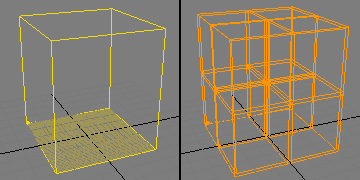
- creates a referencebox with flatten UV Unwrap
- creates a new layer for the referencebox (to hide it easily by layer)
- freeze the box
- show frozen in grey = off
- asigns a material to the box
- asigns a texture to the materials diffuse slot
- shows the material in viewport
- Maximize Viewport
- Zoom Extents
- View Edged Faces
- Show Statistics

PresetMaxTheMaxScene v2.0r
by Benedikt Rey 05/2012

My first public Script, feedback would be nice :)

Syndicate content