3ds Max | All

alyScripts_v1.04

23 votes


Hello!

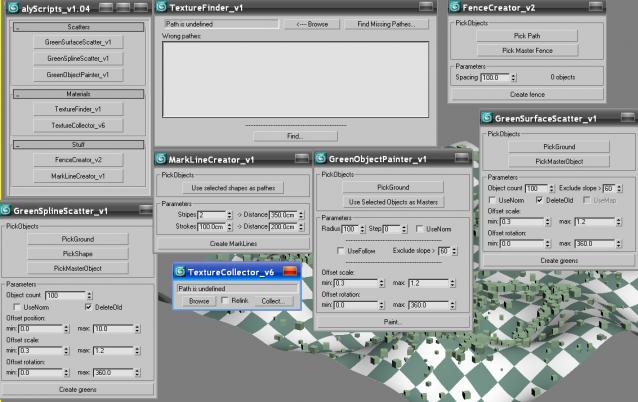
This scriptpack contains some simple scripts, which can optimize your workflow.

Version 1.04 includes 7 scrips grouped into following categories:

- object scattering

- maps and materials

- landscape modeling

I hope you find them useful.

Let me know if you find any bugs.

Best regards.


Spline penetration through mesh

2 votes

Little tool for marking penetration point of spline through mesh.
--Undo/redo works without crash
--Progress bar with cancel
--for high poly mesh you can specify polygons for faster progress
--works on transformed objects
--works without changing original objects and modifiers

PolyNurbs 1.0 - Released

20 votes

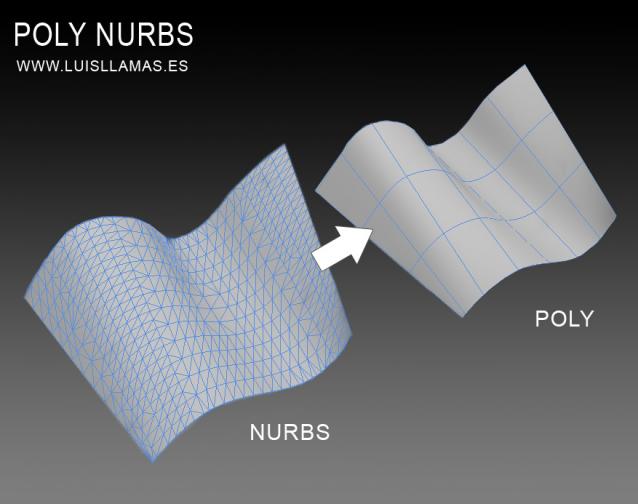
PolyNurbs is a tool to convert nurbs objects to quad poly.

Polynurbs

A lot of us want to use nurbs or spline to make our quad meshes. I have tried a lot of solutions, scripts, surface modifier, turn to poly and detriangulate... but no one works as we want.

With PolyNurbs you can:

Model Quality Checker

5 votes

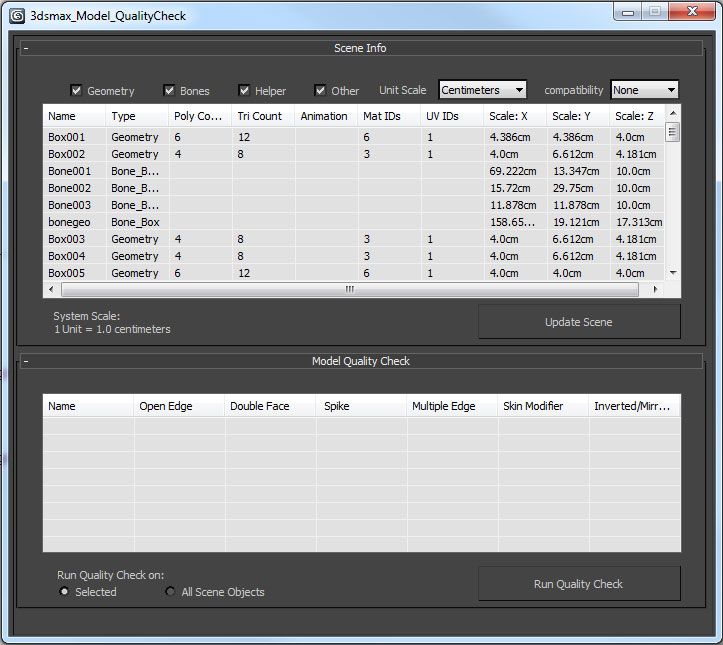
Designed for 3ds max 2012 and up, the 3ds Max Model Quality Check is a tool to help the user while modeling in 3ds Max. This tool contains two elements: Scene Info and a Model Quality check.

Show All Coordinates

8 votes

Displays and sets the coordinates of the selected object in local - parent - and world coordinate systems. Updates automatically.

Auto Material

2 votes

This MacroScript works as an on/off toggle. When on, the currently active material in the material editor is applied to new objects that you create. It also works on objects that you copy that don't have materials.

Catenary curve generator

5 votes

A tool that allows you to generate Catenary curves (realistically looking hanging rope/chain)

UPDATE 2013-06-04:
- Now you can create Catenary curves from your current scene selection. Very useful for bridges, electricity poles, ropes etc...
- You can also delete objects from the end anchor point list
- I've also added the feature to delete all the curves, or the last created, which makes it easier to navigate in more complex scenes

Ocean Plane

5 votes

I am not a coder, but for work I wrote this script "Ocean Palne".

It's a "primitive plane" that fits to camera's perspective. The. zip file contains the script and scenes in 3dsmax 2011 with the modifiers diplacemap, also try it with hot4max. 

Copy the script in "Autodesk\3ds Max 2011\Scripts\Startup", load the scene and create "Ocean plane", select the camera in camera slot's, change the parametres and  binds spacewarp diplacemap at plane.

Random UVW GizmoTM

5 votes

With this tool is very easy to control UVWMap modifier gizmo transform using
non - incremental randomization process. It means every position rotation or size
offset changes always start from geometry center but not from actual gizmo center.
This tool also use random values from user input but not ranges from one value to another.

3dsMax Note's

1 vote

This is a fun and very simple script which allows us to take notes and print them in a file .txt during our usual work, without ever leaving the work area in 3dsMax.

You have to take note of the hours of work? You have to write useful information such as lengths, heights etc..?  You just want fun to write? 

Well, this script is for you! :D  Have fun and good writing! 

imag for 3dsMax Note's 


Syndicate content