Tagged 'render'

GTVFX-SCA_createLightSelectElements_perLight

2 votes

Creates a VRay Light Select Element for each light in your scene.

Elements are named with prefix of the nameTag variable. You can change this variable if necessary for your pipeline. To do so you will need to open the script and modify the variable within the struct.

Default nameTag = "lgt_"

Shutdown Computer after render with automatic phone call

4 votes

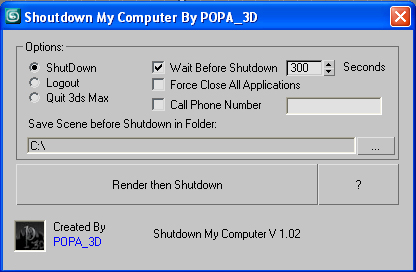
If you have a render that take a long time and you want to go to sleep or to go out your office this script will shutdown your PC after the render is completed.

- Shutdown will shutdown the computer

- Logout will Log off the user

- Quit 3ds Max will exit 3ds Max

- Force Close All Applications will forces running applications to close without warning

- Wait Before Shutdown will let you Set a given time for shutdown, in seconds


Addtional Notes:


GTVFX-SCA_createLightSelectElements_ByLayer

1 vote


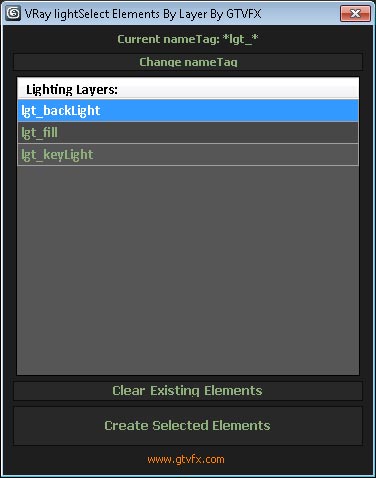
Manages the creation of VRay Light Select Elements based on a layer naming convention.

All lights on a layer will be included in that Light Select Element.

Layers are found by matching the pattern of the nameTag variable. You can change this variable if necessary for your pipeline by using the slender button at the top of the dialog.

Default nameTag = "*lgt_*"  (fe: lgt_sun, lgt_key, etc...)


 Updates:

VrayMultiStageRender ( VrayMultiCamRender )

43 votes

Utility for rendering animation and static scenes in 2 Stages from the animated camera.

At 1st Stage is calculated LightCache in Fly-through mode and

Irradiance Map in incremental add to current map mode for the entire scene,

while 2nd Stage is the final rendering.

This approach allows for all frames receive the same high-quality Irradiance map in less time.
For more information see topic Rendering a walk-through animation from Vray tutorial.

Main Features:

  • Rendering in two stages for to obtain better results in less time.
  • Support for network rendering (BackBurner, Vray Distribute Render, Duma)
  • Ability to exclude from the Global Illumination rendering VrayFur, RPC, some lights and Displace.
  • Automatic creation of animated camera VrayCam.
  • Create subfolders for RenderOutput, RenderElements and irradiance map.
  • Automatized naming LightCache, Irradiance map, RenderOutput and RenderElements.

VrayMultiStageRender v2.0.75

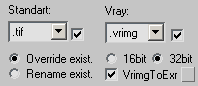
  • Adds ability to auto-convert on the fly Vrimg files to EXR after each frame rendering (supported with network and local rendering)
    It is possible to convert the files into one EXR file with all channels or Render Elements into the separate EXR files.

VrayMultiStageRender v2.0.70

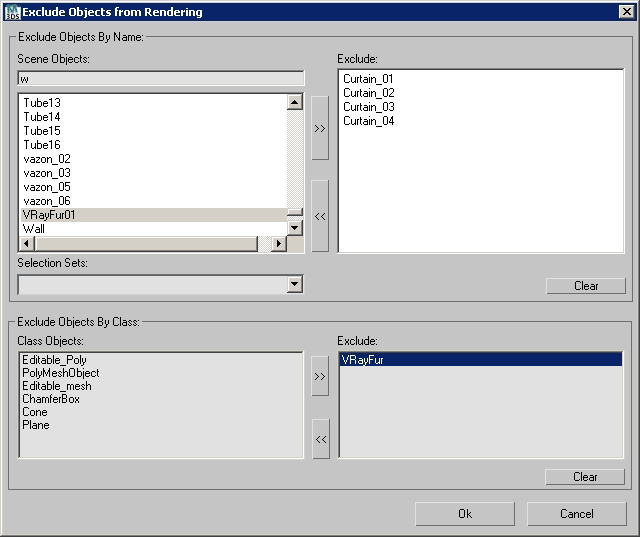
  • Adds ability to exclude objects from rendering per Stage
    (Useful for Exclude from rendering Global Illumination VrayFur,Hair&Fur, Proxy and other Objects)


Render Info Strip

13 votes

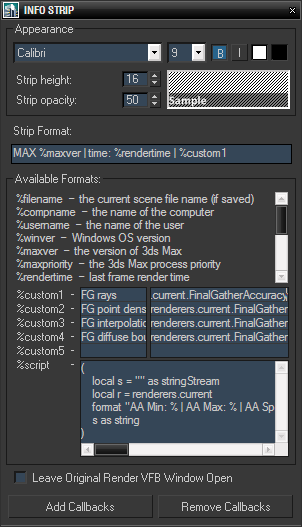
This script was created upon request as a vray frame stamp replacement, intended for mental ray and scanline rendrers.

It allows custom information to be displayed in the rendered image, with user defined font size, style, colors and opacity of the strip background. In addition to predefined keywords, there are five custom expressions and one script value. Original render frame buffer can either be closed or kept open. The settings and callbacks are saved in the .max files.

Sprite Tools

4 votes

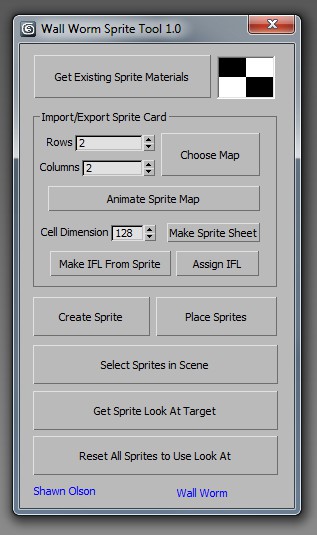
Sprite Tools is a free MAXScript that you can run inside 3ds Max. I primarily wrote this to accomodate some features I will be adding to Wall Worm in the near future.

What Are Sprite Tools

Sprite Tools consist of several functions:

◦ Convert sprite card bitmaps to animated bitmap nodes
◦ Convert animated bitmap nodes into IFL files
◦ Convert animated textures or IFL files into sprite cards
◦ Place Sprites into a 3ds Max scene which are always facing a look at target

sprite tools

Render Elements to folders

1 vote

This script will place your Render Element files in named subfolders according to where the main pass is stored.

Example:

Render path is set to - c:\blabla\bla.png

There are 3 render elements set, like: specular, shadows, zdepth etc.

path for render elements will look like:

c:\blabla\specular\bla_specular.png
c:\blabla\shadows\bla_shadows.png
c:\blabla\zdetph\bla_zdepth.png

In v2.0 multiple render Elements error corrected.

Swift-Switch (Includes V-Ray and Mental-Ray Presets)

76 votes

Pictor ver 2.0.0

6 votes

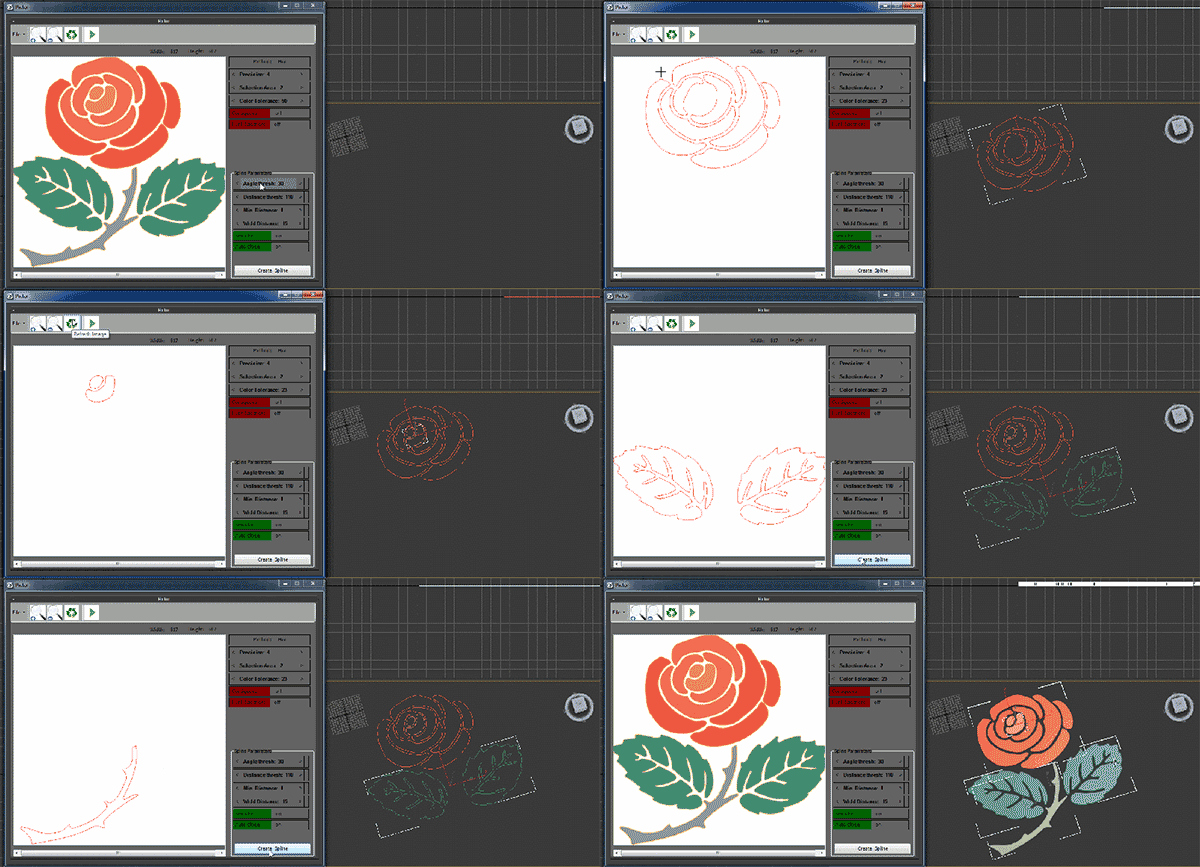
Pictor plugin is creating three-dimensional objects from two dimensional images. This plug-in works with Max and has the ability to read and convert images to three-dimensional files. General features of the software are as follows

Wireframe Simple Render

59 votes

Wireframe Render Version 3.0

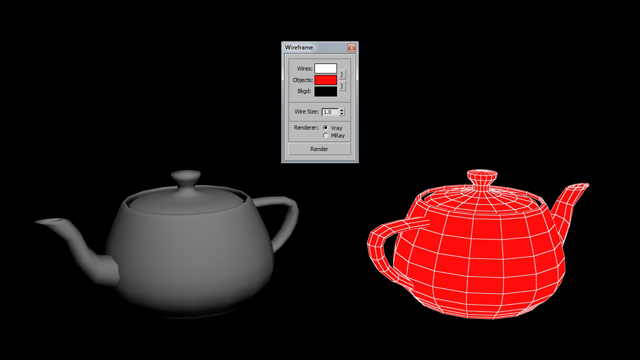
This script simple takes the max scene and renders wireframe, in either black or white. It does not alter your scene in anyway. Your scene will remain untouched with all of its settings and materials.
Enjoy!

This script is a small part of a larger script I'm working on for 3ds Max.

John

Syndicate content