Tagged 'pivot'

miauu's Script Pack vol.1

14 votes

miauu's Script Pack is a set of scripts that will help you to make faster and easier some of the tedious task when you use 3ds Max.

miauu's Script Pack include:

Visual Pivot Placer

38 votes

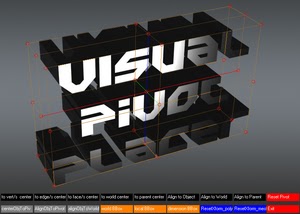
The image above says all. :)

Places the pivot of the selected object/s in one of the red colored circle.

For Editable Poly object/s you can place the pivot in the center of selected vert/s. edge/s, face/s.

Click with LMB on one of the red circle will tread all selected objects as one and the pivots of all objects will be in the same place.

Align Pivot to Direction

8 votes

 Align Pivot to DIrection(vector) allows you to align the X, Y,Z or XYZ axis of the local pivot of each of the selected objects to the direction(vector), defined by two picked in the scene points. SNAP will be turned ON automatically.  If the Shift key is down when the axis is choosen the pivot will be moved to the first picked point.

Version 1.1 should works properly with Pen(tablets).

StrTools

14 votes

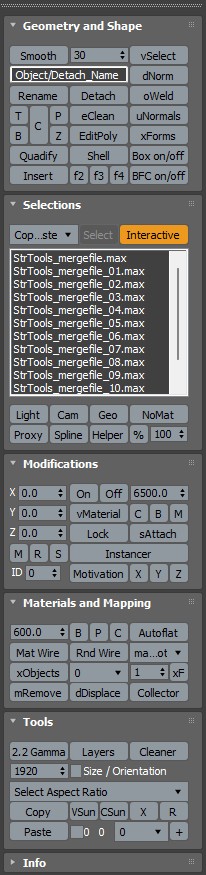
Quick tools in one place. Dockbar!

Pivot & Align Tools

10 votes

Pivot & Align Tools (PAT) are a set of macros bundled into a quad menu that allow you to perform various object alignment, pivot alignment and object snapping functions... among others. Most of the functions can operate on a selection of multiple objects at once, including grouped objects as part of the selection (open or closed).


NOTE: This script now handles quad setup for both 3dsmax 2025 and above, as well as previous versions of Max.


See online guide in links section. 

Universal Transform

4 votes

Universal Transform has Alot of Featuers for Moving Rotating Scaling Randomizing Scattering Objects and Working with Pivot and Working Pivot and More .

The Script has 5 Modes (Move, Rotate, Scale, Pivot, Random) . and 3 Type of Auto Switching to Switch Between Them (to not Get Confussed) .

The 3 Auto Modes is (Auto T, Auto D, and The MacroScript (Universal Transform - Auto Switch)) .

- it has 3 Options :

1- By Spinners or (Type-in) .

Easy pivot

8 votes


Description

“Easy pivot” allows you to set new position of pivot point with just one click .


How it works

If you selected one object. Run script. Choose one of 27 possible new pivot places.

Helper Manager

7 votes

A support panel containing many methods for adding point or dummy helpers to the scene, as well as options for baking, constraining, linking, orienting, selecting, manipulating, duplicating existing hierarchies using helpers, or replacing them with a Bones System.

Frodo's Magic Scripts Pack

74 votes

NEW UPDATE TO v4.4 RELEASED!!

Hi,
this is a small package of my latest scripts, i hope you'll find them usefull.

Includes:
Camera lister - usefull for fast navigation and selection of scene cameras
Autobackup check - you'll never forget to turn autoback on
Speed meter - measures speed of selected object
Grider - slices object by grid
Center & Reset - resets xform and centers pivot
Aligh spline to Z - flattens spline in Z direction
Object ID - assigns random g-buffer ID to whole scene

Pivot placer

10 votes

With this script you can replace pivot where you want.
on the selected vertex, at the center of the selected edge or face, or at the center of the object.
You also can create a point as pivot.