Tagged 'camera'

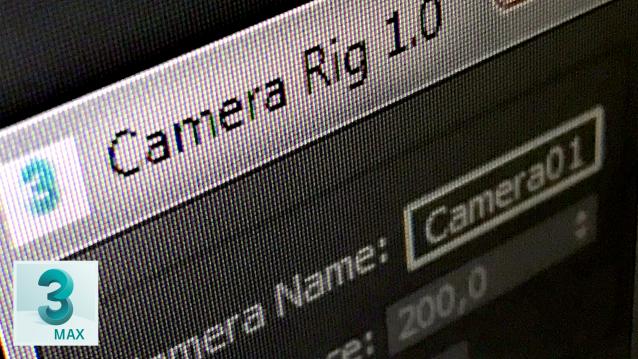
CameraRig

0 votes

This is my camera rig, I was used to create this rig ever time, so I decide to make a button to create this rig in one click.

Updates v1.1 - Main dummy resizeses properly

Z Depth with alpha

0 votes

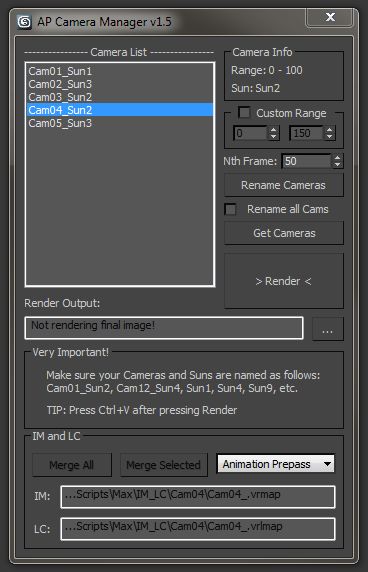
Camera Manager

1 vote

There are quite a few fly-through camera management tools out there, but i needed something that could automatically change the time output range, sun, output file name, etc.

Also, very important, use Free Cameras only (not target). The script uses the position and rotation controllers of the camera to determine it’s range.

Maxwell Camera Offset

3 votes

Update 1.1: Added exposre dialog for adjusting parameters without changing camera exposure, and support for render regions in the offset viewport.

I have a new script that displays the Maxwell camera offset in the viewport. You can switch it on and see a masked region of the viewport (make sure safe frames are turned on) and move the camera, pan, zoom, etc. with it on.

offset ui preview

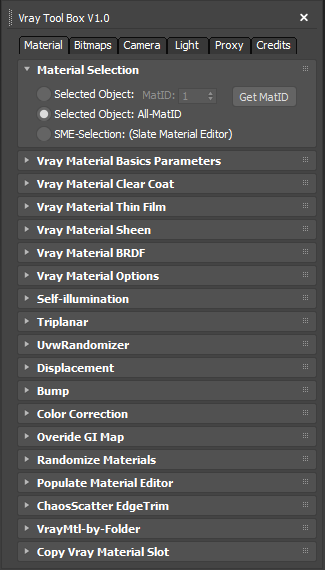
Vray ToolBox

6 votes

It is a Vray version of my script "Corona Automator" It has a lot of features for materials, bitmaps ,cameras, lights and proxies.

Its main goal is to automate property tweaking, and save time on repetitive tasks.

for now the material part is focused on Vray Materials , it won't work on other kind of materials like fastSSS or other materials.

Qpreview

12 votes

This script will make preview renders from the viewport using the default 'make preview' dialog, when completed it renames the preview file to match the camera's name.

This makes it easier to generate preview files for a ruff edit, without having to manually rename the preview files again and again.

Wide Ratio Camera Tool

16 votes

The Wide Ratio Camera Tool creates a camera rig that overrides the project's image output ratio.

Example :

- The final output image is for tv (HDTV 1280x720) : ratio 1.77.
- We want to display some 2.35 ratio for a "movie effect".

It works with 3dsmax's default cameras (free and target), and VrayPhysicalCameras.
The ratio is handled by a Custom Attribute in the created "c" helper.
The masks are properly wired : the ratio and the camera's focal length can be animated.

View Manager

13 votes

Save and restore up to 5 views in the current scene.

I am working on a bit more usefull version but I have some issues to be resolved. The idea is like in AutoCAD - you save up to 5 views in the current scenes - for now you can't save or name them but I hope to resolve that. This helps in working in the viewport without the need to create cameras.

renderStacks

4 votes

Render Pass Manager for 3dsMax

We offer a free non-commercial version.

It is a render pass/generic task manager for 3dsMax. If you have used RPManager, LPass Manager, Prism, StateSet, Scene State. It is something like that. But, it is aiming to be a lot smarter, faster and more stable.

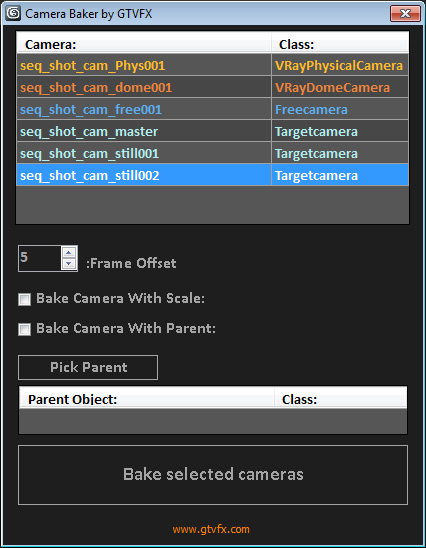
GTVFX-ANM_cameraBaker

1 vote


Bakes cameras per frame with optional transform, and optional frame range buffer.

By default this bakes the camera in World Space which is generally what you want. There is an option to bake the camera in Parent space if you check the box "Bake camera in selected objects space".


02/01/2014:

Syndicate content