Tagged 'max'

String Option Mental Ray

1 vote

This script allow to insert string option in Mental Ray engine

String option Mental Ray


Selected Verts Boundary

3 votes

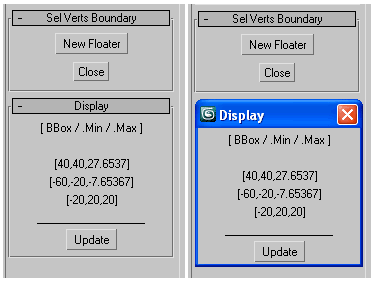
a mini utility show the boundingbox of selected vertices,
as well their Min/Max boundary in world space coordinates.

GUI

measure single selected node (selection[1])
works with any geometry node that has .mesh value
allows one floater rollout at a time

Set 3ds Max window Size & Position

0 votes

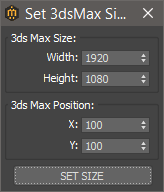
With this script you can set the position and size(in pixels) of 3ds Max window.


How to install:

drag and drop the miauuSet3dsMaxSizeAndPos.ms onto any 3ds max viewport.

Go to Customize -> Customize User Interface -> miauu category and you will find the "Set 3ds Max Size and Pos" script.

UV Cage Rendrer

0 votes

#

This script is now a part of CheckMate tools by POPA_3D

 please checkout 

http://www.scriptspot.com/3ds-max/scripts/checkmate-tools-by-popa-3d-tur...

DeltaMushToSkin

7 votes

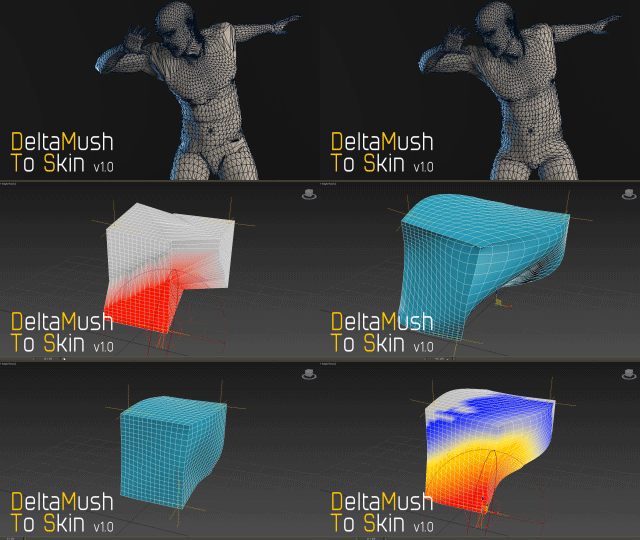
DeltaMush to Skin is a c++ 3ds Max modifier which smooths deformations while preserving details with "converting" to Skin feature - the plugin solves Skin weights matched as close as possible to the DeltaMush result. It enables the user to export such rigg to the game engine like Unity, Unreal etc. The whole process is incredibly fast thanks to multithreaded optimization.


Lazytoolbox

15 votes

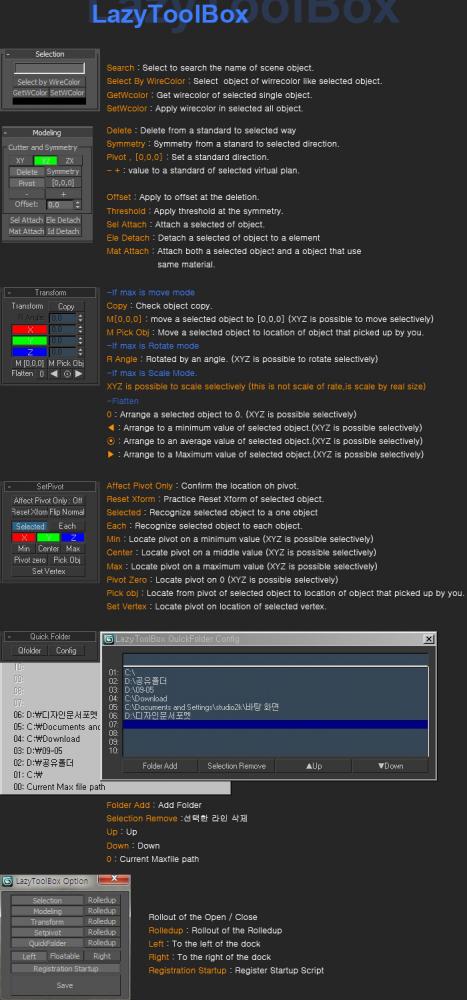
 Choose Install Location window, select the folder to use version of the Max!

Maxscript basics #2 - loops, strings etc.

20 votes

Another introductory basic maxscript tutorial

IDs Finder

1 vote

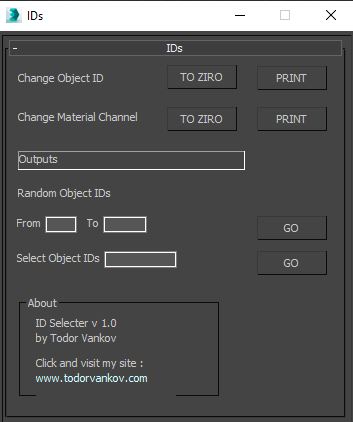
With this script you can Find what kind of object and material IDs you have in your scene.

- the Buttons „to zero" reset all material and object IDs
- random object ID
- select the objects with one special ID

Script category: “#todorScripts”

You can see an example here, how to install my script per Drag and Drop:

Placer

3 votes

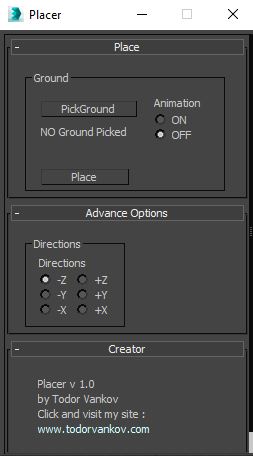
Placer is a 3ds max script to help you to place objects on a suraface. In this Script you can pic the ground model ( the geometry on that you will transport the chosen objects ), select to turn on, or off the record the animation of your objects and Start the placement process.

Script category: “#todorScripts”.

You can see an example here, how to install my script per Drag and Drop:

Slate - View Selected

21 votes

This free MaxScript instantly displays the material of the selected object (or objects) in a new view in the Slate Material Editor. Currently, Slate does not have a quick and easy way to do this. Slate View Selected allows you to create multiple views as well. You can close the script dialog box and the script will continue to run until you re-run the script where you can stop it. In the dialog box you can also set a "display max" so that if you select a large number of objects, Slate won't waste time collecting and displaying all the materials used by objects in the selection.