Tagged 'scale'

zsScaleTools

5 votes

- DISPLAY the real dimensions of selected objects (with transformations) or the selection bounding box
- SCALE objects to exact dimensions in world units, object rotation can be ignored
- UNIFY the dimensions of objects in selection to min / center / max values (per axis)

Resize Splines From First

27 votes

Tools that resize spline sub-objects in regard to their first vertex, one with a scaling factor, the other using a fixed size.

UVSetscale

3 votes

"Preview"

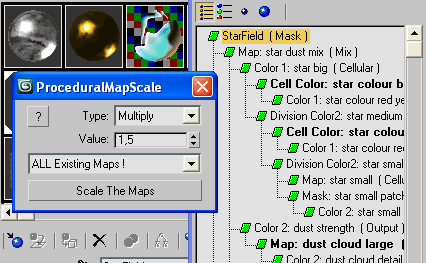
Procedural Map Scale

23 votes

Resize Maps

Good for global rescale at once the size of all procedurals.
Works on any resizable procedural map.

UVW Transform

11 votes

This tool allows you to precisely move rotate and scale UVWs. I have found it useful for putting multiple UVs on one layout, Using non-square textures and when working with uvs that overlap.

Update 1.1 added Undo

Doom Spline Resizer - draw line with precise lenght

3 votes

This simple script will let you draw precise lines quickly almost as a CAD software!
It will Set the pivot to the first vertex of a shape object and align it to the first segment. A window will show up allowing to set the Lengh of a spline scaling from the first vertex.

You can find the mcr script in the Category:"_Scripts"
The .ms script will just load on RUN

USAGE:
For best use associate the script to a Key button (es. D that is free by default)
You can add a toolbar button found in "# Scripts" category
Use the key or press the toolbar button to start drawing a line

Milyan's object cleaner

1 vote

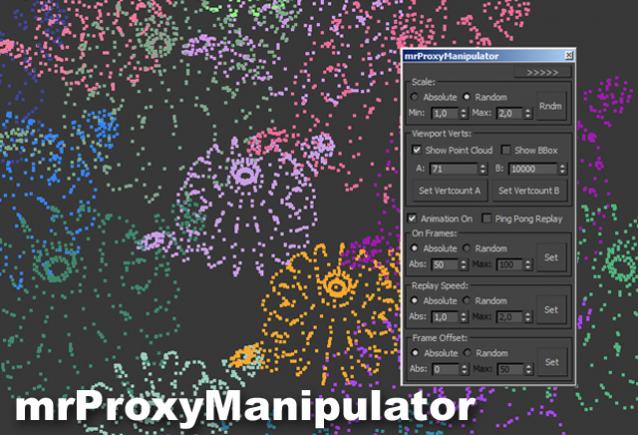
mental ray Proxy Manipulator

3 votes


Working with mental ray proxies can be very tedious. As they are used for vegetation alot, the need for variation is there, to make it look believable. This script gives you options to vary scale and all animations aspects of all selected mr proxies. It also has a minimized version where you can quickly change the viewport resolution of your proxies, helping to speed up the viewport alot.

Tutorial video:

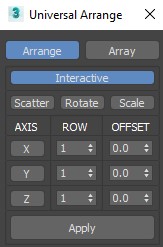
Universal Arrange

4 votes


This Script for Arranging Selected Objects in 1 or 2 or 3 Axis . You Can Control the Offset on each Axis and the Number of Rows (When Using 2 or 3 Axis). Notes: Press Right Click on any Axis to Arrange the Objects on this Axis Only.

Version 1.2

Syndicate content