Tagged 'Material'

Material Animator

9 votes

Allows you to animate material colors and opacity in VIZ 3.0.

Material Check

7 votes

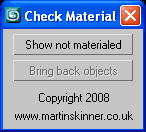
User InterfaceMaterial Check v1.0.ms

Maxscript to quickly find objects yet to have materials applied.

Material Collection

3 votes

It is a non volumetric - procedural material for particle systems that allows you to create a wide range of special effects.

Material Converter

19 votes

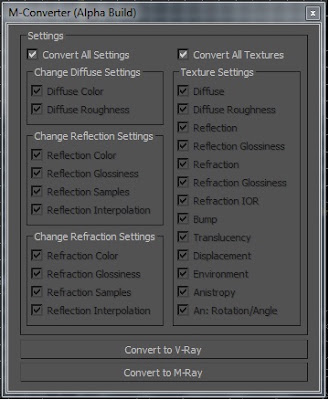
M-Converter UI

I made a Material Convert that converts Arch & Design materials to Vraymtl. I created this in my free time so its a BETA script. For now M-Converter only converts Arch & Design materials to Vraymtl. I hope you guys like this script.

Material converter 1.xx

6 votes

Description:

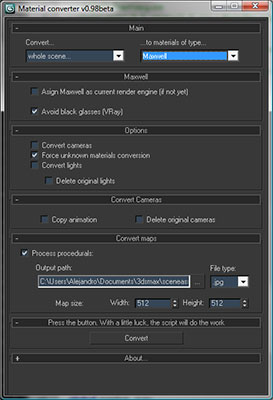
Simple utility to make it easier to move scenes from a rendering engine to another. Some work have to be done in terms of materials or types of engines, but it will progress step by step. In the following table you can appreciate the possibilities of the script at this moment:

Help file explaining the whole process included with script.

UPDATED v1.24:
· Many Internal fixes

Material Converter v0.98b

70 votes

Description:

Simple utility to make it easier to move scenes from a rendering engine to another. Some work have to be done in terms of materials or types of engines, but it will progress step by step. In the following table you can appreciate the possibilities of the script at this moment:

Help file explaining the whole process included with script.

Material Copier

9 votes

Simple script that will copy a material from object to another, even if the material is undefined.

Just drag and drop into 3ds max. The script can accessed be under the "Toke Scripts" category.

Material Editor Manager, MEM

26 votes

This script was developed due to a better usability of 3dsmax's material editor.

Material ID Condense

12 votes

What it does:
Condenses material ID's Based on the texture name or material name.

How to use it:
Under Utilities Tab, hit the MAXScript button
then push run script, locate CondenseMaterialIDs.mcr and hit open.
Now in the Utilities drop down, choose Condense material ID's.

Here you may choose to
A:
condense it from the material name i use a script i found on Scriptspot called "OS3D_SetMaterialName_v01.ms" i cant seem to locate it again but it sets all material names to the Image names.

B:
Condense by the diffuse texture name eg Image1.jpg

Material ID Dashboard

3 votes

MatID Dash allows you to rapidly assign material IDs to an editable poly object. Select your faces - and hit the number to assign that ID to the faces. The script also allows you to assign random material IDs by polygon - type in the IDs you wish to randomise across the selected polygons into the slot - separated by commas - e.g. 1 -2 -5 -8 - and hit R to assign them.

Syndicate content