Tagged 'Material'

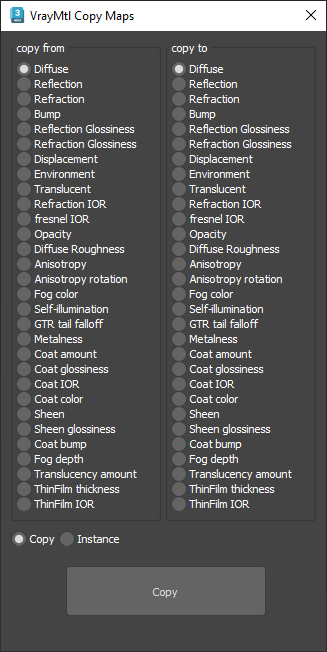
VrayMtl Copy Maps

1 vote

This script is intended to batch copy from slot to slot within the same material.

For example, you can copy the bump map to The displacement map or the diffuse map to the selfillumination map on multiple material at once.

You can copy the diffuse map to the bump or the Glossiness map and use my other script to add color correction with saturation  set to -100 and adjust other settings to fit your needs.

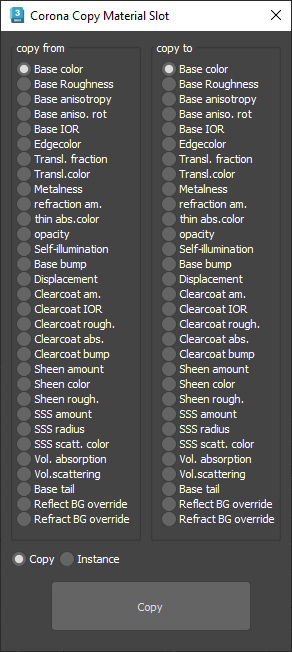
Corona Copy Material Slot

1 vote

This is only for Corona Physical Materials, i might do a legacy version later..

This script is intended to batch copy from slot to slot within the same material,

For example, you can copy a bump map to a displacement map or the diffuse map to selfillumination on multiple material at once.

you can use my other script to add some color correction with a saturation set to -1, to create bump or roughness maps from your diffuse map.

miauu's Materials Reducer

2 votes

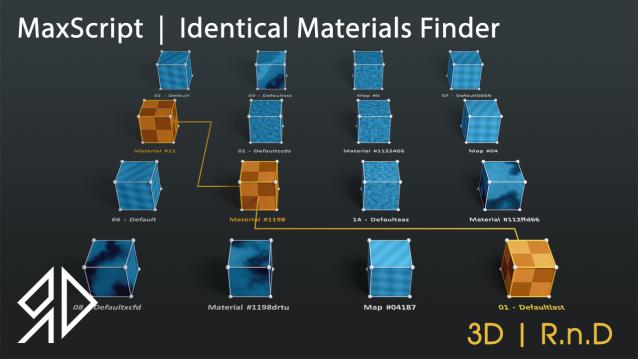
3D R.n.D | MaxScript | Identical Materials Finder

5 votes

Update Notes Version 3.18:

included slate material compatibility

automatically opens material editor when pressing "Put similar to the material editor" button


Update Notes Version 3.21:

included option to instance all scene material

included option to search within selected objects

 Update Notes Version 3.31:

Bug Fixes For Newer Versions of 3dsmax


Update Notes Version 3.36:

Improved code and much faster resaults

fixed unmatched materials issue

Bug Fixes For Newer Versions of 3dsmax

Update Notes Version 3.37:

added abilty to cancel search

clear the ram of arrays after closing the script dialog


Installation : Run script or drag and drop to 3ds max, then go to customize user interface and assign "Identical Material Finder" as keyboard short-cut or quad menu under  "3D_RnD"  Category

Names Fixer

0 votes

A Script for Replacing Chinese and illegal Characters from (Objects-Materials-Maps-Modifiers-layers) Names .

PS: Undo Disabled , So its Better to Save your Work Before Running the Script .

For Replacing Texture Names you can use Pop Chinese Script

UPDATE 1.1 :

  • Change the script name to "Names Fixer"  .
  • Add Fix for Names Sequences , ("Group464134564" will be fixed to normal sequence "Group023")

SnowEffect

3 votes

SnowEffect plugin poster

The plugin allows you to create a global snow effect for the whole scene. You can cover selected objects with snow with just a few clicks. SnowEffect supports V-Ray, Arnold, Corona, and scanline render natively. All other render engines will see it as standard material that you can modify or replace. You can also change the amount of snow and bump/displacement size.
Watch the trailer for more details.

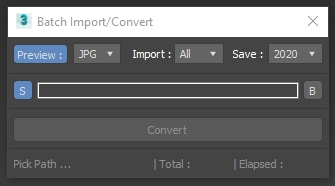
Batch Import Convert

1 vote

3DSMax Script for Importing Selected Type Files from Folder +Subfolders and Save them as Max Files +Version ,

with Option to Grab Viewport Preview .

NOTES :

Attach Selected

0 votes

3dsMax Script for Attaching Selected Objects .

- Works on Geometries and Shapes .

- The First Selected Object will be the Main Object .

Sometimes when using Other Scripts for Attaching Objects you get wrong materials when containing Multi Sub Materials , So I made this Script to solve this Problem .

- After Installing , the script will be add to QuadMenu 1 (RightClick Menu) "Attach Selected" .

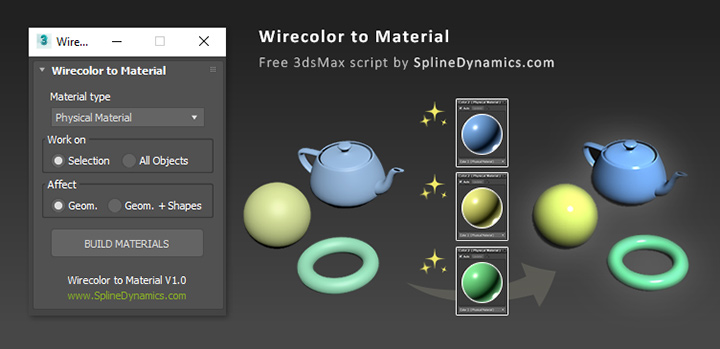
Wirecolor to Material

0 votes

Wirecolor to Material

Description

Automatically create and assign materials from objects’ wirecolor.

rBCopyPaste

1 vote

rBCopyPastev0.2

Another tool for copying/pasting objects/material/modifiers from one scene to another in 3dsMax.

v0.2:

  • Redesign UI.
  • Add function to copy/paste modifiers.
  • Default path now is in autoback (getdir #autoback).

 Small help box available by shift clicking [+] button. 

Contact me or comment if you have any question. 


Hope its useful. Cheers.