Tagged 'Material'

Interactive Universal Renamer

17 votes

NEW VERSION: Asset Paths + Sorting + Filtering + Multiselection

Make sure to select items in the list to see the renaming preview and do the actual renaming!

Cryengine 3 export preparation

0 votes

This script is specific for use with Cryengine 3. So if you don't intend to use this with Cryengine 3, this script will not work and be of no use for you.

It creates all the appropriate layers for the lods and main object, creates the dummy and linking the mesh to the dummy. Creating the proper material, submaterials (4 by default) for the model and the proxies, assigning the crytek shader and the physicalize (no draw) to the proxies.

Left for you is assigning the proper IDs manually to the correct submaterials (if needed).

SEA3D

3 votes

An open-source cross-platform file format for games

Export entire scenes to Web with just one click

Delete Spurious Keys

1 vote

When you have unwanted keys on Meshsmooth/Turbosmooth modifiers, it can be a pain even if the iteration value does NOT actually change. If you have hair and use Vray moblur/displacement, it may crash if you have these keys in your scene.

These keys are created when you hit the big Set Keys button and your Key Filters has Modifiers checked. Use this script to get rid of these keys (and optionally material keys as well).

As usual, back up your file before running the script. Just drag and drop the script into your Max viewport to run.

RappaTools v1.92

558 votes

RappaTools3 and RappaTools2 available... see new website: http://remusjuncu.com/rappatools/

See RappaTools3 PlayTime 02 Here  and RappaTools3 PlayTime 03 Here !

Bitmap List [ .NET ]

7 votes

The script "Bitmap List [ .NET ] - Version : Beta 1.0 " use dotNetClass ListView and Maxform.
The script for use change location bitmap and stuff in 3ds Max.
The script support 3ds Max 2009 - Higher.


Multi Map Loader

38 votes

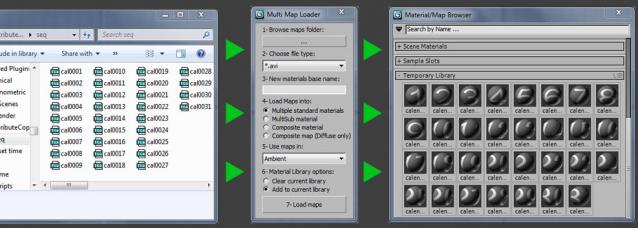
Loads multiple files from a folder into your choice of available materials & maps. Then puts the new created materials to the material library.


Version 2.1 updates:

HoHa Material ID

3 votes

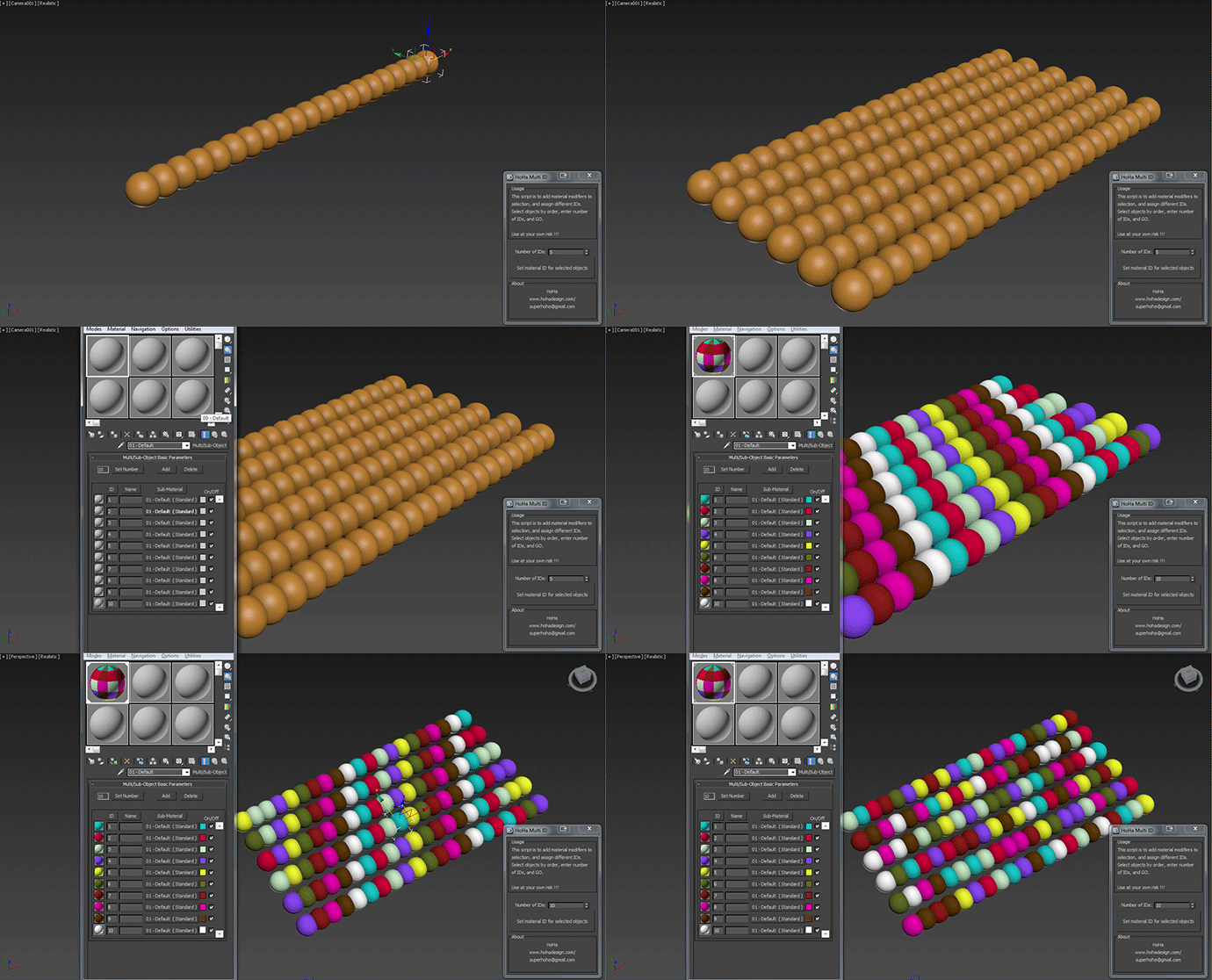
Just another small script to add "Material" modifiers on top of the sellections to assign random or in order material ID. Apply multi subobject material to the selection first.

Comment and feedback are welcome.


Change Log:

V1: Basic as above.

V1.1: Added a random IDs button for making the IDs Random (duh) :)

Cheers

Copy and Acquire

0 votes

This is a simple maxScript to make a copy from a base object and Acquire Position Rotation Scale and Material from the targets.

copy and acquire v1.0

Material Layer Interface MLI

142 votes

3 new versions and reduced prices: MLI Light 2.0, MLI 2.0, MLI Pro 2.0

With the Material Layer Interface (MLI) you can create Material Layers and passes in 3D Studio Max and it’s easy to handle them!

mli_banner

Just create the layers and pick the objects. Assign materials to the objects and feel free to use different renderer or render settings for every single layer.

Syndicate content