Tagged 'utility'

Select By Measuring

5 votes

This tool will allow you to select objects by the size of the bounding box, surface area or volume.

CamMapMod - Camera Map replacer and updater

38 votes

This is my first script ever, so improvements are to be made.

Doing Camera Mapping ?

Ever wished to replace and update all the Camera Map modifiers you want in one single click ?

Bored of selecting your meshes one by one and then choose your camera again and again ?

The wait is over. Because this tool may save you some great time, which you can then spend to refine you Matte Painting skills !

Check XYZ coordinates

12 votes

NEW RELEASED 1.5

This is a funny and simple Script that allows to check and print in a file (.txt or .csv) the coordinates XYZ an animated or still object position for each frame.

Change Log v.1.5

-- Correct the code
-- Add choose stamp file (.txt or .csv)
-- Add increasing save file
-- Fix minor bug

A CMD utility to externally re-path 3ds Max files

0 votes

This is a simple tool I wrote in IronPython and compiled to a usable .exe program for re-pathing or examining 3ds Max (.max and .mat) files without actually running 3ds Max.

It's pretty useful for batch re-pathing before rendering on render farms, for example. Or just to view what type of files are being linked in your .max and .mat scene files and material libraries, respectively.

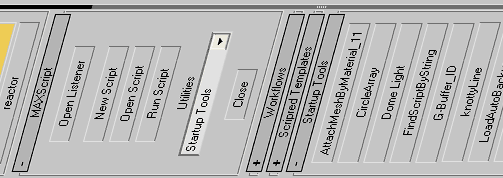
DUM (Dynamic Utility Menu)

29 votes

Smart utility menu for your scripts.
Easy customizable (noted inside the code).

DUM

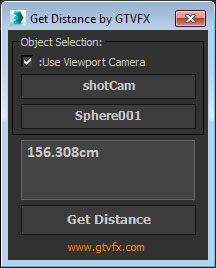
GTVFX-UTL_getDistanceInUnits

0 votes


Gets the distance between two objects. Returns the value in your current System units. 

Automatically copies the value to your clipboard so you could, for example, past that distance value into your ZDepth distance.


Script Box

3 votes

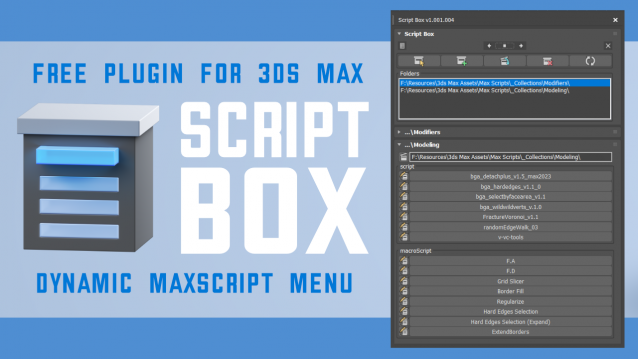
Script Box optimizes your scripting workflow by creating a dynamic dialog menu for Maxscript files.

Simplify installation and execution of Maxscripts by selecting any folder and get a menu that can launch external MaxScripts without adding custom buttons. Freely organize and integrate macroScripts, plugins, utilies and regular scripts inside 3ds max without going through a set of complicated steps.

The current version is free with no limitations, offering the same functionality as the paid version. Future updates are exclusive to paid users.

Main Features

  • Dynamic dialog menu 
  • Execute MaxScripts from any folder
  • Multi-threaded file loading
  • Organized by macroScript, plugin, utility and regular scripts
  • Configure buttons and minimize UI
  • Custom tooltips with aditional information
  • Create, archive and open MaxScripts
  • Dock, resize, and collapse dialogs
  • Launch on start-up

Open Image File

8 votes

This very simple script allows to open a float window of an image.
Present in 3dsMax 2010, him and totally assents in the previous versions.
Useful to open an image during the job in 3dsmax

Incremental Transform

14 votes

A script to move or rotate an object set of ObjName[_###] Will work on multiple ObjNames, but provides confirmation request for mis-matched object base names. Objects are sorted in alphanumeric name order for incremental transformation, i.e., obj_001 +10 deg., obj_002 +20 deg, obj_003 +30 deg...

Axis-space selectable. Not very elegant, but seems to work OK.

IA_Utilities_Ver1.1

13 votes

IA_Utilities_Wire-consists of 4 maps that can be plugged into any shader network, for wiring numeric, boolean, and RGB color values.IA_Utilities_Instance-consists of 4 maps that also can be plugged into any shader network, for containing multiple instanced texture-maps. Each map has user labels within it, to label the use of each instance or wire.

Some uses for this are-

Syndicate content