Tagged 'transform'

Match Transform

8 votes

This script helps you to match the modifier gizmo (UVW, Slice) of selected object to the gizmo of picked object.

Coordinate Center Macros

21 votes

These are 3 simple macros I use to add shortcuts for the transform coordinate center options.

Animation Baker

15 votes

not long ago i have animated object by expression connected to timeline and i need bake this animation but every baker i found was not be able to bake this animation so i wrote this baker myself so if you have problem with baking animations this script maybe helps you

- fixed some bugs

Key Transfer

171 votes

ViewsMan

23 votes

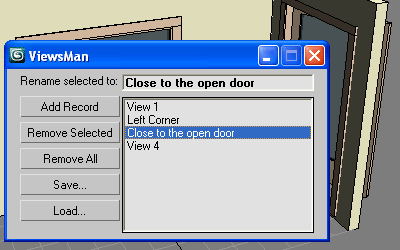
Save and restore unlimited views.
You can save views in one scene and load them in another scene.
Double click in the list to restore the saved view.

ViewsMan

The idea come from AutoCAD where you can save up to 5 views. Im not sure (never see) how exactly this feature works in AutoCAD, I just read about this in the ScriptSpot.com, and I hope this tool is useful anyway ;-)

Copy \ Paste Biped animation

63 votes

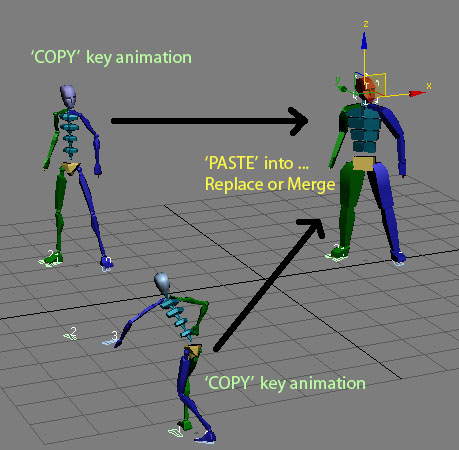
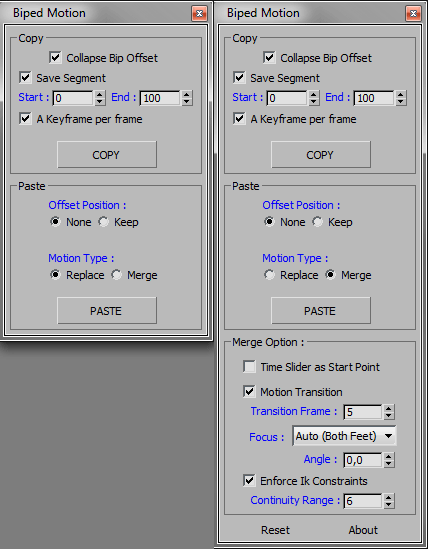
Quick copy and paste Biped animation to another biped from one instance of max and paste them into another.

History:
Copy/Paste Biped Animation V 1.0
- Main idea Tools.
- macroscript file.

Updated :
Copy/Paste Biped Animation V 2.0
- Added some option for copy or paste.
- Added paste replace or merge bip motion as option.

Stick Locator

23 votes

Stick Locator
=============
version 1.2

written by Mayec Rancel

(macroScript)

Description:
Creates a point dummy, and parents it to the reference object's vertex/center,
using controller expressions.

This is useful to parent other objects to a specific part of a deforming
mesh, or an object whose transforms have been 'baked' (e.g. point cache).

I have found it specially useful, in FX work, for particle/fluid emitters.

Notes:
- Only the 'center' method can be used with splines.
- When using 'vertex' method, the dummy's rotation will align to the

AndyE Tools v1.0

36 votes

Reduce Transform Keys

17 votes

This is not my first attempt at writing max script, I've hacked a ittle around the edges with adding custom attributes - Thanks PEN - but this is my first attempt at a useful/functional tool.

Reduce Your Transform Keys is designed to strip away all the transforms that don't do anything.

By default the range is set to your current animation range but you can confine the key pruning to a specific region for your timeline.

I don't like losing the key a frame 0 so I added a radiobutton to add one and ...

zsTools

21 votes

A simple script I wrote for my daily work. Maybe it will be useful for someone.
Rotation and Scale transormations are restricted to "geometry" and "helper" objects to avoid any errors.

- ROTATE selected objects by selected angle in specified axis
- RESET position / rotation / scale of selected objects in selected or all axes
- ALIGN position / rotation / scale of selected objects to min / average / max in specified axes
- apply a RANDOM (with given min and max values) position / rotation / scale in specified axes to selected objects.