Tagged 'batch'

Biped (.bip) Animation Batch Retargeting & FBX export

4 votes

This script was made to retarget animations so that changes could be made to the biped's proportions throughout production.

I made this for making my life easier between Max and Unity (though it could be used in any max-based pipeline). Unfortunately Unity has no native retargeting, unless your team is using Mecanim.

Milyan's object cleaner

1 vote

Game Models Tools

4 votes

This script lets you perform various texture map batch operations and batch import and map various game object formats. You can batch populate and rename the filepaths for different map slots ( as well as set other common properties ). If you have many bitmaps named according to a naming convention, you can quickly populate the appropriate maps accordingly.

At the current moment, there is no help documentation.

Simply run the script from the maxscript menu.

Works with Standard and Multimaterial

Best Regards joqqy

Interactive Universal Renamer

17 votes

NEW VERSION: Asset Paths + Sorting + Filtering + Multiselection

Make sure to select items in the list to see the renaming preview and do the actual renaming!

Batch Camera Previews

2 votes

This script will render out via "Preview - Grab Viewport" for multiple cameras at once. Useful if you create preview cameras a lot, or need to make multiples at once.

Installation:

1. Run script

2. In Max goto "Customize->Customize User Interface...->Toolbars tab->Category: ColinScripts->OpenGL Previews" and drag "OpenGL Previews" to a toolbar, click to run.

Multi Map Loader

38 votes

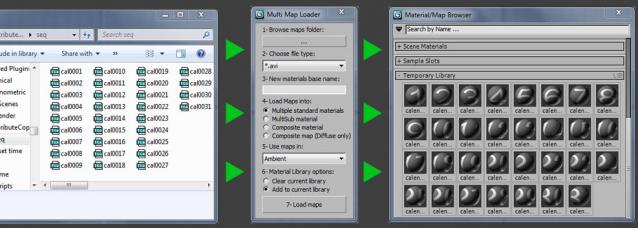
Loads multiple files from a folder into your choice of available materials & maps. Then puts the new created materials to the material library.


Version 2.1 updates:

Batch Preview Renderer

4 votes

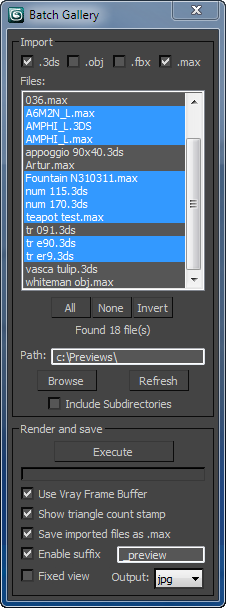
The script searches for files in a given directory and renders a preview from the files found.
Ideal if you have a lot of model library and you dont know the content of the files.

Batch Library Helper v1.0.1

0 votes


Batch Loader

75 votes

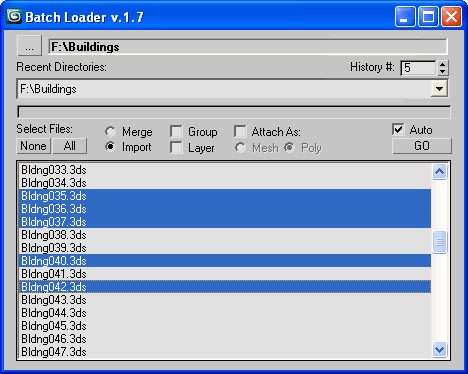
Quick Merge/Import multiple files.

UI v.1.7

Features:

  • Merge multiple .MAX files
  • Import multiple .* files (ie all that can be imported)!
  • Log all files where failed to load to Listener (if any)
  • Multiple history for recent used paths available
  • Limit count of recent paths to keep in history added
  • Group option available
  • Layer option available
  • Attach option available
  • "Auto" option (if is checked no prompt for Merge/Import) *

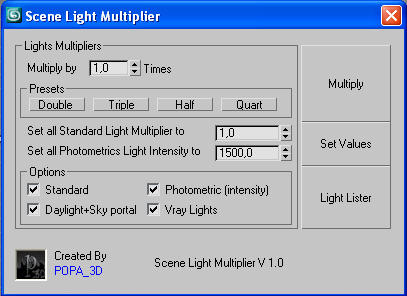
Scene Light Multiplier By POPA_3D

2 votes

Scene Light multiplier let you manage all your scene lights by multiplying their multiplier by a defined value or set all light multiplier to a defined value...

you can chose which lights will be taken in consideration

#Standard will affect:

 target Spot 

free Spot 

Target Directional ight 

free Directional light

Omni light 

Skylight 

mr area omni

Syndicate content