Tagged 'batch'

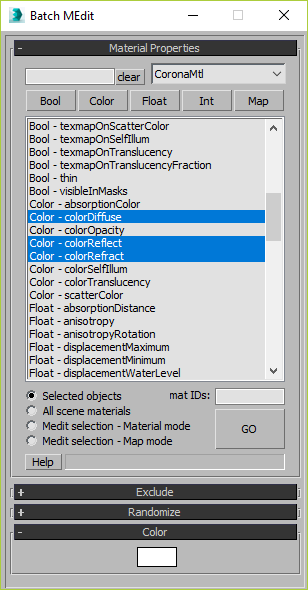
Batch Material Editor

14 votes

This script allows you batch edit multiple materials and bitmaps.

Interactive Universal Renamer

17 votes

NEW VERSION: Asset Paths + Sorting + Filtering + Multiselection

Make sure to select items in the list to see the renaming preview and do the actual renaming!

Batch Loader

75 votes

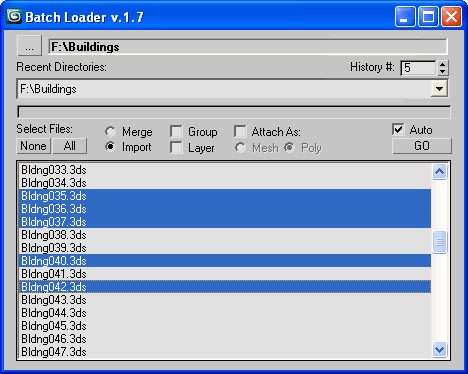
Quick Merge/Import multiple files.

UI v.1.7

Features:

  • Merge multiple .MAX files
  • Import multiple .* files (ie all that can be imported)!
  • Log all files where failed to load to Listener (if any)
  • Multiple history for recent used paths available
  • Limit count of recent paths to keep in history added
  • Group option available
  • Layer option available
  • Attach option available
  • "Auto" option (if is checked no prompt for Merge/Import) *

Spline Cleaner

6 votes

Clean, repair and organize thousands of splines in no time!


Description

Spline Cleaner is an advanced batch processing tool for cleaning, repairing and managing spline curves in Autodesk 3ds Max.

Select, attach, detach and delete multiple shapes using smart filters: by size, by length, by proximity, by similarity, by wirecolor, by layer, etc.

Batch Exporter

9 votes

Smart Merge 2

6 votes

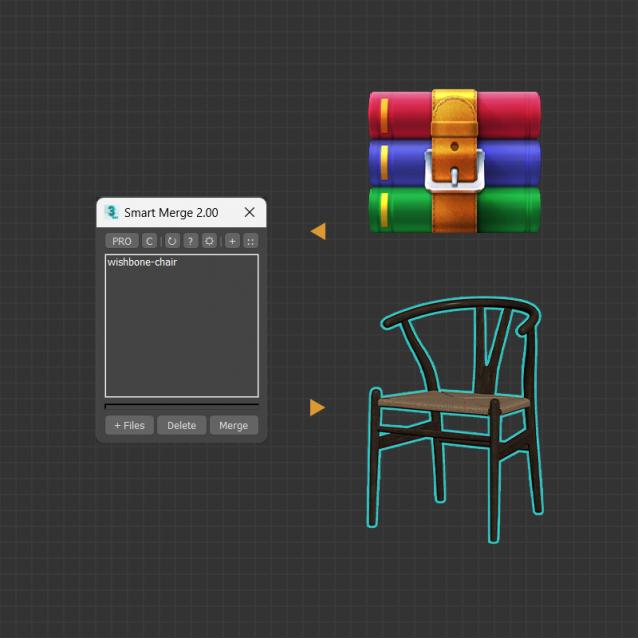
A tool for quick import/merge of 3dsmax files, or downloaded archives from 3D Stocks or Asset Libraries site. You can quickly batch load these files into the current scene by simply drag and drop, and then selecting the max files to merge from the list. This convenient script will save you a lot of time, especially when you have to merge many files into your project.


MAIN FEATURES

Game Models Tools

4 votes

This script lets you perform various texture map batch operations and batch import and map various game object formats. You can batch populate and rename the filepaths for different map slots ( as well as set other common properties ). If you have many bitmaps named according to a naming convention, you can quickly populate the appropriate maps accordingly.

At the current moment, there is no help documentation.

Simply run the script from the maxscript menu.

Works with Standard and Multimaterial

Best Regards joqqy

Batch Save 3ds Max Files to Previous Version

4 votes

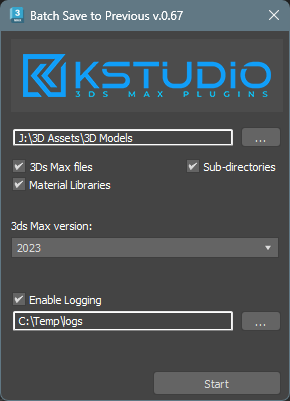
Script for saving 3ds Max files and Material Libraries* to the previous version in batch mode

*Batch saving Material Libraries to the previous version requires 3ds Max 2023 Update 1 or newest


Batch Render Wizard

31 votes

Batch Render Wizard is a Scripted Floating Modeless Dialog that allows the quick setup of Batch Render combinations of Cameras, Scene States and Render Presets. It leverages 3ds Max built-in Batch Render system which allows saving Command Line Batch files, Net Render, and also saves everything in the scene so that other users don't even need this script.
NOW AVAILABLE !

Batch Render Wizard Example

Multi Map Loader

38 votes

Loads multiple files from a folder into your choice of available materials & maps. Then puts the new created materials to the material library.


Version 2.1 updates:

Syndicate content